
Building User-Level Widgets with XP and Badges in Flutter
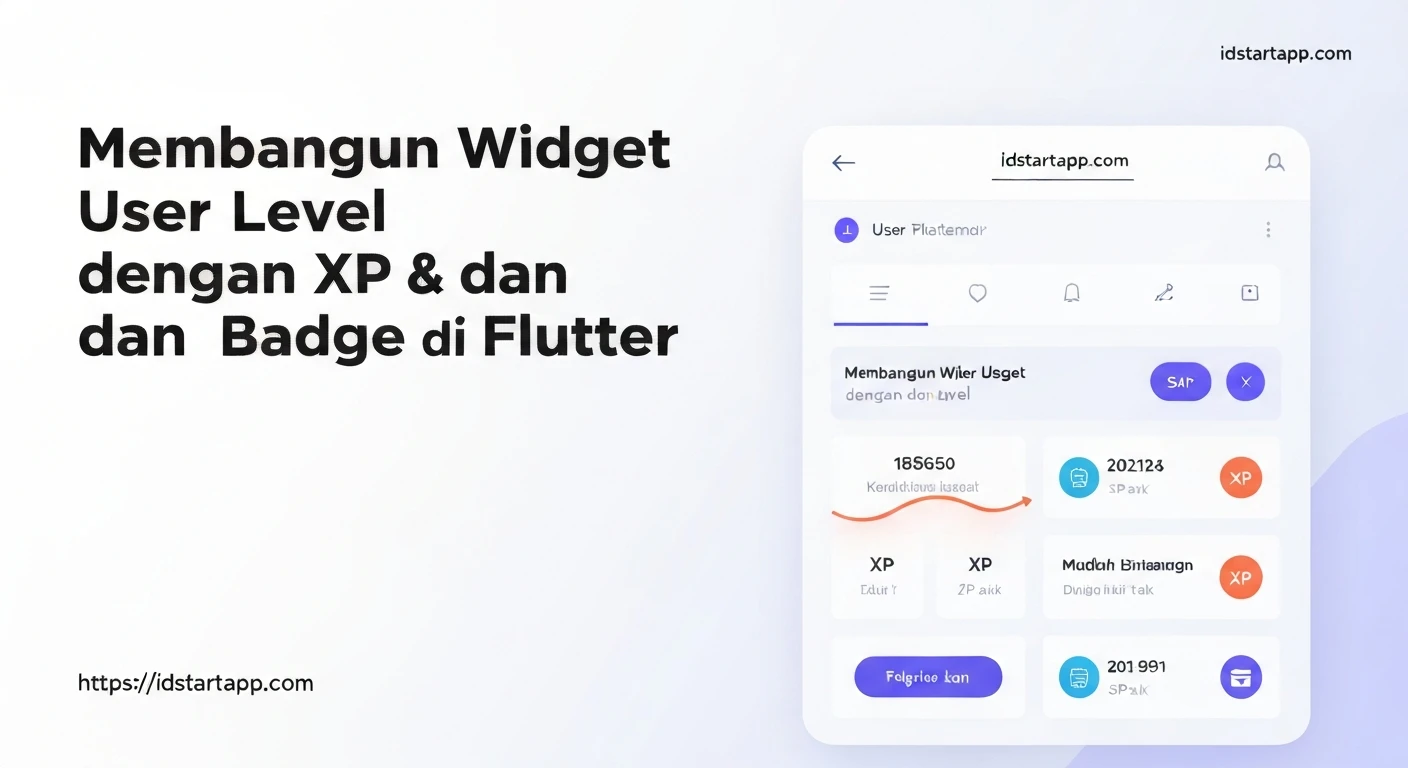
In today's digital landscape, user engagement is paramount. Gamification elements like Experience Points (XP) and badges have proven incredibly effective in motivating users, encouraging desired behaviors, and fostering a sense of achievement within applications. Flutter, with its expressive UI and powerful state management capabilities, provides an excellent platform for integrating such dynamic, user-level features. This article will guide you through the process of designing and implementing user-level widgets that display XP and earned badges, enhancing the interactivity and stickiness of your Flutter applications.
The Power of Gamification: XP and Badges
Gamification is the application of game-design elements and game principles in non-game contexts. XP and badges are two primary components:
- Experience Points (XP): A quantifiable measure of a user's progress and activity within the app. Users earn XP by completing tasks, engaging with features, or reaching milestones. Accumulating XP can lead to leveling up, unlocking new features, or earning rewards.
- Badges: Visual representations of specific achievements or milestones. Badges serve as digital trophies, acknowledging a user's mastery, loyalty, or unique contributions. They provide a clear visual incentive and bragging rights, often encouraging users to explore more features to collect them all.
Integrating these elements through user-level widgets transforms a static application into a dynamic, rewarding experience tailored to each user's journey.
Architectural Considerations
Before diving into code, let's consider the core architectural components:
- Data Models: Define how user data, XP, and badges are structured.
- Service Layer: Encapsulate the business logic for managing XP and awarding badges.
- State Management: Ensure the UI reactively updates as XP or badge status changes. Popular choices include Provider, Riverpod, or BLoC.
- Persistence: Decide where to store this data (e.g., local database like Hive/Sqflite, a backend API).
1. Defining Data Models
We'll start by defining the fundamental data structures for a User, an ActivityType (to categorize XP events), and a Badge.
// lib/models/user.dart
import 'package:flutter/foundation.dart';

class User {
  final String id;
  String name;
  int currentXP;
  List<String> earnedBadges; // List of badge IDs

  User({
    required this.id,
    required this.name,
    this.currentXP = 0,
    List<String>? earnedBadges,
  }) : this.earnedBadges = earnedBadges ?? [];

  User copyWith({
    String? id,
    String? name,
    int? currentXP,
    List<String>? earnedBadges,
  }) {
    return User(
      id: id ?? this.id,
      name: name ?? this.name,
      currentXP: currentXP ?? this.currentXP,
      earnedBadges: earnedBadges ?? this.earnedBadges,
    );
  }
}
// lib/models/activity.dart
enum ActivityType {
  profileCompletion,
  firstLogin,
  taskCompleted,
  dailyLogin,
  shareContent,
  // Add more as needed
}

extension ActivityTypeExtension on ActivityType {
  String get name {
    switch (this) {
      case ActivityType.profileCompletion: return 'Profile Completion';
      case ActivityType.firstLogin: return 'First Login';
      case ActivityType.taskCompleted: return 'Task Completed';
      case ActivityType.dailyLogin: return 'Daily Login';
      case ActivityType.shareContent: return 'Share Content';
    }
  }

  int get xpValue {
    switch (this) {
      case ActivityType.profileCompletion: return 100;
      case ActivityType.firstLogin: return 50;
      case ActivityType.taskCompleted: return 75;
      case ActivityType.dailyLogin: return 20;
      case ActivityType.shareContent: return 30;
    }
  }
}
// lib/models/badge.dart
import 'package:flutter/material.dart';

class Badge {
  final String id;
  final String name;
  final String description;
  final IconData icon;
  final int requiredXP; // XP threshold to earn the badge
  // Can add more complex criteria if needed

  Badge({
    required this.id,
    required this.name,
    required this.description,
    required this.icon,
    required this.requiredXP,
  });

  // A list of all available badges in your application
  static List<Badge> allBadges = [
    Badge(
      id: 'welcome_pioneer',
      name: 'Welcome Pioneer',
      description: 'First login to the app',
      icon: Icons.star,
      requiredXP: 50,
    ),
    Badge(
      id: 'profile_master',
      name: 'Profile Master',
      description: 'Completed your profile',
      icon: Icons.person_add,
      requiredXP: 100,
    ),
    Badge(
      id: 'task_pro',
      name: 'Task Pro',
      description: 'Completed 5 tasks', // Example: could be based on task count
      icon: Icons.check_circle,
      requiredXP: 300,
    ),
    Badge(
      id: 'social_butterfly',
      name: 'Social Butterfly',
      description: 'Shared content 3 times',
      icon: Icons.share,
      requiredXP: 250,
    ),
  ];
}
2. Service Layer for XP and Badge Logic
Next, we create services to manage user XP and badge awarding. We'll use ChangeNotifier and Provider for simple state management in this example.
// lib/services/user_service.dart
import 'package:flutter/material.dart';
import '../models/user.dart';
import '../models/activity.dart';
import '../models/badge.dart';

class UserService extends ChangeNotifier {
  User _currentUser; // In a real app, this would be loaded from persistence

  UserService({required User initialUser}) : _currentUser = initialUser;

  User get currentUser => _currentUser;

  void addXP(ActivityType activity) {
    _currentUser = _currentUser.copyWith(
      currentXP: _currentUser.currentXP + activity.xpValue,
    );
    _checkAndAwardBadges();
    notifyListeners();
  }

  void _checkAndAwardBadges() {
    for (var badge in Badge.allBadges) {
      if (!_currentUser.earnedBadges.contains(badge.id) &&
          _currentUser.currentXP >= badge.requiredXP) {
        _currentUser.earnedBadges.add(badge.id);
        // You might want to show a notification here
        print('🎉 New Badge Earned: ${badge.name}');
      }
    }
  }

  bool hasEarnedBadge(String badgeId) {
    return _currentUser.earnedBadges.contains(badgeId);
  }

  // Example for more complex badge criteria (e.g., specific task counts)
  // For simplicity, this example primarily uses XP threshold.
  // In a real app, you'd track task counts, share counts, etc.,
  // in the User model or a separate progress model.
  // void _checkTaskProBadge() {
  //   if (!_currentUser.earnedBadges.contains('task_pro') &&
  //       _currentUser.completedTasksCount >= 5) {
  //     _currentUser.earnedBadges.add('task_pro');
  //     print('🎉 New Badge Earned: Task Pro');
  //   }
  // }
}
3. UI Components: User-Level Widgets
Now, let's build the Flutter widgets to display the user's XP and badges.
XP Progress Bar Widget
A visual representation of the user's current XP towards a potential next level or badge.
// lib/widgets/xp_progress_bar.dart
import 'package:flutter/material.dart';

class XPProgressBar extends StatelessWidget {
  final int currentXP;
  final int nextLevelXP; // Or next badge XP target

  const XPProgressBar({
    super.key,
    required this.currentXP,
    required this.nextLevelXP,
  });

  @override
  Widget build(BuildContext context) {
    double progress = nextLevelXP > 0 ? (currentXP / nextLevelXP).clamp(0.0, 1.0) : 0.0;

    return Column(
      crossAxisAlignment: CrossAxisAlignment.start,
      children: [
        Text(
          'XP: $currentXP / $nextLevelXP',
          style: const TextStyle(fontSize: 14, fontWeight: FontWeight.bold),
        ),
        const SizedBox(height: 8),
        LinearProgressIndicator(
          value: progress,
          backgroundColor: Colors.grey[300],
          valueColor: const AlwaysStoppedAnimation<Color>(Colors.blueAccent),
        ),
        const SizedBox(height: 4),
        Text(
          '${(progress * 100).toStringAsFixed(0)}% to next milestone',
          style: TextStyle(fontSize: 12, color: Colors.grey[600]),
        ),
      ],
    );
  }
}
Badge Display Widget
A widget to show an individual badge, differentiating between earned and unearned states.
// lib/widgets/badge_display_widget.dart
import 'package:flutter/material.dart';
import '../models/badge.dart';

class BadgeDisplayWidget extends StatelessWidget {
  final Badge badge;
  final bool isEarned;

  const BadgeDisplayWidget({
    super.key,
    required this.badge,
    required this.isEarned,
  });

  @override
  Widget build(BuildContext context) {
    return Card(
      elevation: isEarned ? 4 : 1,
      shape: RoundedRectangleBorder(borderRadius: BorderRadius.circular(10)),
      child: Container(
        padding: const EdgeInsets.all(12),
        width: 120,
        child: Column(
          mainAxisAlignment: MainAxisAlignment.center,
          children: [
            Icon(
              badge.icon,
              size: 40,
              color: isEarned ? Colors.amber[700] : Colors.grey[400],
            ),
            const SizedBox(height: 8),
            Text(
              badge.name,
              textAlign: TextAlign.center,
              style: TextStyle(
                fontSize: 14,
                fontWeight: FontWeight.bold,
                color: isEarned ? Colors.black87 : Colors.grey[600],
              ),
            ),
            const SizedBox(height: 4),
            Text(
              badge.description,
              textAlign: TextAlign.center,
              style: TextStyle(
                fontSize: 10,
                color: isEarned ? Colors.black54 : Colors.grey[500],
              ),
            ),
            if (!isEarned) ...[
              const SizedBox(height: 4),
              Text(
                'XP: ${badge.requiredXP}',
                style: TextStyle(
                  fontSize: 10,
                  color: Colors.grey[500],
                  fontStyle: FontStyle.italic,
                ),
              ),
            ]
          ],
        ),
      ),
    );
  }
}
User Profile Widget (Integrator)
This widget combines the XP progress bar and a grid of badges.
// lib/widgets/user_profile_widget.dart
import 'package:flutter/material.dart';
import 'package:provider/provider.dart';
import '../models/badge.dart';
import '../services/user_service.dart';
import 'xp_progress_bar.dart';
import 'badge_display_widget.dart';

class UserProfileWidget extends StatelessWidget {
  const UserProfileWidget({super.key});

  @override
  Widget build(BuildContext context) {
    return Consumer<UserService>(
      builder: (context, userService, child) {
        final user = userService.currentUser;
        // Determine a target XP for the progress bar.
        // This could be the next level, or the highest XP badge yet to be earned.
        final int nextMilestoneXP = Badge.allBadges
            .where((b) => !user.earnedBadges.contains(b.id))
            .fold<int>(
              user.currentXP + 100, // Default if no badges left or for general progress
              (previousValue, badge) =>
                  badge.requiredXP < previousValue ? badge.requiredXP : previousValue,
            );

        return Padding(
          padding: const EdgeInsets.all(16.0),
          child: Column(
            crossAxisAlignment: CrossAxisAlignment.start,
            children: [
              Text(
                'Welcome, ${user.name}!',
                style:
                    Theme.of(context).textTheme.headlineSmall?.copyWith(fontWeight: FontWeight.bold),
              ),
              const SizedBox(height: 20),
              const Text(
                'Your Progress:',
                style: TextStyle(fontSize: 16, fontWeight: FontWeight.w600),
              ),
              const SizedBox(height: 10),
              XPProgressBar(
                currentXP: user.currentXP,
                nextLevelXP: nextMilestoneXP,
              ),
              const SizedBox(height: 30),
              const Text(
                'Your Badges:',
                style: TextStyle(fontSize: 16, fontWeight: FontWeight.w600),
              ),
              const SizedBox(height: 10),
              GridView.builder(
                shrinkWrap: true,
                physics: const NeverScrollableScrollPhysics(),
                gridDelegate: const SliverGridDelegateWithFixedCrossAxisCount(
                  crossAxisCount: 2,
                  crossAxisSpacing: 10,
                  mainAxisSpacing: 10,
                  childAspectRatio: 0.9,
                ),
                itemCount: Badge.allBadges.length,
                itemBuilder: (context, index) {
                  final badge = Badge.allBadges[index];
                  final isEarned = userService.hasEarnedBadge(badge.id);
                  return BadgeDisplayWidget(badge: badge, isEarned: isEarned);
                },
              ),
            ],
          ),
        );
      },
    );
  }
}
4. Integration and Usage
To put it all together, wrap your application with a ChangeNotifierProvider for UserService, and then use the UserProfileWidget wherever you want to display user progress.
// lib/main.dart
import 'package:flutter/material.dart';
import 'package:provider/provider.dart';
import 'models/user.dart';
import 'models/activity.dart';
import 'services/user_service.dart';
import 'widgets/user_profile_widget.dart';

void main() {
  // Initialize a dummy user for demonstration
  final initialUser = User(id: 'user_123', name: 'Alice');
  runApp(MyApp(initialUser: initialUser));
}

class MyApp extends StatelessWidget {
  final User initialUser;
  const MyApp({super.key, required this.initialUser});

  @override
  Widget build(BuildContext context) {
    return ChangeNotifierProvider(
      create: (context) => UserService(initialUser: initialUser),
      child: MaterialApp(
        title: 'Flutter XP & Badges Demo',
        theme: ThemeData(
          primarySwatch: Colors.blue,
          visualDensity: VisualDensity.adaptivePlatformDensity,
        ),
        home: const HomeScreen(),
      ),
    );
  }
}

class HomeScreen extends StatelessWidget {
  const HomeScreen({super.key});

  @override
  Widget build(BuildContext context) {
    return Scaffold(
      appBar: AppBar(
        title: const Text('My Profile & Achievements'),
      ),
      body: SingleChildScrollView(
        child: Column(
          children: [
            const UserProfileWidget(),
            Padding(
              padding: const EdgeInsets.all(16.0),
              child: Column(
                crossAxisAlignment: CrossAxisAlignment.start,
                children: [
                  const Text(
                    'Simulate Actions:',
                    style: TextStyle(fontSize: 16, fontWeight: FontWeight.w600),
                  ),
                  const SizedBox(height: 10),
                  Wrap(
                    spacing: 10,
                    runSpacing: 10,
                    children: ActivityType.values.map((activity) {
                      return ElevatedButton(
                        onPressed: () {
                          Provider.of<UserService>(context, listen: false).addXP(activity);
                          ScaffoldMessenger.of(context).showSnackBar(
                            SnackBar(
                              content: Text('Gained ${activity.xpValue} XP for ${activity.name}!'),
                              duration: const Duration(seconds: 1),
                            ),
                          );
                        },
                        child: Text('${activity.name} (${activity.xpValue} XP)'),
                      );
                    }).toList(),
                  ),
                ],
              ),
            ),
          ],
        ),
      ),
    );
  }
}
Advanced Considerations
- Persistence: For a real application, user data (including XP and earned badges) must be persisted. Integrate with a local database (e.g., Hive, Sqflite) or a backend service (e.g., Firebase Firestore, a custom REST API).
- Real-time Updates: For multiplayer or highly interactive apps, consider using WebSockets or Firebase for real-time XP and badge updates across devices.
- Complex Badge Criteria: Badges can be awarded based on more than just XP. Examples include "completed N tasks," "uploaded M photos," "logged in for N consecutive days." This would require tracking more specific metrics in your
Usermodel or a dedicatedUserProgressmodel. - Notifications: Implement visually appealing in-app notifications (e.g., a modal dialog, a toast message) when a user earns a new badge or significant XP.
- Levels: Extend the XP system to include levels. Define XP thresholds for each level and display the current level and progress to the next.
Conclusion
Implementing user-level widgets with XP and badges in Flutter is an effective way to introduce gamification into your application, significantly boosting user engagement and retention. By carefully designing your data models, establishing a robust service layer, and leveraging Flutter's reactive UI capabilities, you can create a dynamic and rewarding experience for your users. Start small, iterate on your gamification mechanics, and observe how these elements transform passive users into active participants eager to achieve their next milestone.