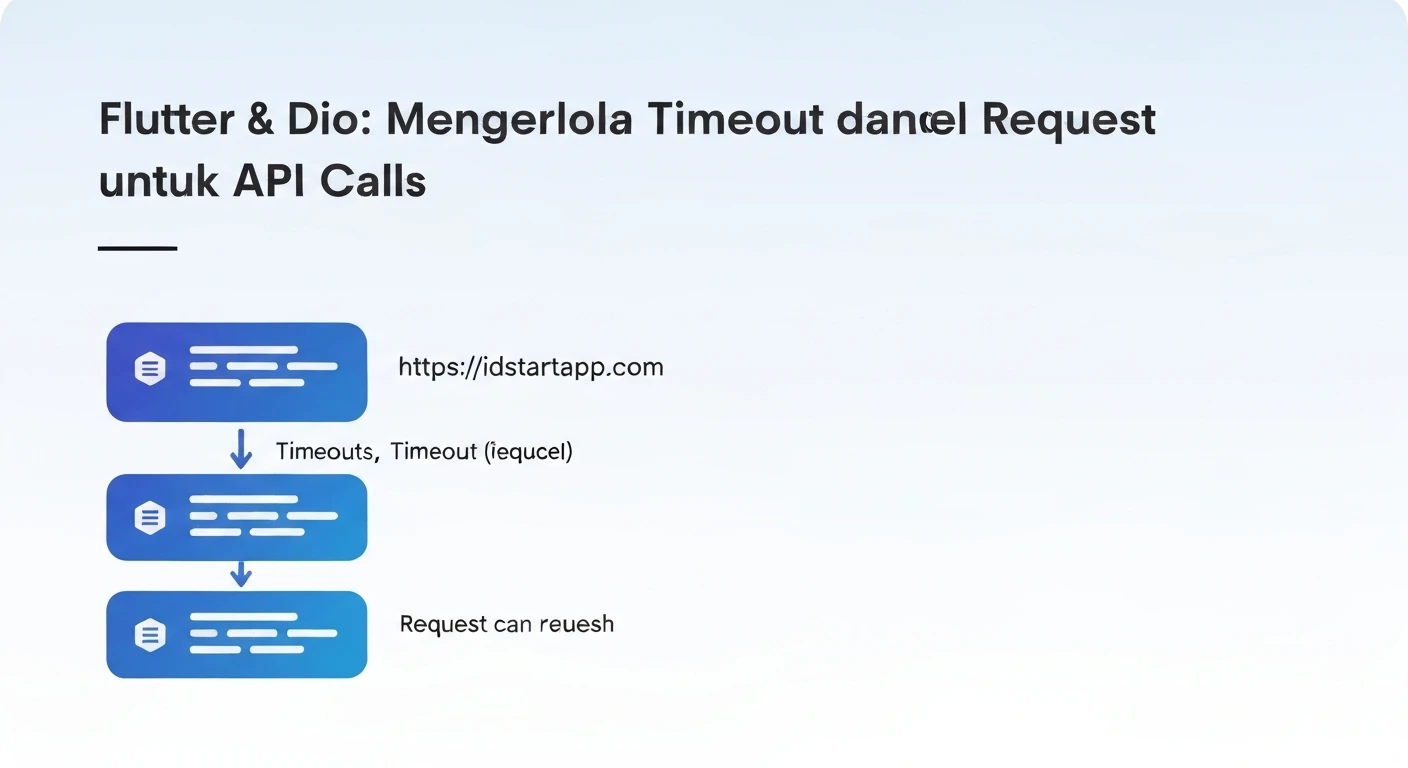

Flutter & Dio: Managing Timeouts and Cancelling Requests for API Calls
In modern mobile application development with Flutter, interacting with RESTful APIs is a fundamental requirement. Dio is a powerful HTTP client for Dart and Flutter, offering a robust feature set, including interceptors, FormData, request cancellation, and timeout management. While making API calls, it's crucial to handle scenarios where network requests might take too long or become obsolete. This article will delve into how to effectively manage timeouts and cancel requests using Dio to enhance the responsiveness and reliability of your Flutter applications.
Understanding Timeouts in Dio
Timeouts are essential for preventing applications from hanging indefinitely while waiting for an API response. Dio provides granular control over different types of timeouts:
connectTimeout: The maximum duration allowed to establish a connection with the server. If a connection isn't established within this time, the request will fail.receiveTimeout: The maximum duration for the server to send the entire response data after the connection has been established and the request sent. If data isn't received within this time, the request will fail.sendTimeout: The maximum duration for sending the request data to the server. While less commonly configured for typical GET/POST requests where data is sent quickly, it can be useful for uploading large files.
Configuring Timeouts
You can configure timeouts globally for a Dio instance or on a per-request basis.
Global ConfigurationTo set timeouts for all requests made through a Dio instance, you can configure them in the BaseOptions:
import 'package:dio/dio.dart';

final Dio dio = Dio(BaseOptions(
  baseUrl: 'https://api.example.com',
  connectTimeout: const Duration(seconds: 5), // 5 seconds
  receiveTimeout: const Duration(seconds: 3), // 3 seconds
  sendTimeout: const Duration(seconds: 3), // 3 seconds
));

// Example usage:
Future<void> fetchData() async {
  try {
    final response = await dio.get('/data');
    print('Data: ${response.data}');
  } on DioException catch (e) {
    if (e.type == DioExceptionType.connectionTimeout) {
      print('Connection Timeout: Could not connect to the server.');
    } else if (e.type == DioExceptionType.receiveTimeout) {
      print('Receive Timeout: Did not receive data in time.');
    } else if (e.type == DioExceptionType.sendTimeout) {
      print('Send Timeout: Could not send data in time.');
    } else {
      print('Other Dio Error: ${e.message}');
    }
  } catch (e) {
    print('Unexpected Error: $e');
  }
}
For specific requests that might require different timeout durations, you can override the global settings:
import 'package:dio/dio.dart';

final Dio dio = Dio(BaseOptions(
  baseUrl: 'https://api.example.com',
  connectTimeout: const Duration(seconds: 10),
  receiveTimeout: const Duration(seconds: 8),
));

Future<void> fetchSpecificData() async {
  try {
    final response = await dio.get(
      '/specific-data',
      options: Options(
        receiveTimeout: const Duration(seconds: 5), // Override receiveTimeout
      ),
    );
    print('Specific Data: ${response.data}');
  } on DioException catch (e) {
    if (e.type == DioExceptionType.receiveTimeout) {
      print('Specific Request Receive Timeout: ${e.message}');
    } else {
      print('Error: ${e.message}');
    }
  }
}
Handling Timeout Errors
When a timeout occurs, Dio throws a DioException. You can catch this exception and check its type property to determine the specific timeout error and provide appropriate feedback to the user.
import 'package:dio/dio.dart';

Future<void> callApiWithTimeoutHandling() async {
  final Dio dio = Dio(BaseOptions(
    connectTimeout: const Duration(seconds: 3),
    receiveTimeout: const Duration(seconds: 5),
  ));

  try {
    final response = await dio.get('https://api.slowapi.com/data'); // Replace with a potentially slow API
    print('API Response: ${response.data}');
  } on DioException catch (e) {
    if (e.type == DioExceptionType.connectionTimeout) {
      print('Error: Connection timed out. Please check your internet connection.');
    } else if (e.type == DioExceptionType.receiveTimeout) {
      print('Error: Server did not respond in time. Please try again later.');
    } else if (e.type == DioExceptionType.badResponse) {
      print('Error: Received bad response: ${e.response?.statusCode}');
    } else {
      print('An unexpected Dio error occurred: ${e.message}');
    }
  } catch (e) {
    print('An unknown error occurred: $e');
  }
}
Cancelling Requests in Dio
Request cancellation is vital for optimizing resource usage and improving user experience. Imagine a user navigating away from a screen that triggered an API call before the response arrives. In such cases, the ongoing request becomes irrelevant, and cancelling it can save network bandwidth, CPU cycles, and prevent unnecessary UI updates or state changes.
Using CancelToken
Dio provides the CancelToken class to manage request cancellation. A CancelToken can be associated with one or more requests. When cancel() is called on the token, all associated requests will be aborted.
import 'package:dio/dio.dart';

final Dio dio = Dio();
CancelToken cancelToken = CancelToken();

Future<void> performCancellableRequest() async {
  try {
    print('Sending cancellable request...');
    final response = await dio.get(
      'https://api.example.com/long-running-task',
      cancelToken: cancelToken,
    );
    print('Request completed: ${response.data}');
  } on DioException catch (e) {
    if (e.type == DioExceptionType.cancel) {
      print('Request was cancelled: ${e.message}');
    } else {
      print('Error: ${e.message}');
    }
  } catch (e) {
    print('Unexpected Error: $e');
  }
}

void cancelOngoingRequest() {
  if (!cancelToken.isCancelled) {
    cancelToken.cancel('User navigated away or operation no longer needed.');
    print('Cancellation initiated.');
  }
}

// In your application logic:
// Call performCancellableRequest() when needed.
// Then, after some time or an event (e.g., button press, widget dispose):
// call cancelOngoingRequest();
In a real Flutter application, you'd typically manage CancelToken within a StatefulWidget's lifecycle.
import 'package:flutter/material.dart';
import 'package:dio/dio.dart';

class DataFetcherScreen extends StatefulWidget {
  const DataFetcherScreen({super.key});

  @override
  State<DataFetcherScreen> createState() => _DataFetcherScreenState();
}

class _DataFetcherScreenState extends State<DataFetcherScreen> {
  final Dio _dio = Dio();
  CancelToken _cancelToken = CancelToken();
  String _status = 'Idle';

  @override
  void initState() {
    super.initState();
    _fetchData();
  }

  @override
  void dispose() {
    // Cancel any ongoing requests when the widget is disposed
    if (!_cancelToken.isCancelled) {
      _cancelToken.cancel('Widget disposed.');
      print('Request cancelled due to widget dispose.');
    }
    super.dispose();
  }

  Future<void> _fetchData() async {
    setState(() {
      _status = 'Fetching data...';
      _cancelToken = CancelToken(); // Create a new token for each new request
    });

    try {
      final response = await _dio.get(
        'https://jsonplaceholder.typicode.com/posts/1', // A sample API
        cancelToken: _cancelToken,
        options: Options(receiveTimeout: const Duration(seconds: 5)),
      );
      if (mounted) {
        setState(() {
          _status = 'Data fetched: ${response.data['title']}';
        });
      }
    } on DioException catch (e) {
      if (mounted) {
        if (e.type == DioExceptionType.cancel) {
          setState(() {
            _status = 'Request was cancelled: ${e.message}';
          });
        } else if (e.type == DioExceptionType.receiveTimeout) {
          setState(() {
            _status = 'Timeout: Server did not respond in time.';
          });
        } else {
          setState(() {
            _status = 'Error: ${e.message}';
          });
        }
      }
    } catch (e) {
      if (mounted) {
        setState(() {
          _status = 'Unexpected error: $e';
        });
      }
    }
  }

  void _cancelRequest() {
    if (!_cancelToken.isCancelled) {
      _cancelToken.cancel('User manually cancelled the request.');
    }
  }

  @override
  Widget build(BuildContext context) {
    return Scaffold(
      appBar: AppBar(title: const Text('API Call with Cancellation')),
      body: Center(
        child: Column(
          mainAxisAlignment: MainAxisAlignment.center,
          children: [
            Text(_status),
            const SizedBox(height: 20),
            ElevatedButton(
              onPressed: _fetchData,
              child: const Text('Refetch Data'),
            ),
            const SizedBox(height: 10),
            ElevatedButton(
              onPressed: _cancelRequest,
              child: const Text('Cancel Request'),
              style: ElevatedButton.styleFrom(backgroundColor: Colors.red),
            ),
          ],
        ),
      ),
    );
  }
}
Handling Cancellation Errors
When a request is cancelled, Dio throws a DioException with its type set to DioExceptionType.cancel. It's important to distinguish this from other error types, as a cancellation is often an expected and intentional event rather than a network failure.
import 'package:dio/dio.dart';

Future<void> handleCancellationError() async {
  final Dio dio = Dio();
  CancelToken cancelToken = CancelToken();

  Future.delayed(const Duration(milliseconds: 100), () {
    // Simulate cancelling the request shortly after it starts
    cancelToken.cancel('Manual cancellation after short delay');
  });

  try {
    await dio.get('https://httpbin.org/delay/2', cancelToken: cancelToken); // A request that takes 2 seconds
    print('Request completed successfully (should not happen if cancelled)');
  } on DioException catch (e) {
    if (e.type == DioExceptionType.cancel) {
      print('Caught cancellation error: ${e.message}');
      // Perform cleanup or update UI specific to cancellation
    } else {
      print('Caught other Dio error: ${e.message}');
    }
  } catch (e) {
    print('Caught generic error: $e');
  }
}

// Call handleCancellationError(); to observe the cancellation output.
Best Practices and Considerations
- Appropriate Timeout Values: Choose timeout durations that balance user experience and server load. Too short, and users might experience unnecessary errors; too long, and the app feels unresponsive.
CancelTokenLifecycle: Ensure thatCancelTokeninstances are properly managed. For requests tied to a UI component, create a newCancelTokenfor each new request and cancel it in thedisposemethod of theStatefulWidget.- UI Feedback: Provide clear feedback to the user when a request times out or is cancelled. This could be a snackbar message, an error dialog, or a changed UI state.
- Error Handling Granularity: Distinguish between different
DioExceptionTypes (connectionTimeout,receiveTimeout,cancel,badResponse, etc.) to provide precise error messages and handling logic. - Shared Dio Instance: It's generally a good practice to use a single Dio instance throughout your application (or per logical module) and configure it with
BaseOptionsfor consistency.
Conclusion
Managing timeouts and request cancellation are critical aspects of building robust and user-friendly Flutter applications that interact with APIs. By leveraging Dio's powerful features like connectTimeout, receiveTimeout, and CancelToken, developers can prevent unresponsive UIs, save network resources, and provide a smoother experience for their users. Implementing these techniques leads to more resilient and performant applications.