
Building a Habit Tracker Widget with Weekly Progress and Streak Badges in Flutter
Habit trackers are powerful tools for personal development, helping individuals build consistency and achieve long-term goals. In this article, we'll explore how to construct a sophisticated habit tracker widget in Flutter, complete with visual feedback for weekly progress and engaging streak badges. This widget will be designed for reusability and clarity, demonstrating key Flutter concepts for building interactive UI components.
1. The Data Model: Representing Habits and Completions
First, we need a robust data model to represent a habit and its associated completion dates. This model will serve as the single source of truth for our widget's state.
import 'package:flutter/material.dart';

// Helper function to check if two DateTime objects represent the same day
bool isSameDay(DateTime a, DateTime b) {
  return a.year == b.year && a.month == b.month && a.day == b.day;
}

class Habit {
  final String id;
  final String name;
  final List<DateTime> completedDates; // Stores only the date part

  Habit({
    required this.id,
    required this.name,
    List<DateTime>? completedDates,
  }) : completedDates = completedDates ?? [];

  Habit copyWith({
    String? id,
    String? name,
    List<DateTime>? completedDates,
  }) {
    return Habit(
      id: id ?? this.id,
      name: name ?? this.name,
      completedDates: completedDates ?? this.completedDates,
    );
  }

  // Check if the habit was completed on a specific day
  bool isCompletedOn(DateTime date) {
    return completedDates.any((d) => isSameDay(d, date));
  }

  // Toggles completion for a given date
  Habit toggleCompletion(DateTime date) {
    List<DateTime> newCompletedDates = List.from(completedDates);
    if (isCompletedOn(date)) {
      newCompletedDates.removeWhere((d) => isSameDay(d, date));
    } else {
      newCompletedDates.add(date);
    }
    // Sort to ensure consistency, useful for streak calculation later
    newCompletedDates.sort((a, b) => a.compareTo(b));
    return copyWith(completedDates: newCompletedDates);
  }

  // Calculates the current active streak
  int calculateCurrentStreak() {
    List<DateTime> uniqueSortedDates = completedDates
        .map((d) => DateTime(d.year, d.month, d.day))
        .toSet()
        .toList();
    uniqueSortedDates.sort((a, b) => a.compareTo(b));

    if (uniqueSortedDates.isEmpty) return 0;

    DateTime effectiveToday = DateTime.now();
    DateTime effectiveYesterday = effectiveToday.subtract(const Duration(days: 1));

    bool todayCompleted = uniqueSortedDates.any((d) => isSameDay(d, effectiveToday));
    bool yesterdayCompleted = uniqueSortedDates.any((d) => isSameDay(d, effectiveYesterday));

    if (!todayCompleted && !yesterdayCompleted) {
      return 0; // No active streak today or yesterday
    }

    DateTime currentDayBeingChecked = todayCompleted ? effectiveToday : effectiveYesterday;
    int currentStreak = 0;

    while (uniqueSortedDates.any((d) => isSameDay(d, currentDayBeingChecked))) {
      currentStreak++;
      currentDayBeingChecked = currentDayBeingChecked.subtract(const Duration(days: 1));
    }
    return currentStreak;
  }
}
2. Core Widget Structure
Our main HabitTrackerWidget will be a StatelessWidget, receiving the habit data and an onToggle callback from its parent. This promotes a cleaner separation of concerns, where the parent manages state and persistence.
import 'package:flutter/material.dart';
import 'package:intl/intl.dart'; // For date formatting, add intl to pubspec.yaml

// (Import Habit class and isSameDay function from previous section)
// import 'habit_model.dart'; // Assuming Habit class is in a separate file

class HabitTrackerWidget extends StatelessWidget {
  final Habit habit;
  final ValueChanged<Habit> onToggle;

  const HabitTrackerWidget({
    Key? key,
    required this.habit,
    required this.onToggle,
  }) : super(key: key);

  @override
  Widget build(BuildContext context) {
    return Card(
      margin: const EdgeInsets.symmetric(horizontal: 16.0, vertical: 8.0),
      child: Padding(
        padding: const EdgeInsets.all(16.0),
        child: Column(
          crossAxisAlignment: CrossAxisAlignment.start,
          children: [
            Row(
              mainAxisAlignment: MainAxisAlignment.spaceBetween,
              children: [
                Text(
                  habit.name,
                  style: const TextStyle(fontSize: 20, fontWeight: FontWeight.bold),
                ),
                StreakBadge(streak: habit.calculateCurrentStreak()),
              ],
            ),
            const SizedBox(height: 10),
            WeeklyProgressRow(
              habit: habit,
              onDayToggled: (date) {
                onToggle(habit.toggleCompletion(date));
              },
            ),
          ],
        ),
      ),
    );
  }
}
3. Implementing Weekly Progress
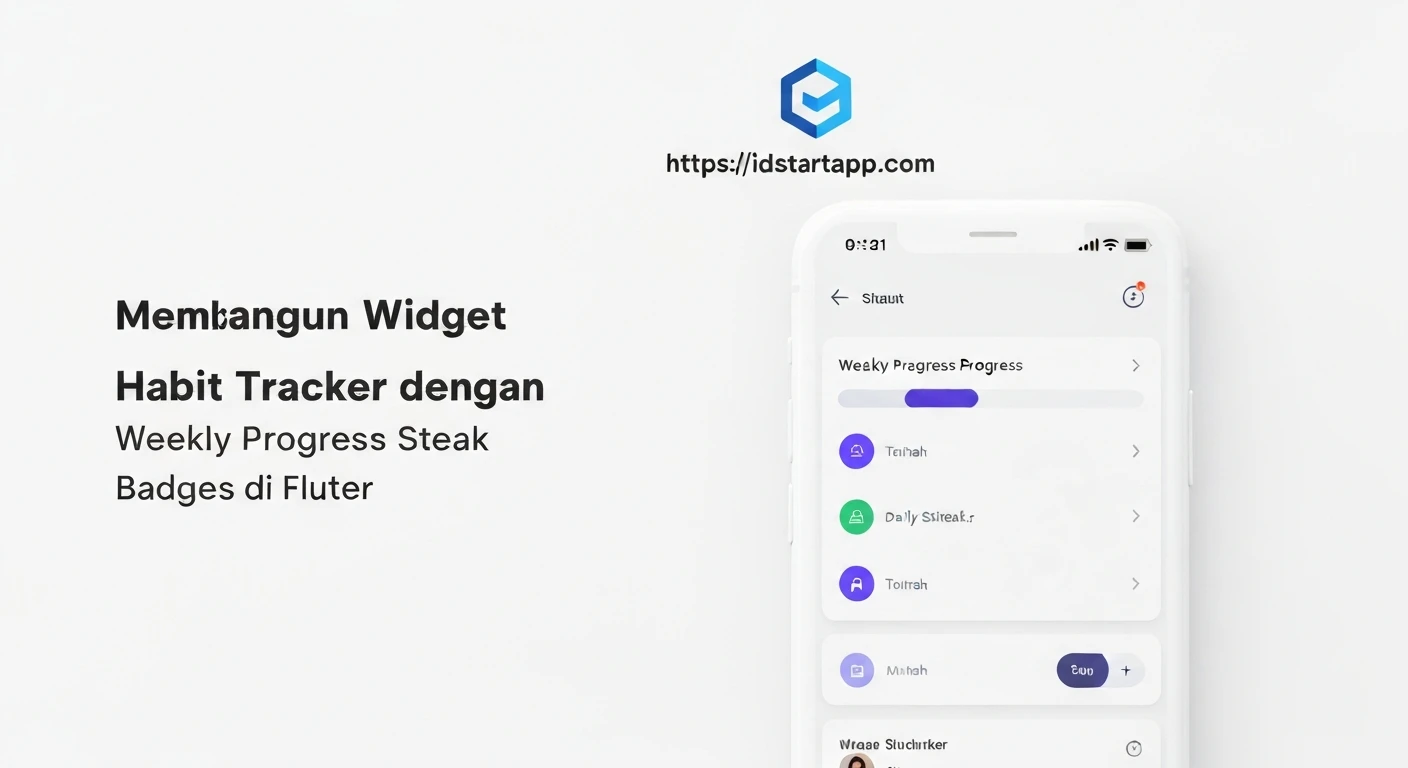
The WeeklyProgressRow widget displays the days of the current week and indicates whether the habit was completed on each day. It also handles user interaction to mark a day as complete or incomplete.
// (Import Habit class and isSameDay function from previous sections)
// import 'habit_model.dart';

class WeeklyProgressRow extends StatelessWidget {
  final Habit habit;
  final ValueChanged<DateTime> onDayToggled;

  const WeeklyProgressRow({
    Key? key,
    required this.habit,
    required this.onDayToggled,
  }) : super(key: key);

  @override
  Widget build(BuildContext context) {
    DateTime now = DateTime.now();
    DateTime startOfWeek = now.subtract(Duration(days: now.weekday - 1)); // Monday

    // Adjust for locales where week starts on Sunday (e.g., U.S.)
    // If you want week to start on Sunday: `now.weekday % 7`
    // For simplicity, let's assume Monday start for this example.

    List<Widget> dayWidgets = [];
    int completedDaysCount = 0;

    for (int i = 0; i < 7; i++) {
      DateTime day = startOfWeek.add(Duration(days: i));
      bool isToday = isSameDay(day, now);
      bool isCompleted = habit.isCompletedOn(day);

      if (isCompleted) {
        completedDaysCount++;
      }

      dayWidgets.add(
        GestureDetector(
          onTap: () {
            // Only allow toggling for today or past days (optional restriction)
            // if (day.isBefore(now.add(const Duration(days: 1)))) {
               onDayToggled(day);
            // }
          },
          child: Container(
            margin: const EdgeInsets.symmetric(horizontal: 2),
            width: 30,
            height: 30,
            decoration: BoxDecoration(
              color: isCompleted
                  ? Colors.green.shade400
                  : (isToday ? Colors.blue.shade100 : Colors.grey.shade300),
              borderRadius: BorderRadius.circular(8),
              border: isToday
                  ? Border.all(color: Colors.blue.shade700, width: 2)
                  : null,
            ),
            child: Center(
              child: Text(
                DateFormat('EE').format(day)[0], // First letter of day name
                style: TextStyle(
                  color: isCompleted || isToday ? Colors.white : Colors.black87,
                  fontWeight: FontWeight.bold,
                  fontSize: 12,
                ),
              ),
            ),
          ),
        ),
      );
    }

    double weeklyProgress = (completedDaysCount / 7) * 100;

    return Column(
      children: [
        Row(
          mainAxisAlignment: MainAxisAlignment.spaceBetween,
          children: dayWidgets,
        ),
        const SizedBox(height: 8),
        LinearProgressIndicator(
          value: weeklyProgress / 100,
          backgroundColor: Colors.grey.shade200,
          color: Colors.green,
          minHeight: 8,
          borderRadius: BorderRadius.circular(4),
        ),
        const SizedBox(height: 4),
        Align(
          alignment: Alignment.centerRight,
          child: Text(
            '${weeklyProgress.toStringAsFixed(0)}% This Week',
            style: const TextStyle(fontSize: 12, color: Colors.grey),
          ),
        ),
      ],
    );
  }
}
4. Displaying Streak Badges
Streak badges provide gamification and a sense of accomplishment. The StreakBadge widget will display the current streak count and optionally show a special icon for milestones.
import 'package:flutter/material.dart';

class StreakBadge extends StatelessWidget {
  final int streak;

  const StreakBadge({
    Key? key,
    required this.streak,
  }) : super(key: key);

  @override
  Widget build(BuildContext context) {
    if (streak == 0) {
      return const SizedBox.shrink(); // Don't show badge if streak is 0
    }

    IconData iconData;
    Color badgeColor;

    if (streak >= 30) {
      iconData = Icons.star;
      badgeColor = Colors.amber;
    } else if (streak >= 7) {
      iconData = Icons.local_fire_department;
      badgeColor = Colors.orange;
    } else {
      iconData = Icons.fiber_manual_record;
      badgeColor = Colors.red;
    }

    return Container(
      padding: const EdgeInsets.symmetric(horizontal: 8, vertical: 4),
      decoration: BoxDecoration(
        color: badgeColor.withOpacity(0.2),
        borderRadius: BorderRadius.circular(20),
        border: Border.all(color: badgeColor, width: 1),
      ),
      child: Row(
        mainAxisSize: MainAxisSize.min,
        children: [
          Icon(
            iconData,
            color: badgeColor,
            size: 16,
          ),
          const SizedBox(width: 4),
          Text(
            '$streak Day${streak == 1 ? '' : 's'} Streak',
            style: TextStyle(
              color: badgeColor,
              fontWeight: FontWeight.bold,
              fontSize: 12,
            ),
          ),
        ],
      ),
    );
  }
}
5. Putting It All Together: Example Usage
To see our widget in action, we'll create a simple StatefulWidget that holds a list of habits and passes them to our HabitTrackerWidgets. This example uses basic setState for state management, but in a real application, you might use Provider, Riverpod, BLoC, or GetX.
import 'package:flutter/material.dart';
// import 'habit_model.dart'; // Ensure Habit model is imported
// import 'habit_tracker_widget.dart'; // Ensure HabitTrackerWidget is imported
// import 'weekly_progress_row.dart'; // Ensure WeeklyProgressRow is imported
// import 'streak_badge.dart'; // Ensure StreakBadge is imported

void main() {
  runApp(const MyApp());
}

class MyApp extends StatelessWidget {
  const MyApp({Key? key}) : super(key: key);

  @override
  Widget build(BuildContext context) {
    return MaterialApp(
      title: 'Flutter Habit Tracker',
      theme: ThemeData(
        primarySwatch: Colors.blue,
        visualDensity: VisualDensity.adaptivePlatformDensity,
      ),
      home: const HabitTrackerScreen(),
    );
  }
}

class HabitTrackerScreen extends StatefulWidget {
  const HabitTrackerScreen({Key? key}) : super(key: key);

  @override
  State<HabitTrackerScreen> createState() => _HabitTrackerScreenState();
}

class _HabitTrackerScreenState extends State<HabitTrackerScreen> {
  List<Habit> _habits = [
    Habit(
      id: 'h1',
      name: 'Drink 8 Glasses of Water',
      completedDates: [
        DateTime.now().subtract(const Duration(days: 3)),
        DateTime.now().subtract(const Duration(days: 2)),
        DateTime.now().subtract(const Duration(days: 1)),
        DateTime.now(), // Completed today
      ],
    ),
    Habit(
      id: 'h2',
      name: 'Read 30 Minutes',
      completedDates: [
        DateTime.now().subtract(const Duration(days: 5)),
        DateTime.now().subtract(const Duration(days: 4)),
        DateTime.now().subtract(const Duration(days: 3)),
      ],
    ),
    Habit(
      id: 'h3',
      name: 'Exercise for 60 Minutes',
      completedDates: [],
    ),
  ];

  void _updateHabit(Habit updatedHabit) {
    setState(() {
      final index = _habits.indexWhere((h) => h.id == updatedHabit.id);
      if (index != -1) {
        _habits[index] = updatedHabit;
      }
    });
  }

  @override
  Widget build(BuildContext context) {
    return Scaffold(
      appBar: AppBar(
        title: const Text('My Habits'),
      ),
      body: ListView.builder(
        itemCount: _habits.length,
        itemBuilder: (context, index) {
          final habit = _habits[index];
          return HabitTrackerWidget(
            habit: habit,
            onToggle: _updateHabit,
          );
        },
      ),
      floatingActionButton: FloatingActionButton(
        onPressed: () {
          // Add functionality to add new habits
          setState(() {
            _habits.add(
              Habit(
                id: 'h${_habits.length + 1}',
                name: 'New Habit ${_habits.length + 1}',
                completedDates: [],
              ),
            );
          });
        },
        child: const Icon(Icons.add),
      ),
    );
  }
}
Conclusion
We've successfully built a modular and interactive habit tracker widget in Flutter. By separating our logic into a robust data model (Habit), a main widget (HabitTrackerWidget), and specialized sub-widgets (WeeklyProgressRow and StreakBadge), we achieved a clean and maintainable codebase. This architecture allows for easy extension, such as adding different habit types, notifications, or integrating with a persistent storage solution like SQLite or Firebase.
This widget serves as an excellent foundation for any application requiring habit tracking functionality, offering clear visual feedback and gamified elements to encourage user engagement and consistency.