
Building a Habit Tracker Widget with Daily Habits, Streaks, and Notifications in Flutter
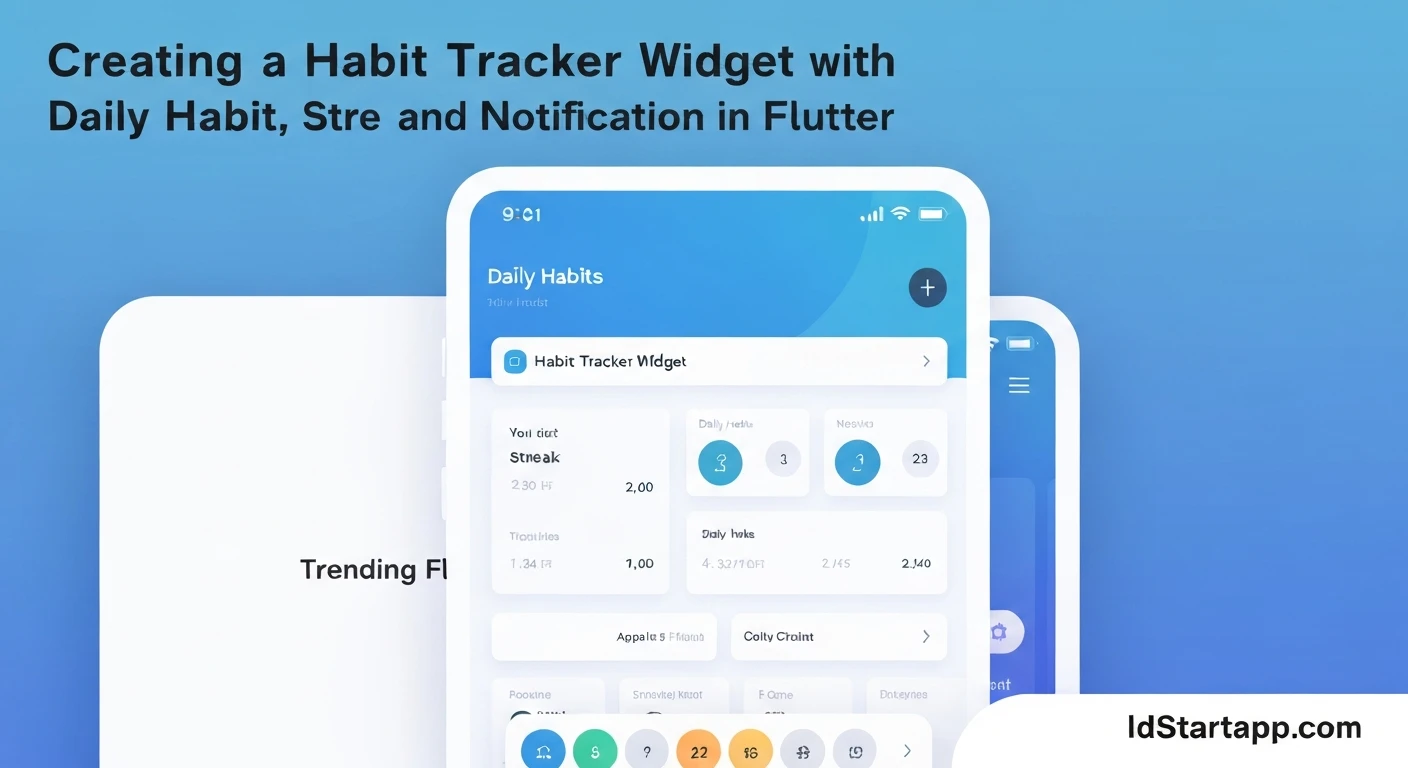
Habit tracking applications are powerful tools for personal development, helping users build consistency and achieve their goals. In this article, we'll walk through the process of creating a dynamic habit tracker widget in Flutter, complete with daily completion tracking, streak calculation, and local notifications to keep users engaged.
Core Concepts
Before diving into the code, let's outline the essential components and logic:
1. Habit Data Model
Each habit needs a structure to store its properties, such as a unique identifier, name, and a history of completion dates. The completion history is crucial for calculating streaks accurately.
2. Daily Habit Completion
Users should be able to mark a habit as complete for the current day. This action updates the habit's completion history.
3. Streak Calculation Logic
A "streak" represents the number of consecutive days a habit has been completed. The logic needs to account for skipped days and ensure the streak only counts consecutive completions.
4. Local Notifications
Reminders are vital for habit formation. We'll integrate local notifications to prompt users to complete their habits at a specified time.
Implementation Details
Step 1: Project Setup and Dependencies
First, create a new Flutter project and add the necessary dependencies for local notifications. We'll use flutter_local_notifications for scheduling reminders and shared_preferences for basic data persistence (though full persistence implementation will be simplified for brevity, focusing on the core widget logic).
dependencies:
  flutter:
    sdk: flutter
  flutter_local_notifications: ^17.0.0
  shared_preferences: ^2.2.3 # For basic data persistence
  intl: ^0.19.0 # For date formatting and comparisons
Run flutter pub get to install the dependencies.
Step 2: Defining the Habit Data Model
Create a simple Dart class to represent a habit. We'll use a list of DateTime objects to store all dates a habit was completed.
import 'package:intl/intl.dart';

class Habit {
  String id;
  String name;
  List<DateTime> completedDates;

  Habit({
    required this.id,
    required this.name,
    List<DateTime>? completedDates,
  }) : completedDates = completedDates ?? [];

  // Helper to check if habit was completed on a specific day
  bool isCompletedOn(DateTime date) {
    return completedDates.any((d) =>
        d.year == date.year && d.month == date.month && d.day == date.day);
  }

  // Method to mark habit as complete for today
  void completeToday() {
    DateTime today = DateTime.now();
    if (!isCompletedOn(today)) {
      completedDates.add(today);
      completedDates.sort((a, b) => a.compareTo(b)); // Keep sorted
    }
  }

  // Method to unmark habit for today
  void uncompleteToday() {
    DateTime today = DateTime.now();
    completedDates.removeWhere((d) =>
        d.year == today.year && d.month == today.month && d.day == today.day);
  }

  // Calculate the current streak
  int calculateStreak() {
    if (completedDates.isEmpty) {
      return 0;
    }

    int streak = 0;
    DateTime currentDate = DateTime.now();

    // Check if the habit was completed today. If not, the streak is potentially broken or 0.
    bool wasCompletedToday = isCompletedOn(currentDate);

    // If it was completed today, start checking from today.
    // If it wasn't completed today, but was completed yesterday, the streak ends yesterday.
    // So, we adjust the start date for streak calculation.
    if (!wasCompletedToday) {
      currentDate = currentDate.subtract(const Duration(days: 1));
      // If it wasn't completed today and wasn't completed yesterday, streak is 0.
      if (!isCompletedOn(currentDate)) {
        return 0;
      }
    }

    // Iterate backwards from the adjusted current date
    while (isCompletedOn(currentDate)) {
      streak++;
      currentDate = currentDate.subtract(const Duration(days: 1));
    }
    return streak;
  }

  // Convert Habit to JSON
  Map<String, dynamic> toJson() {
    return {
      'id': id,
      'name': name,
      'completedDates': completedDates.map((date) => date.toIso8601String()).toList(),
    };
  }

  // Create Habit from JSON
  factory Habit.fromJson(Map<String, dynamic> json) {
    return Habit(
      id: json['id'],
      name: json['name'],
      completedDates: (json['completedDates'] as List<dynamic>?)
          ?.map((dateString) => DateTime.parse(dateString))
          .toList() ?? [],
    );
  }
}
Step 3: Creating the Habit Widget
This widget will display a single habit's name, its current streak, and a checkbox-like button to mark it as complete.
import 'package:flutter/material.dart';
import 'package:intl/intl.dart'; // For date formatting
import 'habit_model.dart'; // Our custom Habit model

class HabitTile extends StatefulWidget {
  final Habit habit;
  final ValueChanged<Habit> onHabitUpdated;

  const HabitTile({
    Key? key,
    required this.habit,
    required this.onHabitUpdated,
  }) : super(key: key);

  @override
  State<HabitTile> createState() => _HabitTileState();
}

class _HabitTileState extends State<HabitTile> {
  @override
  Widget build(BuildContext context) {
    final bool isTodayCompleted = widget.habit.isCompletedOn(DateTime.now());
    final int currentStreak = widget.habit.calculateStreak();

    return Card(
      margin: const EdgeInsets.symmetric(vertical: 8.0, horizontal: 16.0),
      child: Padding(
        padding: const EdgeInsets.all(16.0),
        child: Row(
          mainAxisAlignment: MainAxisAlignment.spaceBetween,
          children: [
            Expanded(
              child: Column(
                crossAxisAlignment: CrossAxisAlignment.start,
                children: [
                  Text(
                    widget.habit.name,
                    style: const TextStyle(
                      fontSize: 18,
                      fontWeight: FontWeight.bold,
                    ),
                  ),
                  const SizedBox(height: 4),
                  Text(
                    'Current Streak: $currentStreak days',
                    style: TextStyle(
                      fontSize: 14,
                      color: Colors.grey[600],
                    ),
                  ),
                ],
              ),
            ),
            IconButton(
              icon: Icon(
                isTodayCompleted ? Icons.check_circle : Icons.circle_outlined,
                color: isTodayCompleted ? Colors.green : Colors.grey,
                size: 30,
              ),
              onPressed: () {
                setState(() {
                  if (isTodayCompleted) {
                    widget.habit.uncompleteToday();
                  } else {
                    widget.habit.completeToday();
                  }
                  widget.onHabitUpdated(widget.habit); // Notify parent
                });
              },
            ),
          ],
        ),
      ),
    );
  }
}
Step 4: Integrating Local Notifications
Initialize flutter_local_notifications and create functions to schedule and cancel daily reminders.
import 'package:flutter_local_notifications/flutter_local_notifications.dart';
import 'habit_model.dart'; // Our custom Habit model

final FlutterLocalNotificationsPlugin flutterLocalNotificationsPlugin =
    FlutterLocalNotificationsPlugin();

Future<void> initNotifications() async {
  const AndroidInitializationSettings initializationSettingsAndroid =
      AndroidInitializationSettings('@mipmap/ic_launcher');

  const DarwinInitializationSettings initializationSettingsIOS =
      DarwinInitializationSettings();

  const InitializationSettings initializationSettings = InitializationSettings(
    android: initializationSettingsAndroid,
    iOS: initializationSettingsIOS,
  );

  await flutterLocalNotificationsPlugin.initialize(
    initializationSettings,
    onDidReceiveNotificationResponse: (NotificationResponse response) async {
      // Handle notification tap
      if (response.payload != null) {
        debugPrint('notification payload: ${response.payload}');
      }
    },
  );

  // Request permissions for iOS
  await flutterLocalNotificationsPlugin
      .resolvePlatformSpecificImplementation<
          IOSFlutterLocalNotificationsPlugin>()
      ?.requestPermissions(
        alert: true,
        badge: true,
        sound: true,
      );
}

Future<void> scheduleDailyHabitNotification(Habit habit, Time time) async {
  final int id = habit.id.hashCode; // Unique ID for each habit's notification

  const AndroidNotificationDetails androidPlatformChannelSpecifics =
      AndroidNotificationDetails(
    'habit_tracker_channel',
    'Habit Reminders',
    channelDescription: 'Daily reminders for your habits',
    importance: Importance.high,
    priority: Priority.high,
    ticker: 'ticker',
  );

  const DarwinNotificationDetails iOSPlatformChannelSpecifics =
      DarwinNotificationDetails();

  const NotificationDetails platformChannelSpecifics = NotificationDetails(
    android: androidPlatformChannelSpecifics,
    iOS: iOSPlatformChannelSpecifics,
  );

  await flutterLocalNotificationsPlugin.showDailyAtTime(
    id,
    'Habit Reminder: ${habit.name}',
    'Don\'t forget to complete your habit today!',
    time,
    platformChannelSpecifics,
    payload: habit.id,
  );
}

Future<void> cancelHabitNotification(Habit habit) async {
  final int id = habit.id.hashCode;
  await flutterLocalNotificationsPlugin.cancel(id);
}
Step 5: Putting It All Together (Main Widget)
Now, let's create a main screen that manages a list of habits, displays them using HabitTile, and integrates notifications. For simplicity, we'll store habits in memory and re-initialize notifications. In a real app, you'd load/save from persistence.
import 'package:flutter/material.dart';
import 'package:shared_preferences/shared_preferences.dart';
import 'dart:convert'; // For json encoding/decoding

import 'habit_model.dart';
import 'habit_tile.dart';
import 'notification_service.dart'; // Our notification service

void main() async {
  WidgetsFlutterBinding.ensureInitialized();
  await initNotifications();
  runApp(const MyApp());
}

class MyApp extends StatelessWidget {
  const MyApp({Key? key}) : super(key: key);

  @override
  Widget build(BuildContext context) {
    return MaterialApp(
      title: 'Habit Tracker',
      theme: ThemeData(
        primarySwatch: Colors.blue,
      ),
      home: const HabitTrackerScreen(),
    );
  }
}

class HabitTrackerScreen extends StatefulWidget {
  const HabitTrackerScreen({Key? key}) : super(key: key);

  @override
  State<HabitTrackerScreen> createState() => _HabitTrackerScreenState();
}

class _HabitTrackerScreenState extends State<HabitTrackerScreen> {
  List<Habit> _habits = [];
  final TextEditingController _newHabitController = TextEditingController();

  @override
  void initState() {
    super.initState();
    _loadHabits();
  }

  Future<void> _loadHabits() async {
    final prefs = await SharedPreferences.getInstance();
    final String? habitsString = prefs.getString('habits');
    if (habitsString != null) {
      final List<dynamic> habitJsonList = json.decode(habitsString);
      setState(() {
        _habits = habitJsonList.map((json) => Habit.fromJson(json)).toList();
      });
    } else {
      // Add some sample habits if none exist
      setState(() {
        _habits = [
          Habit(id: 'read', name: 'Read for 15 minutes'),
          Habit(id: 'water', name: 'Drink 8 glasses of water'),
          Habit(id: 'exercise', name: 'Exercise for 30 minutes'),
        ];
      });
    }
    // Schedule notifications for loaded habits
    for (var habit in _habits) {
      // Example: Schedule reminder at 9 AM for all habits
      scheduleDailyHabitNotification(habit, const Time(9, 0, 0));
    }
  }

  Future<void> _saveHabits() async {
    final prefs = await SharedPreferences.getInstance();
    final String habitsString = json.encode(_habits.map((h) => h.toJson()).toList());
    await prefs.setString('habits', habitsString);
  }

  void _addHabit() {
    if (_newHabitController.text.isNotEmpty) {
      final String newHabitName = _newHabitController.text;
      final newHabit = Habit(
        id: DateTime.now().millisecondsSinceEpoch.toString(), // Simple unique ID
        name: newHabitName,
      );
      setState(() {
        _habits.add(newHabit);
      });
      _newHabitController.clear();
      _saveHabits();
      // Schedule notification for the new habit (e.g., at 9 AM)
      scheduleDailyHabitNotification(newHabit, const Time(9, 0, 0));
    }
  }

  void _onHabitUpdated(Habit updatedHabit) {
    setState(() {
      final index = _habits.indexWhere((h) => h.id == updatedHabit.id);
      if (index != -1) {
        _habits[index] = updatedHabit;
      }
    });
    _saveHabits();
  }

  void _deleteHabit(Habit habitToDelete) {
    setState(() {
      _habits.removeWhere((habit) => habit.id == habitToDelete.id);
    });
    _saveHabits();
    cancelHabitNotification(habitToDelete); // Cancel notification too
  }

  @override
  Widget build(BuildContext context) {
    return Scaffold(
      appBar: AppBar(
        title: const Text('Habit Tracker'),
      ),
      body: Column(
        children: [
          Padding(
            padding: const EdgeInsets.all(16.0),
            child: Row(
              children: [
                Expanded(
                  child: TextField(
                    controller: _newHabitController,
                    decoration: const InputDecoration(
                      labelText: 'New Habit Name',
                      border: OutlineInputBorder(),
                    ),
                    onSubmitted: (_) => _addHabit(),
                  ),
                ),
                const SizedBox(width: 8),
                ElevatedButton(
                  onPressed: _addHabit,
                  child: const Text('Add Habit'),
                ),
              ],
            ),
          ),
          Expanded(
            child: _habits.isEmpty
                ? const Center(
                    child: Text('No habits yet! Add some to get started.'),
                  )
                : ListView.builder(
                    itemCount: _habits.length,
                    itemBuilder: (context, index) {
                      final habit = _habits[index];
                      return Dismissible(
                        key: ValueKey(habit.id),
                        direction: DismissDirection.endToStart,
                        background: Container(
                          color: Colors.red,
                          alignment: Alignment.centerRight,
                          padding: const EdgeInsets.symmetric(horizontal: 20.0),
                          child: const Icon(Icons.delete, color: Colors.white),
                        ),
                        onDismissed: (direction) {
                          _deleteHabit(habit);
                          ScaffoldMessenger.of(context).showSnackBar(
                            SnackBar(content: Text('${habit.name} dismissed')),
                          );
                        },
                        child: HabitTile(
                          habit: habit,
                          onHabitUpdated: _onHabitUpdated,
                        ),
                      );
                    },
                  ),
          ),
        ],
      ),
    );
  }
}
Conclusion
You now have a foundational Flutter habit tracker widget capable of tracking daily habits, calculating streaks, and sending daily notifications. This example provides a solid base that can be expanded with more advanced features like custom reminder times per habit, analytics, archiving habits, and more robust state management (e.g., using Provider, BLoC, or Riverpod) and persistence (e.g., Hive or sqflite).
Building consistent habits is a journey, and with Flutter, you can create engaging and personalized tools to support that journey effectively.