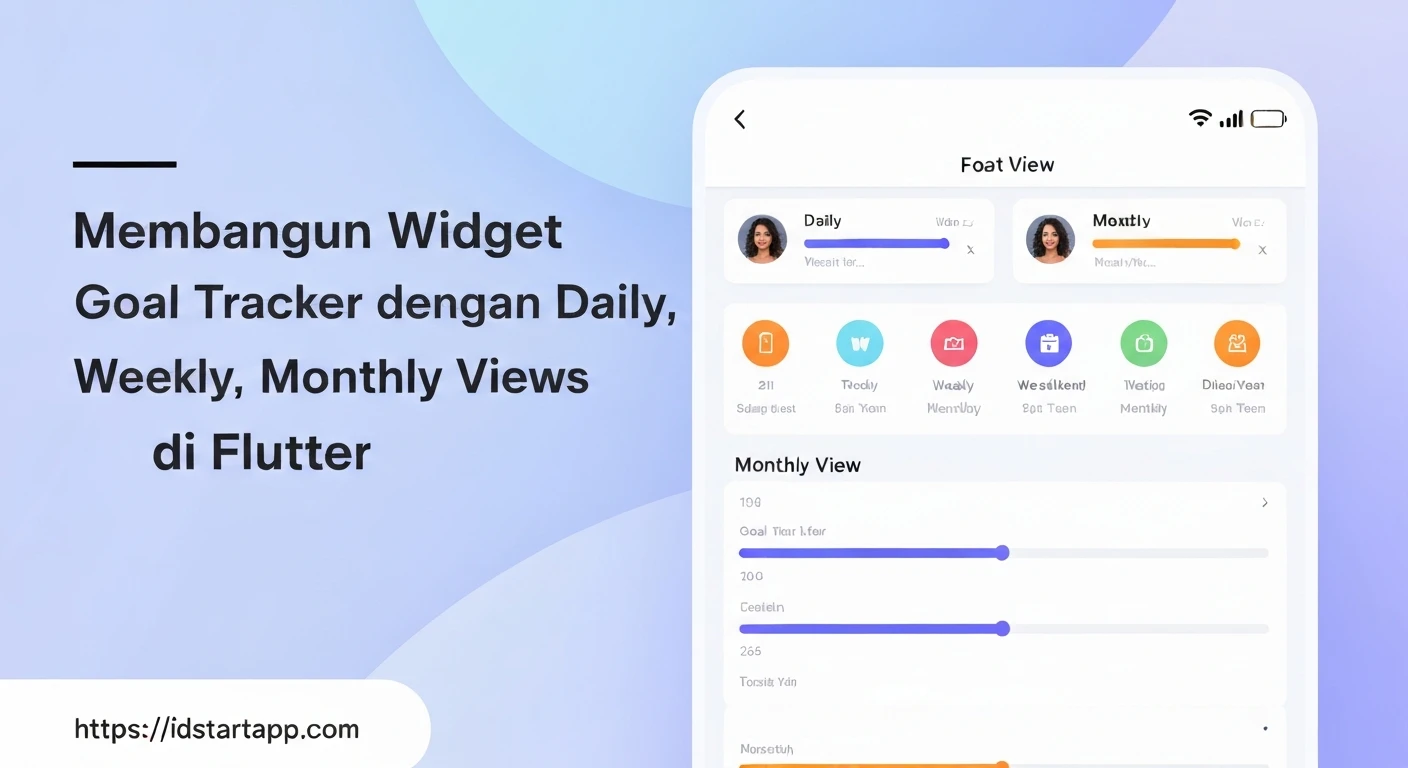

Building a Goal Tracker Widget with Daily, Weekly, and Monthly Views in Flutter
Goal tracking is a fundamental aspect of personal development and productivity applications. Building an interactive goal tracker widget in Flutter that offers daily, weekly, and monthly views can significantly enhance user engagement and provide insightful progress visualization. This article will guide you through creating such a widget, focusing on a clean architecture and dynamic view switching.
Core Concepts
Before diving into the code, let's outline the core concepts:
- Data Model: Define classes for goals and their progress entries to structure our data effectively.
- State Management: We'll use
Providerfor simple and robust state management, allowing our UI to react to data changes. - View Switching: Implement a mechanism to toggle between daily, weekly, and monthly views.
- Dynamic UI: Render different widgets based on the selected view mode, fetching and displaying relevant data.
1. Data Model
First, let's define our data structures for a Goal and a ProgressEntry. A goal will have a name, a target, and a unit, while progress entries will track achievements for a specific goal on a given date.
// lib/models/goal.dart
class Goal {
  final String id;
  String name;
  double targetValue;
  String unit; // e.g., "hours", "pages", "times"

  Goal({required this.id, required this.name, required this.targetValue, required this.unit});
}

// lib/models/progress_entry.dart
class ProgressEntry {
  final String goalId;
  final DateTime date;
  double valueAchieved;

  ProgressEntry({required this.goalId, required this.date, required this.valueAchieved});
}
2. State Management with GoalManager
We'll create a GoalManager class using ChangeNotifier to hold our goals and progress, providing methods to add, update, and retrieve data. This class will be exposed via Provider.
// lib/providers/goal_manager.dart
import 'package:flutter/foundation.dart';
import '../models/goal.dart';
import '../models/progress_entry.dart';

class GoalManager with ChangeNotifier {
  final List<Goal> _goals = [];
  final List<ProgressEntry> _progressEntries = [];

  List<Goal> get goals => _goals;

  void addGoal(Goal goal) {
    _goals.add(goal);
    notifyListeners();
  }

  void addProgress(String goalId, DateTime date, double value) {
    // Check if there's an existing entry for the same goal and date
    final existingEntryIndex = _progressEntries.indexWhere(
      (entry) => entry.goalId == goalId &&
                 entry.date.year == date.year &&
                 entry.date.month == date.month &&
                 entry.date.day == date.day,
    );

    if (existingEntryIndex != -1) {
      _progressEntries[existingEntryIndex].valueAchieved += value;
    } else {
      _progressEntries.add(ProgressEntry(goalId: goalId, date: date, valueAchieved: value));
    }
    notifyListeners();
  }

  double getProgressForDate(String goalId, DateTime date) {
    return _progressEntries
        .where((entry) =>
            entry.goalId == goalId &&
            entry.date.year == date.year &&
            entry.date.month == date.month &&
            entry.date.day == date.day)
        .fold(0.0, (sum, entry) => sum + entry.valueAchieved);
  }

  double getProgressForWeek(String goalId, DateTime dateInWeek) {
    final startOfWeek = dateInWeek.subtract(Duration(days: dateInWeek.weekday - 1)); // Monday
    final endOfWeek = startOfWeek.add(const Duration(days: 6)); // Sunday

    return _progressEntries
        .where((entry) =>
            entry.goalId == goalId &&
            entry.date.isAfter(startOfWeek.subtract(const Duration(days: 1))) && // Inclusive start
            entry.date.isBefore(endOfWeek.add(const Duration(days: 1)))) // Inclusive end
        .fold(0.0, (sum, entry) => sum + entry.valueAchieved);
  }

  double getProgressForMonth(String goalId, DateTime dateInMonth) {
    return _progressEntries
        .where((entry) =>
            entry.goalId == goalId &&
            entry.date.year == dateInMonth.year &&
            entry.date.month == dateInMonth.month)
        .fold(0.0, (sum, entry) => sum + entry.valueAchieved);
  }
}
3. The Main Goal Tracker Widget
Our main widget, GoalTrackerWidget, will host the view selector and display the appropriate daily, weekly, or monthly view. We'll use a StatefulWidget to manage the selected view mode.
// lib/widgets/goal_tracker_widget.dart
import 'package:flutter/material.dart';
import 'package:provider/provider.dart';
import '../providers/goal_manager.dart';
import '../models/goal.dart';
import '../models/progress_entry.dart'; // Ensure this is imported for usage example

enum ViewMode { daily, weekly, monthly }

class GoalTrackerWidget extends StatefulWidget {
  const GoalTrackerWidget({Key? key}) : super(key: key);

  @override
  State<GoalTrackerWidget> createState() => _GoalTrackerWidgetState();
}

class _GoalTrackerWidgetState extends State<GoalTrackerWidget> {
  ViewMode _selectedViewMode = ViewMode.daily;
  DateTime _currentDate = DateTime.now();

  @override
  void initState() {
    super.initState();
    // Example: Add some initial goals for demonstration
    WidgetsBinding.instance.addPostFrameCallback((_) {
      final goalManager = Provider.of<GoalManager>(context, listen: false);
      if (goalManager.goals.isEmpty) {
        goalManager.addGoal(Goal(id: 'read', name: 'Read Book', targetValue: 30, unit: 'minutes'));
        goalManager.addGoal(Goal(id: 'exercise', name: 'Exercise', targetValue: 60, unit: 'minutes'));
      }
    });
  }

  Widget _buildViewSelector() {
    return Row(
      mainAxisAlignment: MainAxisAlignment.spaceAround,
      children: ViewMode.values.map((mode) {
        return ElevatedButton(
          onPressed: () {
            setState(() {
              _selectedViewMode = mode;
            });
          },
          style: ElevatedButton.styleFrom(
            backgroundColor: _selectedViewMode == mode ? Colors.blue : Colors.grey,
            foregroundColor: Colors.white,
          ),
          child: Text(mode.toString().split('.').last.capitalize()),
        );
      }).toList(),
    );
  }

  Widget _buildCurrentView() {
    switch (_selectedViewMode) {
      case ViewMode.daily:
        return DailyGoalView(date: _currentDate);
      case ViewMode.weekly:
        return WeeklyGoalView(dateInWeek: _currentDate);
      case ViewMode.monthly:
        return MonthlyGoalView(dateInMonth: _currentDate);
      default:
        return const Text('Select a view mode');
    }
  }

  @override
  Widget build(BuildContext context) {
    return Column(
      children: [
        _buildViewSelector(),
        const SizedBox(height: 16),
        Expanded(child: _buildCurrentView()),
      ],
    );
  }
}

// Helper extension for capitalization
extension StringExtension on String {
    String capitalize() {
      return "${this[0].toUpperCase()}${substring(1)}";
    }
}
4. Implementing Daily, Weekly, and Monthly Views
Now, let's create the individual view widgets. Each view will consume the GoalManager to display relevant data.
DailyGoalView
This view will show all goals and allow users to input today's progress for each.
// lib/widgets/daily_goal_view.dart
import 'package:flutter/material.dart';
import 'package:provider/provider.dart';
import '../providers/goal_manager.dart';

class DailyGoalView extends StatelessWidget {
  final DateTime date;
  const DailyGoalView({Key? key, required this.date}) : super(key: key);

  @override
  Widget build(BuildContext context) {
    final goalManager = Provider.of<GoalManager>(context);

    return ListView.builder(
      itemCount: goalManager.goals.length,
      itemBuilder: (context, index) {
        final goal = goalManager.goals[index];
        final progressToday = goalManager.getProgressForDate(goal.id, date);
        TextEditingController controller = TextEditingController(text: '');

        return Card(
          margin: const EdgeInsets.symmetric(vertical: 8, horizontal: 16),
          child: Padding(
            padding: const EdgeInsets.all(16.0),
            child: Column(
              crossAxisAlignment: CrossAxisAlignment.start,
              children: [
                Text(
                  goal.name,
                  style: const TextStyle(fontSize: 18, fontWeight: FontWeight.bold),
                ),
                const SizedBox(height: 8),
                Text('Target: ${goal.targetValue} ${goal.unit}'),
                Text('Progress Today: ${progressToday} ${goal.unit}'),
                const SizedBox(height: 8),
                Row(
                  children: [
                    Expanded(
                      child: TextField(
                        controller: controller,
                        keyboardType: TextInputType.number,
                        decoration: InputDecoration(
                          hintText: 'Add progress (${goal.unit})',
                          border: const OutlineInputBorder(),
                          isDense: true,
                        ),
                      ),
                    ),
                    const SizedBox(width: 8),
                    ElevatedButton(
                      onPressed: () {
                        final value = double.tryParse(controller.text);
                        if (value != null && value > 0) {
                          goalManager.addProgress(goal.id, date, value);
                          controller.clear();
                        }
                      },
                      child: const Text('Add'),
                    ),
                  ],
                ),
              ],
            ),
          ),
        );
      },
    );
  }
}
WeeklyGoalView
This view will summarize the progress for each goal over the current week.
// lib/widgets/weekly_goal_view.dart
import 'package:flutter/material.dart';
import 'package:provider/provider.dart';
import '../providers/goal_manager.dart';

class WeeklyGoalView extends StatelessWidget {
  final DateTime dateInWeek;
  const WeeklyGoalView({Key? key, required this.dateInWeek}) : super(key: key);

  @override
  Widget build(BuildContext context) {
    final goalManager = Provider.of<GoalManager>(context);
    final startOfWeek = dateInWeek.subtract(Duration(days: dateInWeek.weekday - 1)); // Monday

    return ListView.builder(
      itemCount: goalManager.goals.length,
      itemBuilder: (context, index) {
        final goal = goalManager.goals[index];
        final progressThisWeek = goalManager.getProgressForWeek(goal.id, dateInWeek);

        return Card(
          margin: const EdgeInsets.symmetric(vertical: 8, horizontal: 16),
          child: Padding(
            padding: const EdgeInsets.all(16.0),
            child: Column(
              crossAxisAlignment: CrossAxisAlignment.start,
              children: [
                Text(
                  goal.name,
                  style: const TextStyle(fontSize: 18, fontWeight: FontWeight.bold),
                ),
                const SizedBox(height: 8),
                Text('Target (per week): ${goal.targetValue * 7} ${goal.unit}'), // Assuming target is daily
                Text('Progress This Week: ${progressThisWeek} ${goal.unit}'),
                // Could add a mini-chart or daily breakdown here
              ],
            ),
          ),
        );
      },
    );
  }
}
MonthlyGoalView
This view will summarize the progress for each goal over the current month.
// lib/widgets/monthly_goal_view.dart
import 'package:flutter/material.dart';
import 'package:provider/provider.dart';
import '../providers/goal_manager.dart';

class MonthlyGoalView extends StatelessWidget {
  final DateTime dateInMonth;
  const MonthlyGoalView({Key? key, required this.dateInMonth}) : super(key: key);

  @override
  Widget build(BuildContext context) {
    final goalManager = Provider.of<GoalManager>(context);

    return ListView.builder(
      itemCount: goalManager.goals.length,
      itemBuilder: (context, index) {
        final goal = goalManager.goals[index];
        final progressThisMonth = goalManager.getProgressForMonth(goal.id, dateInMonth);
        final daysInMonth = DateTime(dateInMonth.year, dateInMonth.month + 1, 0).day; // Get last day of month

        return Card(
          margin: const EdgeInsets.symmetric(vertical: 8, horizontal: 16),
          child: Padding(
            padding: const EdgeInsets.all(16.0),
            child: Column(
              crossAxisAlignment: CrossAxisAlignment.start,
              children: [
                Text(
                  goal.name,
                  style: const TextStyle(fontSize: 18, fontWeight: FontWeight.bold),
                ),
                const SizedBox(height: 8),
                Text('Target (per month): ${goal.targetValue * daysInMonth} ${goal.unit}'), // Assuming target is daily
                Text('Progress This Month: ${progressThisMonth} ${goal.unit}'),
                // Could add a grid of weeks or a summary chart here
              ],
            ),
          ),
        );
      },
    );
  }
}
5. Integrating into a Flutter App
Finally, you need to wrap your app or a portion of it with a ChangeNotifierProvider to make the GoalManager accessible to the widgets.
// lib/main.dart
import 'package:flutter/material.dart';
import 'package:provider/provider.dart';
import 'providers/goal_manager.dart';
import 'widgets/goal_tracker_widget.dart';

void main() {
  runApp(const MyApp());
}

class MyApp extends StatelessWidget {
  const MyApp({Key? key}) : super(key: key);

  @override
  Widget build(BuildContext context) {
    return ChangeNotifierProvider(
      create: (context) => GoalManager(),
      child: MaterialApp(
        title: 'Goal Tracker',
        theme: ThemeData(
          primarySwatch: Colors.blue,
          visualDensity: VisualDensity.adaptivePlatformDensity,
        ),
        home: Scaffold(
          appBar: AppBar(
            title: const Text('Goal Tracker Dashboard'),
          ),
          body: const GoalTrackerWidget(),
        ),
      ),
    );
  }
}
Conclusion
You've now built a functional goal tracker widget in Flutter with daily, weekly, and monthly views. This solution leverages Provider for state management and separates concerns by creating distinct widgets for each view mode. This foundation can be expanded upon with features like:
- Persistence: Save goals and progress using local storage (e.g.,
shared_preferences,sqflite, or Hive) or a backend service. - Customization: Allow users to add, edit, or delete goals.
- Visualizations: Integrate charting libraries (e.g.,
fl_chart) to display progress graphically. - Date Navigation: Add controls to navigate between different days, weeks, or months.
- Notifications: Remind users to log their daily progress.
By following this guide, you have a robust starting point for creating powerful and intuitive goal-tracking experiences in your Flutter applications.