
Creating a Notification Center Widget with Grouping Messages in Flutter
In modern applications, effective communication with users is crucial for a great user experience. Notification centers serve as a centralized hub for alerts, updates, and reminders, ensuring users don't miss important information. However, an unorganized stream of notifications can quickly become overwhelming. This article will guide you through creating a sophisticated Notification Center widget in Flutter that efficiently groups messages, enhancing readability and user engagement.
The Importance of a Notification Center and Grouping
A dedicated Notification Center provides users with a single, easy-to-access location to review past and current alerts, rather than relying solely on transient push notifications. This is particularly useful for applications with frequent updates, such as social media feeds, e-commerce order updates, or collaborative tools.
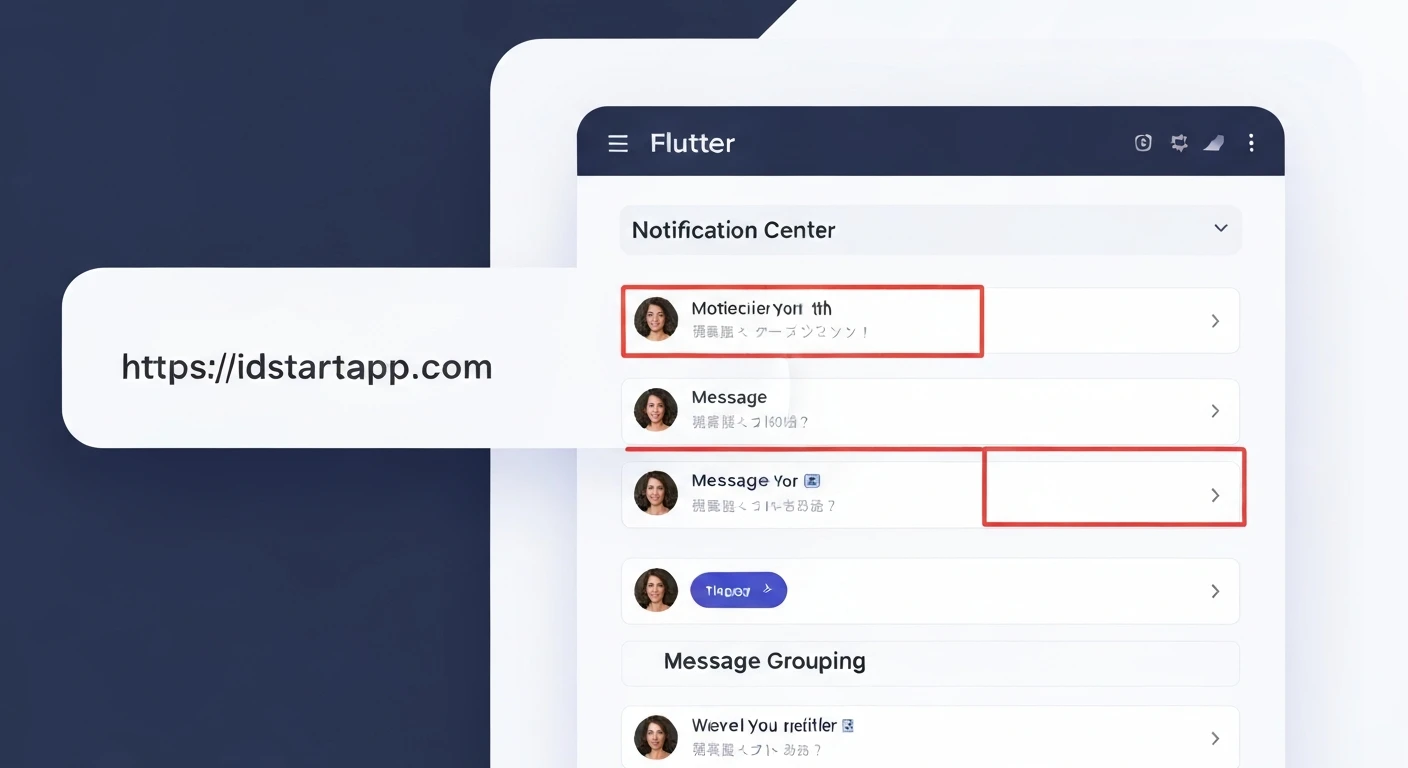
However, simply listing notifications sequentially can lead to clutter. Imagine receiving ten "like" notifications on a post, each appearing as a separate entry. This is where grouping becomes invaluable. By grouping similar notifications (e.g., all "likes" on the same post, or multiple messages from the same sender), we can consolidate information, reduce visual noise, and help users quickly grasp the essence of their updates without sifting through redundant entries.
Prerequisites
- Basic understanding of Flutter and Dart.
- Flutter SDK installed and configured.
- A code editor (VS Code, Android Studio).
Project Setup
First, let's create a new Flutter project:
flutter create notification_center_app
cd notification_center_app
Data Model for Notifications
We'll start by defining a data model for our notifications. This model will include an ID, a message, a timestamp, a category for grouping, and a read status.
Create a file `lib/models/notification.dart`:
// lib/models/notification.dart
import 'package:flutter/foundation.dart';

class Notification {
  final String id;
  final String message;
  final DateTime timestamp;
  final String category; // Used for grouping
  bool isRead;

  Notification({
    required this.id,
    required this.message,
    required this.timestamp,
    required this.category,
    this.isRead = false,
  });

  @override
  bool operator ==(Object other) =>
      identical(this, other) ||
      other is Notification &&
          runtimeType == other.runtimeType &&
          id == other.id;

  @override
  int get hashCode => id.hashCode;
}
Implementing the Notification Item Widget
This widget will be responsible for displaying a single notification. For grouped notifications, we'll show a summary. When a group is expanded, individual `NotificationItem`s will be displayed.
Create a file `lib/widgets/notification_item.dart`:
// lib/widgets/notification_item.dart
import 'package:flutter/material.dart';
import 'package:notification_center_app/models/notification.dart' as app_notification;
import 'package:intl/intl.dart';

class NotificationItem extends StatelessWidget {
  final app_notification.Notification notification;
  final ValueChanged onDismiss;
  final ValueChanged onToggleRead;

  const NotificationItem({
    Key? key,
    required this.notification,
    required this.onDismiss,
    required this.onToggleRead,
  }) : super(key: key);

  @override
  Widget build(BuildContext context) {
    return Dismissible(
      key: ValueKey(notification.id),
      direction: DismissDirection.endToStart,
      onDismissed: (direction) {
        onDismiss(notification.id);
      },
      background: Container(
        color: Colors.red,
        alignment: Alignment.centerRight,
        padding: const EdgeInsets.symmetric(horizontal: 20),
        child: const Icon(Icons.delete, color: Colors.white),
      ),
      child: Card(
        color: notification.isRead ? Colors.grey[200] : Colors.white,
        margin: const EdgeInsets.symmetric(vertical: 8.0, horizontal: 16.0),
        elevation: 2,
        child: ListTile(
          leading: Icon(
            notification.isRead ? Icons.mark_email_read : Icons.mail,
            color: notification.isRead ? Colors.grey : Theme.of(context).primaryColor,
          ),
          title: Text(
            notification.message,
            style: TextStyle(
              fontWeight: notification.isRead ? FontWeight.normal : FontWeight.bold,
              color: notification.isRead ? Colors.grey[700] : Colors.black87,
            ),
          ),
          subtitle: Text(
            DateFormat('MMM d, yyyy HH:mm').format(notification.timestamp),
            style: TextStyle(
              color: notification.isRead ? Colors.grey : Colors.grey[600],
            ),
          ),
          onTap: () => onToggleRead(notification.id),
          trailing: IconButton(
            icon: Icon(
              notification.isRead ? Icons.check_circle : Icons.circle_outlined,
              color: notification.isRead ? Colors.green : Colors.grey,
            ),
            onPressed: () => onToggleRead(notification.id),
          ),
        ),
      ),
    );
  }
}
Implementing the Grouped Notification Widget
This widget will display a group of notifications from the same category. It will show a summary initially and can be expanded to reveal individual items.
Create a file `lib/widgets/grouped_notification_widget.dart`:
// lib/widgets/grouped_notification_widget.dart
import 'package:flutter/material.dart';
import 'package:notification_center_app/models/notification.dart' as app_notification;
import 'package:notification_center_app/widgets/notification_item.dart';
import 'package:intl/intl.dart';

class GroupedNotificationWidget extends StatefulWidget {
  final String category;
  final List notifications;
  final ValueChanged onDismiss;
  final ValueChanged onToggleRead;

  const GroupedNotificationWidget({
    Key? key,
    required this.category,
    required this.notifications,
    required this.onDismiss,
    required this.onToggleRead,
  }) : super(key: key);

  @override
  State createState() => _GroupedNotificationWidgetState();
}

class _GroupedNotificationWidgetState extends State {
  bool _isExpanded = false;

  String _getSummaryMessage() {
    if (widget.notifications.isEmpty) return "No notifications";
    final latest = widget.notifications.first;
    final count = widget.notifications.length;
    if (count == 1) {
      return latest.message;
    } else {
      return "${widget.category}: You have $count new messages.";
    }
  }

  @override
  Widget build(BuildContext context) {
    // Sort notifications within the group by timestamp in descending order
    final sortedNotifications = List.from(widget.notifications)
      ..sort((a, b) => b.timestamp.compareTo(a.timestamp));

    final bool hasUnread = sortedNotifications.any((n) => !n.isRead);

    return Card(
      margin: const EdgeInsets.symmetric(vertical: 8.0, horizontal: 8.0),
      elevation: 4,
      child: Column(
        children: [
          ListTile(
            leading: Icon(
              Icons.notifications,
              color: hasUnread ? Theme.of(context).primaryColor : Colors.grey,
            ),
            title: Text(
              _getSummaryMessage(),
              style: TextStyle(
                fontWeight: hasUnread ? FontWeight.bold : FontWeight.normal,
              ),
            ),
            subtitle: Text(
              'Latest: ${DateFormat('MMM d, yyyy HH:mm').format(sortedNotifications.first.timestamp)}',
            ),
            trailing: Row(
              mainAxisSize: MainAxisSize.min,
              children: [
                if (widget.notifications.length > 1)
                  Text('${widget.notifications.length}'),
                IconButton(
                  icon: Icon(_isExpanded ? Icons.expand_less : Icons.expand_more),
                  onPressed: () {
                    setState(() {
                      _isExpanded = !_isExpanded;
                    });
                  },
                ),
              ],
            ),
            onTap: () {
              setState(() {
                _isExpanded = !_isExpanded;
              });
            },
          ),
          if (_isExpanded && widget.notifications.length > 1)
            ...sortedNotifications.map((notification) => Padding(
              padding: const EdgeInsets.only(left: 16.0, right: 16.0, bottom: 8.0),
              child: NotificationItem(
                notification: notification,
                onDismiss: widget.onDismiss,
                onToggleRead: widget.onToggleRead,
              ),
            )).toList(),
          if (_isExpanded && widget.notifications.length == 1)
            Padding(
              padding: const EdgeInsets.only(left: 16.0, right: 16.0, bottom: 8.0),
              child: NotificationItem(
                notification: sortedNotifications.first,
                onDismiss: widget.onDismiss,
                onToggleRead: widget.onToggleRead,
              ),
            ),
        ],
      ),
    );
  }
}
The Notification Center Main Widget
This will be our main screen, responsible for managing the list of notifications, grouping them, and rendering the `GroupedNotificationWidget`s.
Create a file `lib/screens/notification_center_screen.dart`:
// lib/screens/notification_center_screen.dart
import 'package:flutter/material.dart';
import 'package:notification_center_app/models/notification.dart' as app_notification;
import 'package:notification_center_app/widgets/grouped_notification_widget.dart';
import 'package:uuid/uuid.dart';

class NotificationCenterScreen extends StatefulWidget {
  const NotificationCenterScreen({Key? key}) : super(key: key);

  @override
  State createState() => _NotificationCenterScreenState();
}

class _NotificationCenterScreenState extends State {
  final List _notifications = [];
  final Uuid _uuid = const Uuid();

  @override
  void initState() {
    super.initState();
    _addSampleNotifications();
  }

  void _addSampleNotifications() {
    _notifications.add(app_notification.Notification(
      id: _uuid.v4(),
      message: 'John Doe commented on your post.',
      timestamp: DateTime.now().subtract(const Duration(minutes: 5)),
      category: 'Comments',
    ));
    _notifications.add(app_notification.Notification(
      id: _uuid.v4(),
      message: 'You have a new message from Support.',
      timestamp: DateTime.now().subtract(const Duration(minutes: 10)),
      category: 'Messages',
    ));
    _notifications.add(app_notification.Notification(
      id: _uuid.v4(),
      message: 'Alice liked your photo.',
      timestamp: DateTime.now().subtract(const Duration(minutes: 15)),
      category: 'Likes',
    ));
    _notifications.add(app_notification.Notification(
      id: _uuid.v4(),
      message: 'Bob also liked your photo.',
      timestamp: DateTime.now().subtract(const Duration(minutes: 12)),
      category: 'Likes',
    ));
    _notifications.add(app_notification.Notification(
      id: _uuid.v4(),
      message: 'Your order #12345 has shipped!',
      timestamp: DateTime.now().subtract(const Duration(hours: 1)),
      category: 'Orders',
    ));
    _notifications.add(app_notification.Notification(
      id: _uuid.v4(),
      message: 'John Doe replied to your comment.',
      timestamp: DateTime.now().subtract(const Duration(minutes: 2)),
      category: 'Comments',
    ));
    _notifications.add(app_notification.Notification(
      id: _uuid.v4(),
      message: 'New updates available for the app.',
      timestamp: DateTime.now().subtract(const Duration(hours: 3)),
      category: 'System',
      isRead: true
    ));
    _notifications.add(app_notification.Notification(
      id: _uuid.v4(),
      message: 'Your package is out for delivery.',
      timestamp: DateTime.now().subtract(const Duration(hours: 1, minutes: 30)),
      category: 'Orders',
    ));
  }

  Map> _groupNotifications() {
    final Map> grouped = {};
    for (var notification in _notifications) {
      grouped.putIfAbsent(notification.category, () => []).add(notification);
    }
    // Sort notifications within each group by timestamp, latest first
    grouped.forEach((key, value) {
      value.sort((a, b) => b.timestamp.compareTo(a.timestamp));
    });
    return grouped;
  }

  void _addRandomNotification() {
    final categories = ['Comments', 'Likes', 'Messages', 'Orders', 'Promotions'];
    final randomCategory = categories[DateTime.now().millisecond % categories.length];
    final randomMessage = 'New update in ${randomCategory} category! (${DateTime.now().second})';

    setState(() {
      _notifications.add(app_notification.Notification(
        id: _uuid.v4(),
        message: randomMessage,
        timestamp: DateTime.now(),
        category: randomCategory,
      ));
      // Sort the main list of notifications by timestamp (newest first)
      _notifications.sort((a, b) => b.timestamp.compareTo(a.timestamp));
    });
  }

  void _dismissNotification(String id) {
    setState(() {
      _notifications.removeWhere((notification) => notification.id == id);
    });
    ScaffoldMessenger.of(context).showSnackBar(
      const SnackBar(content: Text('Notification dismissed')),
    );
  }

  void _toggleReadStatus(String id) {
    setState(() {
      final index = _notifications.indexWhere((notification) => notification.id == id);
      if (index != -1) {
        _notifications[index].isRead = !_notifications[index].isRead;
      }
    });
  }

  void _clearAllNotifications() {
    setState(() {
      _notifications.clear();
    });
    ScaffoldMessenger.of(context).showSnackBar(
      const SnackBar(content: Text('All notifications cleared')),
    );
  }

  @override
  Widget build(BuildContext context) {
    final groupedNotifications = _groupNotifications();

    // Sort the groups based on the timestamp of their latest notification (newest group first)
    final sortedGroupKeys = groupedNotifications.keys.toList()
      ..sort((a, b) {
        final latestA = groupedNotifications[a]!.first.timestamp;
        final latestB = groupedNotifications[b]!.first.timestamp;
        return latestB.compareTo(latestA);
      });

    return Scaffold(
      appBar: AppBar(
        title: const Text('Notification Center'),
        actions: [
          IconButton(
            icon: const Icon(Icons.add_alert),
            onPressed: _addRandomNotification,
            tooltip: 'Add Random Notification',
          ),
          IconButton(
            icon: const Icon(Icons.clear_all),
            onPressed: _clearAllNotifications,
            tooltip: 'Clear All',
          ),
        ],
      ),
      body: _notifications.isEmpty
          ? const Center(
              child: Text(
                'No notifications yet!',
                style: TextStyle(fontSize: 18, color: Colors.grey),
              ),
            )
          : ListView.builder(
              itemCount: sortedGroupKeys.length,
              itemBuilder: (context, index) {
                final category = sortedGroupKeys[index];
                final notificationsInGroup = groupedNotifications[category]!;
                return GroupedNotificationWidget(
                  key: ValueKey(category), // Use category as key for efficient updates
                  category: category,
                  notifications: notificationsInGroup,
                  onDismiss: _dismissNotification,
                  onToggleRead: _toggleReadStatus,
                );
              },
            ),
    );
  }
}
Note: To use `Uuid` for generating unique IDs, you need to add the `uuid` package to your `pubspec.yaml`:
dependencies:
  flutter:
    sdk: flutter
  uuid: ^4.3.3 # Add this line
  intl: ^0.19.0 # Add this line for date formatting
Then run `flutter pub get`.
Integrating into `main.dart`
Finally, update your `lib/main.dart` file to display the `NotificationCenterScreen`.
// lib/main.dart
import 'package:flutter/material.dart';
import 'package:notification_center_app/screens/notification_center_screen.dart';

void main() {
  runApp(const MyApp());
}

class MyApp extends StatelessWidget {
  const MyApp({Key? key}) : super(key: key);

  @override
  Widget build(BuildContext context) {
    return MaterialApp(
      title: 'Flutter Notification Center',
      theme: ThemeData(
        primarySwatch: Colors.blue,
        visualDensity: VisualDensity.adaptivePlatformDensity,
      ),
      home: const NotificationCenterScreen(),
    );
  }
}
Conclusion
You have successfully built a Flutter Notification Center widget that groups messages by category. This approach significantly improves the user experience by reducing clutter and making notifications more manageable. You can further enhance this widget by adding features like:
- Swipe actions for marking all as read within a group.
- Different icons or styling based on notification urgency or type.
- Persistence of notifications using local storage (e.g., `shared_preferences`, `sqflite`, or `hive`).
- Real-time updates using Firebase Cloud Messaging or other backend services.
By implementing thoughtful UI/UX patterns like message grouping, you can make your Flutter applications more intuitive and user-friendly.