
Building Dynamic Stepper Form Widgets in Flutter
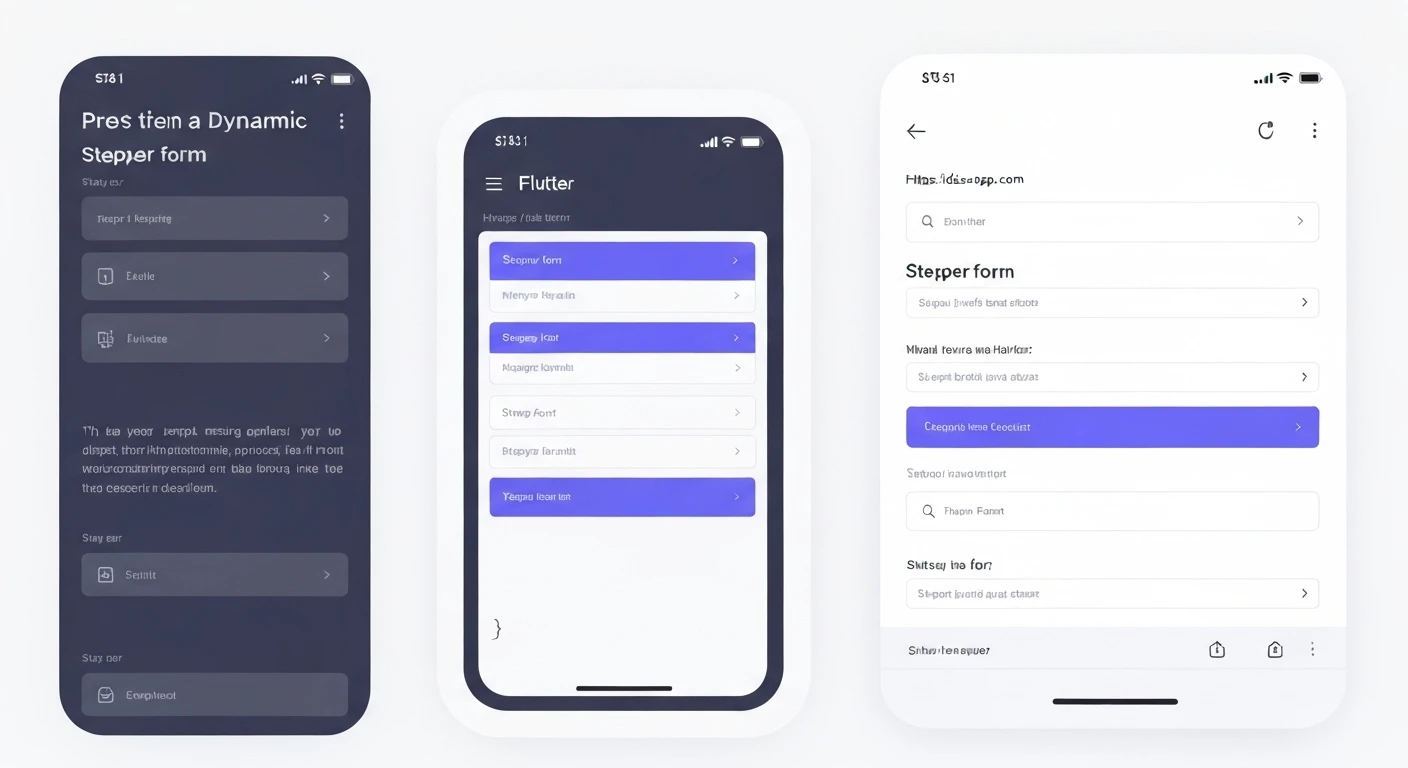
Stepper forms are a common UI pattern used to guide users through a multi-step process, such as registration, checkout, or wizard-like data entry. Flutter's Stepper widget provides a robust foundation for creating such forms. However, in many real-world applications, the number of steps, their content, or even their order might not be fixed. This article will guide you through building a dynamic stepper form in Flutter, where steps can be generated and managed programmatically.
Understanding the Flutter Stepper Widget
The core of a stepper form in Flutter is the Stepper widget. It takes a list of Step objects and manages the navigation between them. Each Step typically consists of:
title: A widget (usuallyText) displayed at the top of the step.content: The main content of the step, often containing form fields.isActive: A boolean indicating if the step is currently active or future.state: An enum (StepState.indexed,StepState.editing,StepState.complete,StepState.error,StepState.disabled) to visually represent the step's status.
The Stepper widget also provides callbacks for user interaction:
onStepTapped: Called when a step is tapped.onStepContinue: Called when the "Continue" button is pressed.onStepCancel: Called when the "Cancel" button is pressed.
Why Dynamic Stepper Forms?
A dynamic stepper form offers several advantages:
- Flexibility: Steps can be loaded from an API, a local database, or determined based on previous user inputs.
- Reusability: The same stepper logic can be applied to different multi-step flows by simply providing different step data.
- Maintainability: Adding or removing steps becomes a matter of modifying data rather than restructuring UI code.
- User Experience: Tailor the user journey by presenting only relevant steps.
Core Components for Dynamic Stepper
To build a dynamic stepper, we'll need:
- A
StatefulWidgetto manage the current step index and step data. - A data model to define the structure of each step.
- A list of our custom step data objects.
- A list of
TextEditingControllers to manage input fields for each step dynamically. - A
FormKeyfor each step or a global one to handle validation.
Step-by-Step Implementation
1. Define a Data Model for Steps
First, let's create a simple data model to represent each step in our form. This model will hold the title, an identifier, and potentially the initial value for a form field.
class StepData {
  final String id;
  final String title;
  String value; // To store the input value for this step

  StepData({required this.id, required this.title, this.value = ''});
}
2. Set Up the Main Widget
We'll create a StatefulWidget named DynamicStepperForm. This widget will hold the state for the current step and a list of our StepData objects. We also need to manage `TextEditingController`s dynamically.
import 'package:flutter/material.dart';

// (StepData class defined above would go here)
class StepData {
  final String id;
  final String title;
  String value; // To store the input value for this step

  StepData({required this.id, required this.title, this.value = ''});
}

class DynamicStepperForm extends StatefulWidget {
  const DynamicStepperForm({super.key});

  @override
  State createState() => _DynamicStepperFormState();
}

class _DynamicStepperFormState extends State {
  int _currentStep = 0;
  List<StepData> _stepDataList = [];
  List<TextEditingController> _controllers = [];
  List<GlobalKey<FormState>> _formKeys = []; // For per-step validation

  @override
  void initState() {
    super.initState();
    // Simulate fetching dynamic step data
    _stepDataList = [
      StepData(id: 'name', title: 'Personal Info'),
      StepData(id: 'address', title: 'Address Details'),
      StepData(id: 'contact', title: 'Contact Information'),
      StepData(id: 'review', title: 'Review & Submit'),
    ];

    // Initialize controllers and form keys for each step
    for (var i = 0; i < _stepDataList.length; i++) {
      _controllers.add(TextEditingController(text: _stepDataList[i].value));
      _formKeys.add(GlobalKey<FormState>());
    }
  }

  @override
  void dispose() {
    // Dispose all controllers to prevent memory leaks
    for (var controller in _controllers) {
      controller.dispose();
    }
    super.dispose();
  }

  // ... (Stepper logic and build method will go here)
}
3. Build Dynamic Steps
Now, we'll create a method to generate a list of Flutter Step widgets from our _stepDataList. Each step will include a TextFormField for input.
  List<Step> _buildSteps() {
    return _stepDataList.map((stepDataItem) {
      int index = _stepDataList.indexOf(stepDataItem);
      return Step(
        title: Text(stepDataItem.title),
        content: Form(
          key: _formKeys[index], // Assign a unique form key for each step
          child: TextFormField(
            controller: _controllers[index],
            decoration: InputDecoration(
              labelText: 'Enter ${stepDataItem.title.toLowerCase()}',
              border: OutlineInputBorder(),
            ),
            validator: (value) {
              if (value == null || value.isEmpty) {
                return 'Please enter some data for ${stepDataItem.title}';
              }
              return null;
            },
            onChanged: (value) {
              // Update the StepData model when text changes
              stepDataItem.value = value;
            },
          ),
        ),
        isActive: _currentStep >= index,
        state: _currentStep > index ? StepState.complete : StepState.indexed,
      );
    }).toList();
  }
4. Implement Stepper Control Logic
We need to implement the onStepTapped, onStepContinue, and onStepCancel callbacks to control the stepper's navigation and integrate validation.
  void _onStepTapped(int step) {
    setState(() {
      _currentStep = step;
    });
  }

  void _onStepContinue() {
    if (_currentStep < _stepDataList.length - 1) {
      // Validate the current step's form
      if (_formKeys[_currentStep].currentState?.validate() ?? false) {
        setState(() {
          _currentStep += 1;
        });
      }
    } else {
      // Last step: handle form submission
      if (_formKeys[_currentStep].currentState?.validate() ?? false) {
        _submitForm();
      }
    }
  }

  void _onStepCancel() {
    if (_currentStep > 0) {
      setState(() {
        _currentStep -= 1;
      });
    }
  }

  void _submitForm() {
    // Collect all data from _stepDataList
    Map<String, String> formData = {};
    for (var stepData in _stepDataList) {
      formData[stepData.id] = stepData.value;
    }

    // Process the collected form data (e.g., send to API, display summary)
    print('Form Submitted!');
    print(formData);

    showDialog(
      context: context,
      builder: (context) => AlertDialog(
        title: const Text('Form Submitted!'),
        content: Text('Data: ${formData.toString()}'),
        actions: [
          TextButton(
            onPressed: () {
              Navigator.of(context).pop();
            },
            child: const Text('OK'),
          ),
        ],
      ),
    );
  }
5. Integrate into Build Method
Finally, put all these pieces together in the build method.
  @override
  Widget build(BuildContext context) {
    return Scaffold(
      appBar: AppBar(
        title: const Text('Dynamic Stepper Form'),
      ),
      body: Stepper(
        type: StepperType.vertical, // Can be horizontal or vertical
        currentStep: _currentStep,
        onStepTapped: _onStepTapped,
        onStepContinue: _onStepContinue,
        onStepCancel: _onStepCancel,
        steps: _buildSteps(),
        controlsBuilder: (BuildContext context, ControlsDetails details) {
          return Padding(
            padding: const EdgeInsets.only(top: 16.0),
            child: Row(
              children: <Widget>[
                ElevatedButton(
                  onPressed: details.onStepContinue,
                  child: Text(_currentStep == _stepDataList.length - 1 ? 'SUBMIT' : 'CONTINUE'),
                ),
                if (_currentStep != 0)
                  TextButton(
                    onPressed: details.onStepCancel,
                    child: const Text('BACK'),
                  ),
              ],
            ),
          );
        },
      ),
    );
  }
Complete Example
Here's the full code for a runnable example demonstrating a dynamic stepper form.
import 'package:flutter/material.dart';

void main() {
  runApp(const MyApp());
}

class MyApp extends StatelessWidget {
  const MyApp({super.key});

  @override
  Widget build(BuildContext context) {
    return MaterialApp(
      title: 'Dynamic Stepper Demo',
      theme: ThemeData(
        primarySwatch: Colors.blue,
      ),
      home: const DynamicStepperForm(),
    );
  }
}

class StepData {
  final String id;
  final String title;
  String value;

  StepData({required this.id, required this.title, this.value = ''});
}

class DynamicStepperForm extends StatefulWidget {
  const DynamicStepperForm({super.key});

  @override
  State<DynamicStepperForm> createState() => _DynamicStepperFormState();
}

class _DynamicStepperFormState extends State<DynamicStepperForm> {
  int _currentStep = 0;
  List<StepData> _stepDataList = [];
  List<TextEditingController> _controllers = [];
  List<GlobalKey<FormState>> _formKeys = [];

  @override
  void initState() {
    super.initState();
    // Simulate fetching dynamic step data (e.g., from an API)
    _stepDataList = [
      StepData(id: 'fullName', title: 'Personal Info', value: 'John Doe'), // Pre-filled example
      StepData(id: 'streetAddress', title: 'Address Details'),
      StepData(id: 'email', title: 'Contact Information'),
      StepData(id: 'preferences', title: 'User Preferences'),
      StepData(id: 'review', title: 'Review & Submit'),
    ];

    // Initialize controllers and form keys for each step
    for (var i = 0; i < _stepDataList.length; i++) {
      _controllers.add(TextEditingController(text: _stepDataList[i].value));
      _formKeys.add(GlobalKey<FormState>());
    }
  }

  @override
  void dispose() {
    for (var controller in _controllers) {
      controller.dispose();
    }
    super.dispose();
  }

  List<Step> _buildSteps() {
    return _stepDataList.map((stepDataItem) {
      int index = _stepDataList.indexOf(stepDataItem);
      return Step(
        title: Text(stepDataItem.title),
        content: Form(
          key: _formKeys[index],
          child: Column(
            children: [
              TextFormField(
                controller: _controllers[index],
                decoration: InputDecoration(
                  labelText: 'Enter ${stepDataItem.title.toLowerCase()} data',
                  border: const OutlineInputBorder(),
                ),
                validator: (value) {
                  if (value == null || value.isEmpty) {
                    return 'Please enter some data for ${stepDataItem.title}';
                  }
                  // Basic email validation for the 'email' step
                  if (stepDataItem.id == 'email' && !value.contains('@')) {
                    return 'Please enter a valid email address';
                  }
                  return null;
                },
                onChanged: (value) {
                  stepDataItem.value = value;
                },
              ),
              if (stepDataItem.id == 'preferences') // Example of dynamic content per step
                Padding(
                  padding: const EdgeInsets.only(top: 8.0),
                  child: Text('More complex widgets can go here for specific steps.'),
                )
            ],
          ),
        ),
        isActive: _currentStep >= index,
        state: _currentStep > index
            ? StepState.complete
            : (_currentStep == index ? StepState.editing : StepState.indexed),
      );
    }).toList();
  }

  void _onStepTapped(int step) {
    setState(() {
      _currentStep = step;
    });
  }

  void _onStepContinue() {
    // Validate the current step's form before moving forward
    if (_formKeys[_currentStep].currentState?.validate() ?? false) {
      if (_currentStep < _stepDataList.length - 1) {
        setState(() {
          _currentStep += 1;
        });
      } else {
        // Last step: handle form submission
        _submitForm();
      }
    }
  }

  void _onStepCancel() {
    if (_currentStep > 0) {
      setState(() {
        _currentStep -= 1;
      });
    }
  }

  void _submitForm() {
    Map<String, String> formData = {};
    for (var stepData in _stepDataList) {
      formData[stepData.id] = stepData.value;
    }

    print('Form Submitted!');
    print(formData);

    showDialog(
      context: context,
      builder: (context) => AlertDialog(
        title: const Text('Form Submitted!'),
        content: Text('Collected Data:\n${formData.entries.map((e) => '${e.key}: ${e.value}').join('\n')}'),
        actions: [
          TextButton(
            onPressed: () {
              Navigator.of(context).pop();
            },
            child: const Text('OK'),
          ),
        ],
      ),
    );
  }

  @override
  Widget build(BuildContext context) {
    return Scaffold(
      appBar: AppBar(
        title: const Text('Dynamic Stepper Form'),
      ),
      body: Stepper(
        type: StepperType.vertical,
        currentStep: _currentStep,
        onStepTapped: _onStepTapped,
        onStepContinue: _onStepContinue,
        onStepCancel: _onStepCancel,
        steps: _buildSteps(),
        controlsBuilder: (BuildContext context, ControlsDetails details) {
          return Padding(
            padding: const EdgeInsets.only(top: 16.0),
            child: Row(
              children: <Widget>[
                ElevatedButton(
                  onPressed: details.onStepContinue,
                  child: Text(_currentStep == _stepDataList.length - 1 ? 'SUBMIT' : 'CONTINUE'),
                ),
                const SizedBox(width: 10),
                if (_currentStep != 0)
                  TextButton(
                    onPressed: details.onStepCancel,
                    child: const Text('BACK'),
                  ),
              ],
            ),
          );
        },
      ),
    );
  }
}
Conclusion
Building dynamic stepper forms in Flutter provides a powerful way to create flexible and adaptable user interfaces for multi-step processes. By leveraging a data model for your steps, dynamically generating Step widgets, and carefully managing TextEditingControllers and FormKeys, you can create robust forms that can change based on business logic, user input, or external data sources. This approach enhances maintainability, scalability, and the overall user experience of your Flutter applications.