
Building a Shopping Cart Widget in Flutter: Featuring Discount Summary, Total Price, and Checkout Functionality
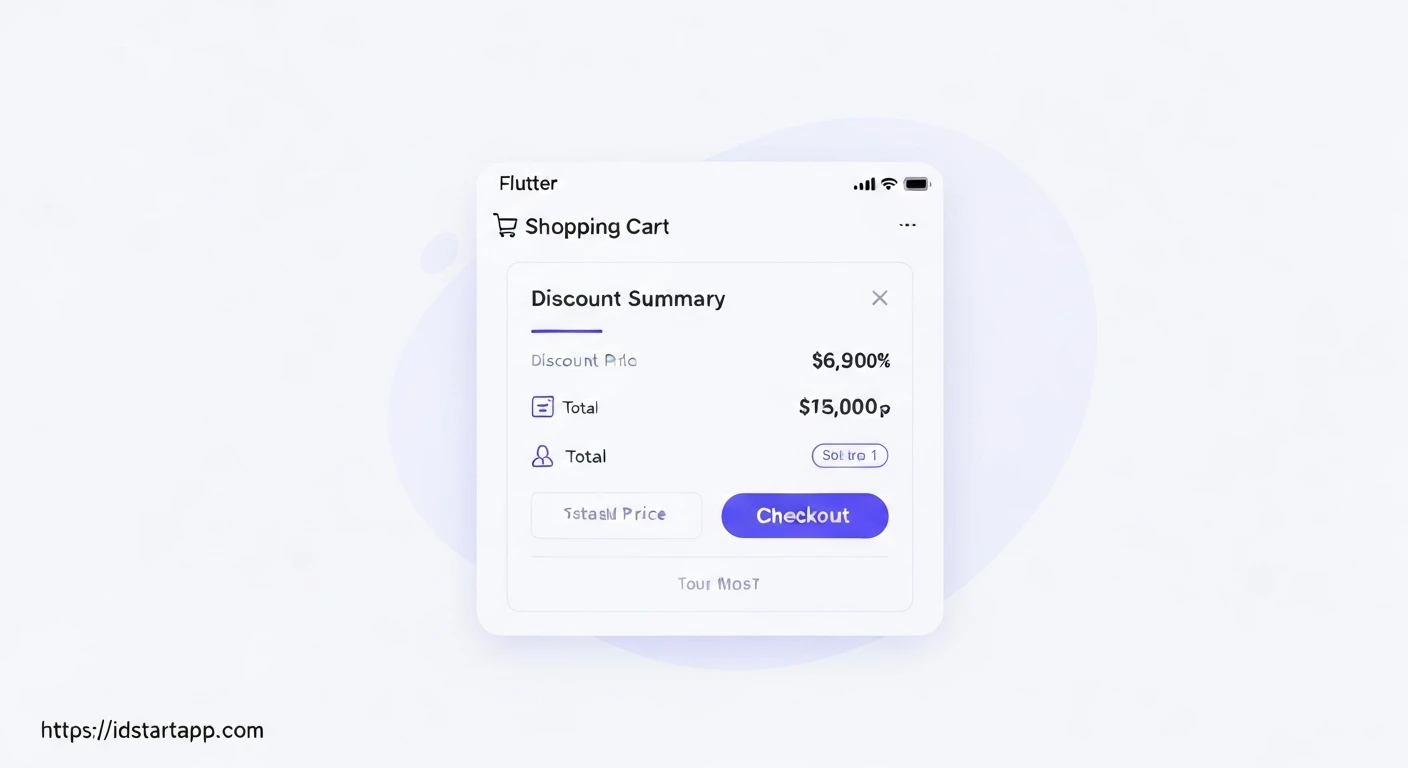
A well-designed shopping cart is a cornerstone of any e-commerce application. It provides users with a clear overview of their selected items, allows them to adjust quantities, apply discounts, and proceed to checkout. This article will guide you through building a robust Flutter shopping cart widget that includes a discount summary, calculates the total price, and features a checkout button.
1. Project Setup and Dependencies
First, create a new Flutter project. We'll use the provider package for state management to manage our cart's state efficiently.
Add the following dependency to your pubspec.yaml file:
dependencies:
  flutter:
    sdk: flutter
  provider: ^6.0.5
Then, run flutter pub get.
2. Data Models
We need simple models for our products and the items within our shopping cart.
product_model.dart
class Product {
  final String id;
  final String name;
  final double price;
  final String imageUrl;

  Product({
    required this.id,
    required this.name,
    required this.price,
    required this.imageUrl,
  });
}
cart_item_model.dart
import 'package:flutter_app/models/product_model.dart';

class CartItem {
  final Product product;
  int quantity;

  CartItem({
    required this.product,
    this.quantity = 1,
  });

  // Helper method to get total price for this item
  double get totalPrice => product.price * quantity;
}
3. Cart State Management (CartProvider)
We'll create a CartProvider using ChangeNotifier from the provider package. This class will hold the state of our shopping cart, including the list of items, discount information, and methods to manipulate them.
cart_provider.dart
import 'package:flutter/material.dart';
import 'package:flutter_app/models/cart_item_model.dart';
import 'package:flutter_app/models/product_model.dart';

class CartProvider with ChangeNotifier {
  final Map<String, CartItem> _items = {};
  double _discountPercentage = 0.0; // e.g., 0.10 for 10%
  String _promoCode = '';

  Map<String, CartItem> get items => {..._items};

  int get itemCount {
    return _items.length;
  }

  // Add an item to the cart
  void addItem(Product product) {
    if (_items.containsKey(product.id)) {
      _items.update(
        product.id,
        (existingCartItem) => CartItem(
          product: existingCartItem.product,
          quantity: existingCartItem.quantity + 1,
        ),
      );
    } else {
      _items.putIfAbsent(
        product.id,
        () => CartItem(
          product: product,
          quantity: 1,
        ),
      );
    }
    notifyListeners();
  }

  // Remove an item entirely from the cart
  void removeItem(String productId) {
    _items.remove(productId);
    notifyListeners();
  }

  // Decrease quantity of an item, remove if quantity becomes 0
  void removeSingleItem(String productId) {
    if (!_items.containsKey(productId)) {
      return;
    }
    if (_items[productId]!.quantity > 1) {
      _items.update(
        productId,
        (existingCartItem) => CartItem(
          product: existingCartItem.product,
          quantity: existingCartItem.quantity - 1,
        ),
      );
    } else {
      _items.remove(productId);
    }
    notifyListeners();
  }

  // Apply a discount code
  void applyDiscount(String code) {
    _promoCode = code;
    // Simple logic: If code is "SAVE10", apply 10% discount
    if (code.toLowerCase() == "save10") {
      _discountPercentage = 0.10; // 10%
    } else if (code.toLowerCase() == "save20") {
      _discountPercentage = 0.20; // 20%
    } else {
      _discountPercentage = 0.0; // No discount
    }
    notifyListeners();
  }

  // Get current promo code
  String get promoCode => _promoCode;

  // Calculate subtotal before discount
  double get subtotalAmount {
    double total = 0.0;
    _items.forEach((key, cartItem) {
      total += cartItem.totalPrice;
    });
    return total;
  }

  // Calculate discount amount
  double get discountAmount {
    return subtotalAmount * _discountPercentage;
  }

  // Calculate total amount after discount
  double get totalAmount {
    return subtotalAmount - discountAmount;
  }

  void clearCart() {
    _items.clear();
    _discountPercentage = 0.0;
    _promoCode = '';
    notifyListeners();
  }
}
4. Integrating Provider in main.dart
Wrap your root widget (e.g., MaterialApp) with a ChangeNotifierProvider so that the CartProvider instance is available throughout your application.
main.dart
import 'package:flutter/material.dart';
import 'package:provider/provider.dart';
import 'package:flutter_app/providers/cart_provider.dart';
import 'package:flutter_app/screens/shopping_cart_screen.dart';

void main() {
  runApp(const MyApp());
}

class MyApp extends StatelessWidget {
  const MyApp({super.key});

  @override
  Widget build(BuildContext context) {
    return ChangeNotifierProvider(
      create: (context) => CartProvider(),
      child: MaterialApp(
        title: 'Flutter Shopping Cart',
        theme: ThemeData(
          primarySwatch: Colors.blue,
        ),
        home: const ShoppingCartScreen(),
      ),
    );
  }
}
5. Building the Shopping Cart UI
Now, let's create the UI for our shopping cart. This screen will list the items, provide quantity controls, allow discount application, show a summary, and include a checkout button.
shopping_cart_screen.dart
import 'package:flutter/material.dart';
import 'package:provider/provider.dart';
import 'package:flutter_app/models/product_model.dart';
import 'package:flutter_app/providers/cart_provider.dart';

class ShoppingCartScreen extends StatefulWidget {
  const ShoppingCartScreen({super.key});

  @override
  State<ShoppingCartScreen> createState() => _ShoppingCartScreenState();
}

class _ShoppingCartScreenState extends State<ShoppingCartScreen> {
  final TextEditingController _promoCodeController = TextEditingController();

  // Dummy products to add to cart for demonstration
  final List<Product> _dummyProducts = [
    Product(id: 'p1', name: 'Laptop', price: 1200.00, imageUrl: 'https://via.placeholder.com/150'),
    Product(id: 'p2', name: 'Mouse', price: 25.00, imageUrl: 'https://via.placeholder.com/150'),
    Product(id: 'p3', name: 'Keyboard', price: 75.00, imageUrl: 'https://via.placeholder.com/150'),
    Product(id: 'p4', name: 'Monitor', price: 300.00, imageUrl: 'https://via.placeholder.com/150'),
  ];

  @override
  void dispose() {
    _promoCodeController.dispose();
    super.dispose();
  }

  @override
  Widget build(BuildContext context) {
    final cart = Provider.of<CartProvider>(context);
    final cartItems = cart.items.values.toList();

    return Scaffold(
      appBar: AppBar(
        title: const Text('Your Cart'),
        actions: [
          IconButton(
            icon: const Icon(Icons.add_shopping_cart),
            onPressed: () {
              // Add some dummy products to cart for testing
              for (var product in _dummyProducts) {
                cart.addItem(product);
              }
            },
          ),
          IconButton(
            icon: const Icon(Icons.delete_forever),
            onPressed: () {
              cart.clearCart();
            },
          ),
        ],
      ),
      body: Column(
        children: <Widget>[
          Expanded(
            child: cartItems.isEmpty
                ? const Center(child: Text('Your cart is empty!'))
                : ListView.builder(
                    itemCount: cartItems.length,
                    itemBuilder: (ctx, i) => CartItemWidget(
                      cartItem: cartItems[i],
                    ),
                  ),
          ),
          _buildDiscountSection(context, cart),
          _buildSummarySection(context, cart),
          _buildCheckoutButton(context, cart),
        ],
      ),
    );
  }

  Widget _buildDiscountSection(BuildContext context, CartProvider cart) {
    return Card(
      margin: const EdgeInsets.all(15),
      child: Padding(
        padding: const EdgeInsets.all(8.0),
        child: Column(
          crossAxisAlignment: CrossAxisAlignment.start,
          children: [
            const Text(
              'Apply Discount Code',
              style: TextStyle(fontSize: 16, fontWeight: FontWeight.bold),
            ),
            Row(
              children: [
                Expanded(
                  child: TextField(
                    controller: _promoCodeController,
                    decoration: InputDecoration(
                      hintText: 'e.g., SAVE10 or SAVE20',
                      suffixIcon: IconButton(
                        icon: const Icon(Icons.clear),
                        onPressed: () {
                          _promoCodeController.clear();
                          cart.applyDiscount(''); // Clear discount
                        },
                      ),
                    ),
                    onChanged: (value) {
                      // Optionally apply discount on change, or wait for button press
                    },
                  ),
                ),
                TextButton(
                  onPressed: () {
                    cart.applyDiscount(_promoCodeController.text);
                    FocusScope.of(context).unfocus(); // Dismiss keyboard
                  },
                  child: const Text('APPLY'),
                ),
              ],
            ),
            if (cart.promoCode.isNotEmpty && cart.discountAmount > 0)
              Padding(
                padding: const EdgeInsets.only(top: 8.0),
                child: Text(
                  'Applied Promo: ${cart.promoCode} (-${(cart.discountAmount / cart.subtotalAmount * 100).toStringAsFixed(0)}%)',
                  style: const TextStyle(color: Colors.green),
                ),
              ),
            if (cart.promoCode.isNotEmpty && cart.discountAmount == 0)
              Padding(
                padding: const EdgeInsets.only(top: 8.0),
                child: Text(
                  'Invalid Promo Code: "${cart.promoCode}"',
                  style: const TextStyle(color: Colors.red),
                ),
              ),
          ],
        ),
      ),
    );
  }

  Widget _buildSummarySection(BuildContext context, CartProvider cart) {
    return Card(
      margin: const EdgeInsets.all(15),
      child: Padding(
        padding: const EdgeInsets.all(8.0),
        child: Column(
          children: <Widget>[
            Row(
              mainAxisAlignment: MainAxisAlignment.spaceBetween,
              children: <Widget>[
                const Text(
                  'Subtotal',
                  style: TextStyle(fontSize: 18),
                ),
                Text(
                  '\$${cart.subtotalAmount.toStringAsFixed(2)}',
                  style: const TextStyle(fontSize: 18),
                ),
              ],
            ),
            const Divider(),
            Row(
              mainAxisAlignment: MainAxisAlignment.spaceBetween,
              children: <Widget>[
                const Text(
                  'Discount',
                  style: TextStyle(fontSize: 18, color: Colors.red),
                ),
                Text(
                  '-\$${cart.discountAmount.toStringAsFixed(2)}',
                  style: const TextStyle(fontSize: 18, color: Colors.red),
                ),
              ],
            ),
            const Divider(),
            Row(
              mainAxisAlignment: MainAxisAlignment.spaceBetween,
              children: <Widget>[
                const Text(
                  'Total',
                  style: TextStyle(fontSize: 20, fontWeight: FontWeight.bold),
                ),
                Text(
                  '\$${cart.totalAmount.toStringAsFixed(2)}',
                  style: TextStyle(
                    fontSize: 20,
                    fontWeight: FontWeight.bold,
                    color: Theme.of(context).primaryColor,
                  ),
                ),
              ],
            ),
          ],
        ),
      ),
    );
  }

  Widget _buildCheckoutButton(BuildContext context, CartProvider cart) {
    return Padding(
      padding: const EdgeInsets.all(15.0),
      child: ElevatedButton(
        onPressed: cart.totalAmount <= 0
            ? null // Disable button if cart is empty or total is 0
            : () {
                // Implement your checkout logic here
                showDialog(
                  context: context,
                  builder: (ctx) => AlertDialog(
                    title: const Text('Checkout Complete!'),
                    content: Text('Your total order: \$${cart.totalAmount.toStringAsFixed(2)}'),
                    actions: <Widget>[
                      TextButton(
                        child: const Text('Okay'),
                        onPressed: () {
                          Navigator.of(ctx).pop();
                          cart.clearCart(); // Clear cart after successful checkout
                        },
                      ),
                    ],
                  ),
                );
              },
        style: ElevatedButton.styleFrom(
          minimumSize: const Size.fromHeight(50), // Make button full width
          backgroundColor: Theme.of(context).primaryColor,
        ),
        child: const Text(
          'CHECKOUT',
          style: TextStyle(fontSize: 18, color: Colors.white),
        ),
      ),
    );
  }
}

// Widget for displaying individual cart items
class CartItemWidget extends StatelessWidget {
  final CartItem cartItem;

  const CartItemWidget({
    super.key,
    required this.cartItem,
  });

  @override
  Widget build(BuildContext context) {
    final cart = Provider.of<CartProvider>(context, listen: false);
    return Dismissible(
      key: ValueKey(cartItem.product.id),
      direction: DismissDirection.endToStart,
      background: Container(
        color: Colors.red,
        alignment: Alignment.centerRight,
        padding: const EdgeInsets.only(right: 20),
        margin: const EdgeInsets.symmetric(
          horizontal: 15,
          vertical: 4,
        ),
        child: const Icon(
          Icons.delete,
          color: Colors.white,
          size: 40,
        ),
      ),
      confirmDismiss: (direction) {
        return showDialog(
          context: context,
          builder: (ctx) => AlertDialog(
            title: const Text('Are you sure?'),
            content: const Text('Do you want to remove the item from the cart?'),
            actions: <Widget>[
              TextButton(
                child: const Text('No'),
                onPressed: () {
                  Navigator.of(ctx).pop(false);
                },
              ),
              TextButton(
                child: const Text('Yes'),
                onPressed: () {
                  Navigator.of(ctx).pop(true);
                },
              ),
            ],
          ),
        );
      },
      onDismissed: (direction) {
        cart.removeItem(cartItem.product.id);
      },
      child: Card(
        margin: const EdgeInsets.symmetric(
          horizontal: 15,
          vertical: 4,
        ),
        child: Padding(
          padding: const EdgeInsets.all(8),
          child: ListTile(
            leading: CircleAvatar(
              backgroundImage: NetworkImage(cartItem.product.imageUrl),
              radius: 30,
            ),
            title: Text(cartItem.product.name),
            subtitle: Text(
              'Total: \$${cartItem.totalPrice.toStringAsFixed(2)}',
            ),
            trailing: Row(
              mainAxisSize: MainAxisSize.min,
              children: <Widget>[
                IconButton(
                  icon: const Icon(Icons.remove),
                  onPressed: () {
                    cart.removeSingleItem(cartItem.product.id);
                  },
                ),
                Text('${cartItem.quantity}x'),
                IconButton(
                  icon: const Icon(Icons.add),
                  onPressed: () {
                    cart.addItem(cartItem.product);
                  },
                ),
              ],
            ),
          ),
        ),
      ),
    );
  }
}
Conclusion
In this article, we've walked through the process of building a comprehensive shopping cart widget in Flutter. We leveraged the provider package for efficient state management, created robust data models for products and cart items, and implemented a user-friendly UI. Key features include dynamic quantity adjustments, discount code application with a summary, and a clear display of subtotal, discount, and total price, culminating in a functional checkout button. This foundation can be extended further with persistent storage, complex discount rules, and integration with actual payment gateways.