
Building a Product Detail Page Widget with Related Items and Review Carousel in Flutter
A well-designed Product Detail Page (PDP) is crucial for any e-commerce application, providing users with comprehensive information about a product and influencing their purchase decisions. In Flutter, creating a robust and engaging PDP involves combining various widgets to display product details, highlight related items, and showcase user reviews. This article will guide you through building a modular Product Detail Page widget, complete with a horizontal scrollable list for related products and a carousel for customer reviews.
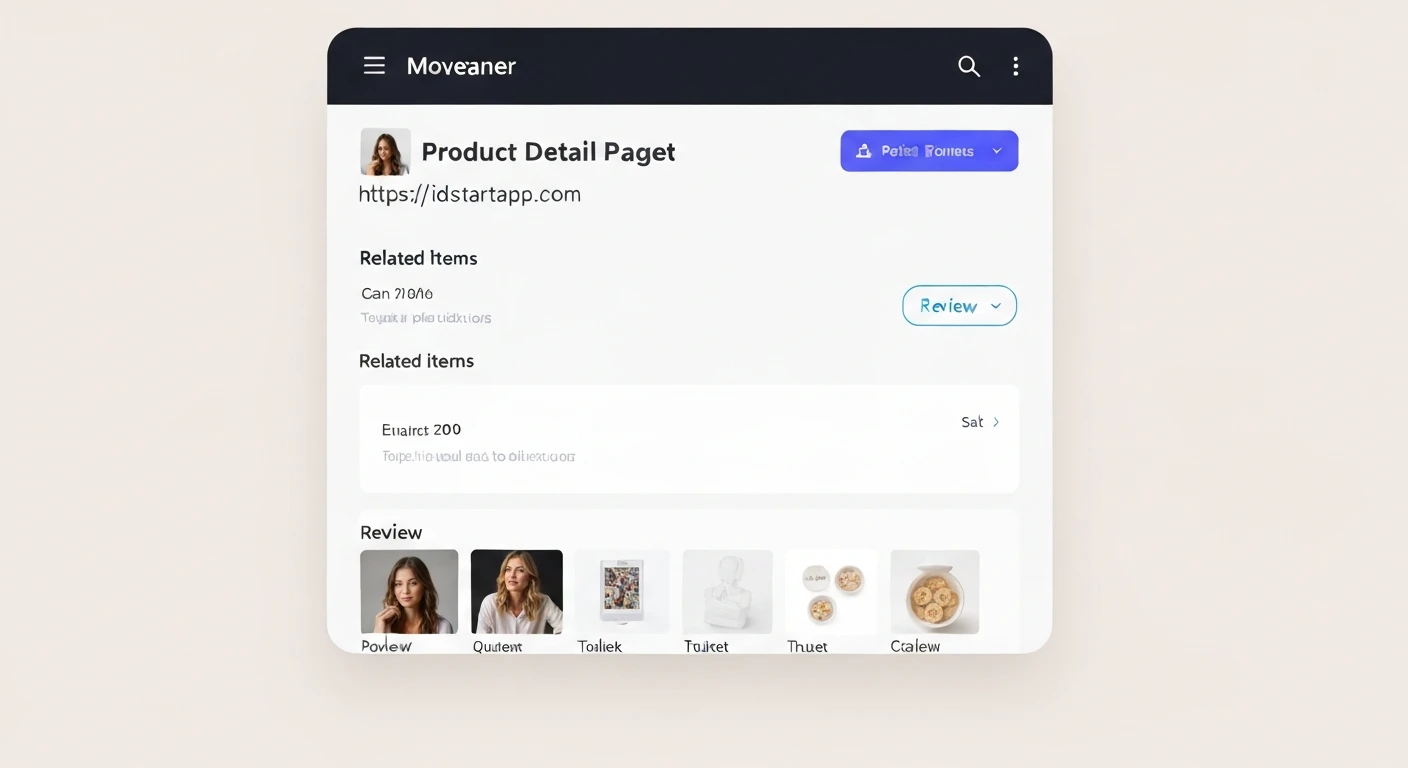
Understanding the Product Detail Page Structure
A typical Product Detail Page comprises several key sections:
- Product Header: Product image(s), name, brand, price, and primary call-to-actions (e.g., "Add to Cart").
- Product Description: Detailed text about the product's features and specifications.
- Related Items: A section suggesting other products that might interest the user, often displayed in a horizontal scrollable list.
- Customer Reviews: A dedicated area for users to read and submit reviews, frequently presented as a carousel for easy browsing.
Designing Data Models
Before building the UI, let's define simple data models for our Product and Review objects.
Product Model
This model will hold basic product information.
// lib/models/product.dart
class Product {
  final String id;
  final String name;
  final String imageUrl;
  final String description;
  final double price;
  final double rating;

  Product({
    required this.id,
    required this.name,
    required this.imageUrl,
    required this.description,
    required this.price,
    required this.rating,
  });

  // Example factory constructor for demo purposes
  factory Product.fromJson(Map<String, dynamic> json) {
    return Product(
      id: json['id'],
      name: json['name'],
      imageUrl: json['imageUrl'],
      description: json['description'],
      price: json['price'].toDouble(),
      rating: json['rating'].toDouble(),
    );
  }
}
Review Model
This model will store review details, including the reviewer's name, rating, and comments.
// lib/models/review.dart
class Review {
  final String id;
  final String reviewerName;
  final String comment;
  final double rating;
  final DateTime date;

  Review({
    required this.id,
    required this.reviewerName,
    required this.comment,
    required this.rating,
    required this.date,
  });

  // Example factory constructor for demo purposes
  factory Review.fromJson(Map<String, dynamic> json) {
    return Review(
      id: json['id'],
      reviewerName: json['reviewerName'],
      comment: json['comment'],
      rating: json['rating'].toDouble(),
      date: DateTime.parse(json['date']),
    );
  }
}
Building the Main Product Detail Widget
The main Product Detail Page widget will be a StatefulWidget or StatelessWidget depending on whether data is fetched internally or passed externally. For simplicity, we'll assume data is passed in or fetched in a parent widget. We'll use a SingleChildScrollView to ensure the page is scrollable, containing a Column to stack our different sections vertically.
// lib/widgets/product_detail_page.dart
import 'package:flutter/material.dart';
import '../models/product.dart';
import '../models/review.dart';
import 'related_products_widget.dart';
import 'review_carousel_widget.dart';

class ProductDetailPage extends StatelessWidget {
  final Product product;
  final List<Product> relatedProducts;
  final List<Review> reviews;

  const ProductDetailPage({
    Key? key,
    required this.product,
    required this.relatedProducts,
    required this.reviews,
  }) : super(key: key);

  @override
  Widget build(BuildContext context) {
    return Scaffold(
      appBar: AppBar(
        title: Text(product.name),
      ),
      body: SingleChildScrollView(
        child: Column(
          crossAxisAlignment: CrossAxisAlignment.start,
          children: [
            // Product Image
            Image.network(
              product.imageUrl,
              height: 300,
              width: double.infinity,
              fit: BoxFit.cover,
              loadingBuilder: (BuildContext context, Widget child, ImageChunkEvent? loadingProgress) {
                if (loadingProgress == null) return child;
                return Center(
                  child: CircularProgressIndicator(
                    value: loadingProgress.expectedTotalBytes != null
                        ? loadingProgress.cumulativeBytesLoaded / loadingProgress.expectedTotalBytes!
                        : null,
                  ),
                );
              },
              errorBuilder: (context, error, stackTrace) =>
                  const Icon(Icons.error, size: 100),
            ),
            Padding(
              padding: const EdgeInsets.all(16.0),
              child: Column(
                crossAxisAlignment: CrossAxisAlignment.start,
                children: [
                  // Product Name
                  Text(
                    product.name,
                    style: const TextStyle(fontSize: 24, fontWeight: FontWeight.bold),
                  ),
                  const SizedBox(height: 8),
                  // Product Price
                  Text(
                    '\$${product.price.toStringAsFixed(2)}',
                    style: const TextStyle(fontSize: 22, color: Colors.green, fontWeight: FontWeight.w600),
                  ),
                  const SizedBox(height: 8),
                  // Product Rating
                  Row(
                    children: [
                      Icon(Icons.star, color: Colors.amber, size: 20),
                      const SizedBox(width: 4),
                      Text('${product.rating.toStringAsFixed(1)} out of 5', style: TextStyle(fontSize: 16)),
                    ],
                  ),
                  const SizedBox(height: 16),
                  // Product Description
                  Text(
                    product.description,
                    style: const TextStyle(fontSize: 16),
                  ),
                  const SizedBox(height: 24),
                  // Related Items Section
                  if (relatedProducts.isNotEmpty) ...[
                    const Text(
                      'Related Products',
                      style: TextStyle(fontSize: 20, fontWeight: FontWeight.bold),
                    ),
                    const SizedBox(height: 16),
                    RelatedProductsWidget(products: relatedProducts),
                    const SizedBox(height: 24),
                  ],
                  // Reviews Section
                  if (reviews.isNotEmpty) ...[
                    const Text(
                      'Customer Reviews',
                      style: TextStyle(fontSize: 20, fontWeight: FontWeight.bold),
                    ),
                    const SizedBox(height: 16),
                    ReviewCarouselWidget(reviews: reviews),
                    const SizedBox(height: 24),
                  ],
                ],
              ),
            ),
          ],
        ),
      ),
      bottomNavigationBar: Padding(
        padding: const EdgeInsets.all(16.0),
        child: ElevatedButton(
          onPressed: () {
            // Implement add to cart logic
            ScaffoldMessenger.of(context).showSnackBar(
              SnackBar(content: Text('${product.name} added to cart!')),
            );
          },
          style: ElevatedButton.styleFrom(
            minimumSize: const Size(double.infinity, 50), // full width
            padding: const EdgeInsets.symmetric(vertical: 12),
            textStyle: const TextStyle(fontSize: 18, fontWeight: FontWeight.bold),
            shape: RoundedRectangleBorder(
              borderRadius: BorderRadius.circular(10),
            ),
          ),
          child: const Text('Add to Cart'),
        ),
      ),
    );
  }
}
Crafting the Related Items Widget
The RelatedProductsWidget will display a horizontal list of product cards. We'll use a SizedBox with a fixed height to contain a ListView.builder with scrollDirection: Axis.horizontal.
// lib/widgets/related_products_widget.dart
import 'package:flutter/material.dart';
import '../models/product.dart';

class RelatedProductsWidget extends StatelessWidget {
  final List<Product> products;

  const RelatedProductsWidget({Key? key, required this.products}) : super(key: key);

  @override
  Widget build(BuildContext context) {
    return SizedBox(
      height: 200, // Fixed height for the horizontal list
      child: ListView.builder(
        scrollDirection: Axis.horizontal,
        itemCount: products.length,
        itemBuilder: (context, index) {
          final product = products[index];
          return Container(
            width: 150,
            margin: const EdgeInsets.only(right: 16),
            decoration: BoxDecoration(
              color: Colors.white,
              borderRadius: BorderRadius.circular(12),
              boxShadow: [
                BoxShadow(
                  color: Colors.grey.withOpacity(0.2),
                  spreadRadius: 1,
                  blurRadius: 5,
                  offset: const Offset(0, 3),
                ),
              ],
            ),
            child: GestureDetector(
              onTap: () {
                // Navigate to related product detail page
                ScaffoldMessenger.of(context).showSnackBar(
                  SnackBar(content: Text('Tapped on related product: ${product.name}')),
                );
                // Example: Navigator.push(context, MaterialPageRoute(builder: (context) => ProductDetailPage(product: product, ...)));
              },
              child: Column(
                crossAxisAlignment: CrossAxisAlignment.start,
                children: [
                  ClipRRect(
                    borderRadius: const BorderRadius.vertical(top: Radius.circular(12)),
                    child: Image.network(
                      product.imageUrl,
                      height: 100,
                      width: double.infinity,
                      fit: BoxFit.cover,
                      errorBuilder: (context, error, stackTrace) =>
                          const Icon(Icons.broken_image, size: 80),
                    ),
                  ),
                  Padding(
                    padding: const EdgeInsets.all(8.0),
                    child: Column(
                      crossAxisAlignment: CrossAxisAlignment.start,
                      children: [
                        Text(
                          product.name,
                          maxLines: 1,
                          overflow: TextOverflow.ellipsis,
                          style: const TextStyle(fontWeight: FontWeight.bold, fontSize: 14),
                        ),
                        const SizedBox(height: 4),
                        Text(
                          '\$${product.price.toStringAsFixed(2)}',
                          style: const TextStyle(color: Colors.green, fontSize: 13),
                        ),
                      ],
                    ),
                  ),
                ],
              ),
            ),
          );
        },
      ),
    );
  }
}
Creating the Review Carousel
The ReviewCarouselWidget will display customer reviews in a horizontally scrollable format. A PageView.builder is an excellent choice for this, offering snapping behavior for each review card. Alternatively, a ListView.builder can also be used.
// lib/widgets/review_carousel_widget.dart
import 'package:flutter/material.dart';
import 'package:intl/intl.dart';
import '../models/review.dart';

class ReviewCarouselWidget extends StatelessWidget {
  final List<Review> reviews;

  const ReviewCarouselWidget({Key? key, required this.reviews}) : super(key: key);

  @override
  Widget build(BuildContext context) {
    return SizedBox(
      height: 180, // Fixed height for the review carousel
      child: PageView.builder( // Using PageView for a carousel effect
        itemCount: reviews.length,
        itemBuilder: (context, index) {
          final review = reviews[index];
          return Container(
            margin: const EdgeInsets.only(right: 16),
            padding: const EdgeInsets.all(16),
            decoration: BoxDecoration(
              color: Colors.blueGrey.shade50,
              borderRadius: BorderRadius.circular(12),
              boxShadow: [
                BoxShadow(
                  color: Colors.grey.withOpacity(0.1),
                  spreadRadius: 1,
                  blurRadius: 3,
                  offset: const Offset(0, 2),
                ),
              ],
            ),
            child: Column(
              crossAxisAlignment: CrossAxisAlignment.start,
              children: [
                Row(
                  children: [
                    Text(
                      review.reviewerName,
                      style: const TextStyle(fontWeight: FontWeight.bold, fontSize: 16),
                    ),
                    const Spacer(),
                    Icon(Icons.star, color: Colors.amber, size: 18),
                    Text(
                      '${review.rating.toStringAsFixed(1)}',
                      style: const TextStyle(fontSize: 14),
                    ),
                  ],
                ),
                const SizedBox(height: 8),
                Expanded(
                  child: Text(
                    review.comment,
                    maxLines: 3,
                    overflow: TextOverflow.ellipsis,
                    style: const TextStyle(fontSize: 14),
                  ),
                ),
                const SizedBox(height: 8),
                Text(
                  DateFormat('MMM dd, yyyy').format(review.date),
                  style: const TextStyle(fontSize: 12, color: Colors.grey),
                ),
              ],
            ),
          );
        },
      ),
    );
  }
}
Integrating All Components and Mock Data
To see our PDP in action, let's create some mock data and use the ProductDetailPage in a simple Flutter app.
// lib/main.dart
import 'package:flutter/material.dart';
import 'models/product.dart';
import 'models/review.dart';
import 'widgets/product_detail_page.dart';

void main() {
  runApp(const MyApp());
}

class MyApp extends StatelessWidget {
  const MyApp({Key? key}) : super(key: key);

  @override
  Widget build(BuildContext context) {
    // Mock Data
    final Product mainProduct = Product(
      id: 'p1',
      name: 'Smartwatch Pro X',
      imageUrl: 'https://images.unsplash.com/photo-1546868871-7041f2a55e12?ixlib=rb-4.0.3&ixid=M3wxMjA3fDB8MHxwaG90by1wYWdlfHx8fGVufDB8fHx8fA%3D%3D&auto=format&fit=crop&w=1700&q=80',
      description:
          'The Smartwatch Pro X is a sleek and powerful wearable device designed to keep you connected and on track with your fitness goals. Featuring a vibrant AMOLED display, advanced health monitoring, and long-lasting battery life. Integrated GPS and water resistance make it perfect for any adventure.',
      price: 199.99,
      rating: 4.7,
    );

    final List<Product> relatedProducts = [
      Product(
        id: 'rp1',
        name: 'Wireless Earbuds',
        imageUrl: 'https://images.unsplash.com/photo-1606775791782-2d189a696238?ixlib=rb-4.0.3&ixid=M3wxMjA3fDB8MHxwaG90by1wYWdlfHx8fGVufDB8fHx8fA%3D%3D&auto=format&fit=crop&w=1700&q=80',
        description: 'High-fidelity audio with active noise cancellation.',
        price: 89.99,
        rating: 4.5,
      ),
      Product(
        id: 'rp2',
        name: 'Fitness Tracker Band',
        imageUrl: 'https://images.unsplash.com/photo-1579586337278-f73922979e38?ixlib=rb-4.0.3&ixid=M3wxMjA3fDB8MHxwaG90by1wYWdlfHx8fGVufDB8fHx8fA%3D%3D&auto=format&fit=crop&w=1700&q=80',
        description: 'Track your steps, heart rate, and sleep.',
        price: 45.00,
        rating: 4.2,
      ),
      Product(
        id: 'rp3',
        name: 'Portable Charger',
        imageUrl: 'https://images.unsplash.com/photo-1588872657578-fu3d50013093?ixlib=rb-4.0.3&ixid=M3wxMjA3fDB8MHxwaG90by1wYWdlfHx8fGVufDB8fHx8fA%3D%3D&auto=format&fit=crop&w=1700&q=80',
        description: 'Keep your devices charged on the go.',
        price: 29.99,
        rating: 4.6,
      ),
       Product(
        id: 'rp4',
        name: 'Smart Scale',
        imageUrl: 'https://images.unsplash.com/photo-1549484738-4e42702a4501?ixlib=rb-4.0.3&ixid=M3wxMjA3fDB8MHxwaG90by1wYWdlfHx8fGVufDB8fHx8fA%3D%3D&auto=format&fit=crop&w=1700&q=80',
        description: 'Monitor your health metrics with precision.',
        price: 65.00,
        rating: 4.3,
      ),
    ];

    final List<Review> reviews = [
      Review(
        id: 'r1',
        reviewerName: 'Alice W.',
        comment: 'Absolutely love this smartwatch! The battery life is incredible, and it tracks my workouts perfectly. Highly recommend!',
        rating: 5.0,
        date: DateTime(2023, 10, 26),
      ),
      Review(
        id: 'r2',
        reviewerName: 'Bob J.',
        comment: 'Great product for the price. The screen is vibrant, and notifications are easy to read. Wish the app had more features.',
        rating: 4.0,
        date: DateTime(2023, 10, 20),
      ),
      Review(
        id: 'r3',
        reviewerName: 'Charlie K.',
        comment: 'Sleek design and comfortable to wear. I mainly use it for step tracking and sleep monitoring, and it does a fantastic job.',
        rating: 4.5,
        date: DateTime(2023, 10, 15),
      ),
      Review(
        id: 'r4',
        reviewerName: 'Diana L.',
        comment: 'A good entry-level smartwatch. It covers the basics well. Setup was a bit tricky, but worth it.',
        rating: 3.5,
        date: DateTime(2023, 10, 10),
      ),
    ];

    return MaterialApp(
      title: 'Product Detail Demo',
      debugShowCheckedModeBanner: false,
      theme: ThemeData(
        primarySwatch: Colors.blueGrey,
        visualDensity: VisualDensity.adaptivePlatformDensity,
      ),
      home: ProductDetailPage(
        product: mainProduct,
        relatedProducts: relatedProducts,
        reviews: reviews,
      ),
    );
  }
}
Conclusion
By breaking down the Product Detail Page into manageable widgets like RelatedProductsWidget and ReviewCarouselWidget, we can create a highly modular, maintainable, and engaging user experience in Flutter. This approach leverages Flutter's rich set of widgets and declarative UI paradigm to build complex layouts with relative ease, enhancing both functionality and aesthetic appeal of your e-commerce application. Remember to adapt the styling and data fetching mechanisms to fit your application's specific needs and backend integrations.