
Building a Notification Tray Widget with Grouped Messages in Flutter
In modern applications, effective notification management is crucial for a positive user experience. A cluttered notification tray can quickly become overwhelming, leading to important alerts being missed. This article explores how to build a sophisticated notification tray widget in Flutter that intelligently groups related messages, making it easier for users to digest and manage their incoming alerts.
The Need for Grouped Notifications
Consider an application that sends multiple notifications for a single event (e.g., several replies to a comment, multiple updates from a specific user, or a series of system alerts). Displaying each of these as a separate, individual notification can quickly fill the tray. Grouping these related messages under a single, collapsible entry provides a cleaner, more organized view, allowing users to see a summary and expand for details only when needed. This approach significantly enhances usability and reduces notification fatigue.
Core Concepts and Data Model
To implement grouped notifications, we first need a robust data model for our notifications and a mechanism to identify which notifications belong together.
Notification Data Model
Our Notification class will include essential details and a crucial groupKey:
class Notification {
  final String id;
  final String title;
  final String body;
  final DateTime timestamp;
  final String? groupKey; // Identifier for grouping (e.g., senderId, topic)
  bool isRead;

  Notification({
    required this.id,
    required this.title,
    required this.body,
    required this.timestamp,
    this.groupKey,
    this.isRead = false,
  });

  // Helper method for immutable updates
  Notification copyWith({
    String? id,
    String? title,
    String? body,
    DateTime? timestamp,
    String? groupKey,
    bool? isRead,
  }) {
    return Notification(
      id: id ?? this.id,
      title: title ?? this.title,
      body: body ?? this.body,
      timestamp: timestamp ?? this.timestamp,
      groupKey: groupKey ?? this.groupKey,
      isRead: isRead ?? this.isRead,
    );
  }
}
The groupKey is central here. Notifications with the same groupKey will be grouped together. If groupKey is null or unique, the notification will typically be displayed individually.
Notification Group Model (Helper)
To simplify rendering, we'll create a helper class to represent a group of notifications:
class NotificationGroup {
  final String groupKey;
  final List<Notification> notifications;
  bool isExpanded; // State for UI expansion

  NotificationGroup({
    required this.groupKey,
    required this.notifications,
    this.isExpanded = false,
  });
}
Building the Notification Tray Widget
Our main widget, NotificationTray, will be a StatefulWidget to manage the list of notifications and their display state (e.g., expanded/collapsed groups).
Notification Tray Widget Structure
The _NotificationTrayState will hold the core logic for managing and grouping notifications.
import 'package:flutter/material.dart';
import 'package:intl/intl.dart'; // For formatting dates/times

// Assuming Notification and NotificationGroup classes are defined as above

class NotificationTray extends StatefulWidget {
  const NotificationTray({super.key});

  @override
  State<NotificationTray> createState() => _NotificationTrayState();
}

class _NotificationTrayState extends State<NotificationTray> {
  final List<Notification> _allNotifications = [];

  @override
  void initState() {
    super.initState();
    _addDummyNotifications(); // Populate with some initial data
  }

  // --- Notification Management Methods ---

  void _addNotification(Notification notification) {
    setState(() {
      _allNotifications.add(notification);
      _sortNotifications();
    });
  }

  void _removeNotification(String notificationId) {
    setState(() {
      _allNotifications.removeWhere((n) => n.id == notificationId);
    });
  }

  void _markNotificationAsRead(String notificationId) {
    setState(() {
      final index = _allNotifications.indexWhere((n) => n.id == notificationId);
      if (index != -1) {
        _allNotifications[index] = _allNotifications[index].copyWith(isRead: true);
      }
    });
  }

  void _markGroupAsRead(String groupKey) {
    setState(() {
      for (int i = 0; i < _allNotifications.length; i++) {
        if (_allNotifications[i].groupKey == groupKey) {
          _allNotifications[i] = _allNotifications[i].copyWith(isRead: true);
        }
      }
    });
  }

  void _dismissGroup(String groupKey) {
    setState(() {
      _allNotifications.removeWhere((n) => n.groupKey == groupKey);
    });
  }

  void _sortNotifications() {
    _allNotifications.sort((a, b) => b.timestamp.compareTo(a.timestamp)); // Newest first
  }

  // --- Grouping Logic ---

  List<dynamic> _getDisplayItems() {
    Map<String, List<Notification>> groupedByGroupKey = {};
    List<Notification> ungroupedNotifications = [];

    // Separate notifications into grouped and ungrouped
    for (var notification in _allNotifications) {
      if (notification.groupKey != null) {
        if (!groupedByGroupKey.containsKey(notification.groupKey!)) {
          groupedByGroupKey[notification.groupKey!] = [];
        }
        groupedByGroupKey[notification.groupKey!]!.add(notification);
      } else {
        ungroupedNotifications.add(notification);
      }
    }

    List<dynamic> displayItems = []; // Can contain Notification or NotificationGroup

    // Add grouped items
    groupedByGroupKey.forEach((key, notifications) {
      if (notifications.length > 1) {
        displayItems.add(NotificationGroup(groupKey: key, notifications: notifications));
      } else {
        // If only one notification in a "group", treat it as individual
        displayItems.addAll(notifications);
      }
    });

    // Add truly ungrouped items
    displayItems.addAll(ungroupedNotifications);

    // Sort the final display list (groups or individual notifications) by their latest timestamp
    displayItems.sort((a, b) {
      DateTime timeA = a is Notification
          ? a.timestamp
          : (a as NotificationGroup).notifications.first.timestamp; // Assume first is newest
      DateTime timeB = b is Notification
          ? b.timestamp
          : (b as NotificationGroup).notifications.first.timestamp;
      return timeB.compareTo(timeA); // Newest first
    });

    return displayItems;
  }

  // --- UI Building Methods ---

  Widget _buildNotificationItem(Notification notification) {
    return Card(
      margin: const EdgeInsets.symmetric(horizontal: 16, vertical: 4),
      color: notification.isRead ? Colors.grey[200] : Colors.white,
      child: ListTile(
        title: Text(notification.title,
            style: TextStyle(fontWeight: notification.isRead ? FontWeight.normal : FontWeight.bold)),
        subtitle: Text(
          notification.body +
              ' - ${DateFormat('h:mm a, MMM d').format(notification.timestamp)}',
          maxLines: 2,
          overflow: TextOverflow.ellipsis,
        ),
        trailing: IconButton(
          icon: const Icon(Icons.close),
          onPressed: () => _removeNotification(notification.id),
        ),
        onTap: () {
          _markNotificationAsRead(notification.id);
          // Navigate to detail page or perform action
          ScaffoldMessenger.of(context).showSnackBar(
            SnackBar(content: Text('Tapped notification: ${notification.title}')),
          );
        },
      ),
    );
  }

  Widget _buildNotificationGroup(NotificationGroup group) {
    // Determine title for the group
    String groupTitle = group.groupKey;
    if (group.groupKey.startsWith('user_')) {
      groupTitle = 'Messages from User ${group.groupKey.split('_')[1]}';
    } else if (group.groupKey == 'system_alerts') {
      groupTitle = 'System Alerts';
    }

    // Determine subtitle for the group
    final unreadCount = group.notifications.where((n) => !n.isRead).length;
    final totalCount = group.notifications.length;
    final groupSubtitle = unreadCount > 0
        ? '$unreadCount unread messages'
        : '$totalCount messages';

    return Card(
      margin: const EdgeInsets.symmetric(horizontal: 16, vertical: 4),
      color: group.notifications.every((n) => n.isRead) ? Colors.blue[50] : Colors.blue[100],
      child: ExpansionTile(
        key: PageStorageKey(group.groupKey), // Maintain expansion state across widget rebuilds
        initiallyExpanded: group.isExpanded,
        onExpansionChanged: (expanded) {
          setState(() {
            group.isExpanded = expanded;
          });
        },
        title: Text(
          groupTitle,
          style: TextStyle(fontWeight: unreadCount > 0 ? FontWeight.bold : FontWeight.normal),
        ),
        subtitle: Text(groupSubtitle),
        trailing: Row(
          mainAxisSize: MainAxisSize.min,
          children: [
            IconButton(
              icon: const Icon(Icons.check_circle_outline),
              tooltip: 'Mark all as read',
              onPressed: () => _markGroupAsRead(group.groupKey),
            ),
            IconButton(
              icon: const Icon(Icons.delete_outline),
              tooltip: 'Dismiss group',
              onPressed: () => _dismissGroup(group.groupKey),
            ),
          ],
        ),
        children: group.notifications
            .map((notification) => Padding(
                  padding: const EdgeInsets.only(left: 16.0, right: 8.0, bottom: 4.0),
                  child: _buildNotificationItem(notification),
                ))
            .toList(),
      ),
    );
  }

  // --- Dummy Data for Demonstration ---
  void _addDummyNotifications() {
    _addNotification(Notification(
      id: '1',
      title: 'New message from Alice',
      body: 'Hey, how are you doing?',
      timestamp: DateTime.now().subtract(const Duration(minutes: 5)),
      groupKey: 'user_alice',
    ));
    _addNotification(Notification(
      id: '2',
      title: 'Reminder: Project Deadline',
      body: 'Your project report is due tomorrow.',
      timestamp: DateTime.now().subtract(const Duration(minutes: 10)),
    ));
    _addNotification(Notification(
      id: '3',
      title: 'Alice replied!',
      body: 'I\'m doing great, thanks for asking!',
      timestamp: DateTime.now().subtract(const Duration(minutes: 2)),
      groupKey: 'user_alice',
    ));
    _addNotification(Notification(
      id: '4',
      title: 'System Update Available',
      body: 'A new version of the app is ready for download.',
      timestamp: DateTime.now().subtract(const Duration(hours: 1)),
      groupKey: 'system_alerts',
    ));
    _addNotification(Notification(
      id: '5',
      title: 'Security Alert',
      body: 'Unusual activity detected on your account.',
      timestamp: DateTime.now().subtract(const Duration(hours: 2)),
      groupKey: 'system_alerts',
    ));
    _addNotification(Notification(
      id: '6',
      title: 'New Email',
      body: 'You have a new email from John Doe.',
      timestamp: DateTime.now().subtract(const Duration(minutes: 1)),
    ));
    _addNotification(Notification(
      id: '7',
      title: 'Alice sent a photo',
      body: 'Check out this cool picture!',
      timestamp: DateTime.now().subtract(const Duration(minutes: 1)),
      groupKey: 'user_alice',
    ));
  }

  @override
  Widget build(BuildContext context) {
    final displayItems = _getDisplayItems();

    return Scaffold(
      appBar: AppBar(
        title: const Text('Notification Tray'),
        actions: [
          IconButton(
            icon: const Icon(Icons.add_alert),
            onPressed: () {
              // Add a new random notification for demonstration
              _addNotification(Notification(
                id: DateTime.now().millisecondsSinceEpoch.toString(),
                title: 'New Alert',
                body: 'This is a new notification added manually.',
                timestamp: DateTime.now(),
                groupKey: (DateTime.now().second % 2 == 0) ? 'user_alice' : null, // Randomly group
              ));
            },
          ),
        ],
      ),
      body: displayItems.isEmpty
          ? const Center(child: Text('No notifications'))
          : ListView.builder(
              itemCount: displayItems.length,
              itemBuilder: (context, index) {
                final item = displayItems[index];
                if (item is Notification) {
                  return _buildNotificationItem(item);
                } else if (item is NotificationGroup) {
                  return _buildNotificationGroup(item);
                }
                return const SizedBox.shrink(); // Fallback
              },
            ),
    );
  }
}
Explanation of Key Components
-
_allNotifications: ThisList<Notification>holds all raw notifications received by the tray. -
_getDisplayItems(): This is the heart of the grouping logic. It iterates through_allNotifications:- It first separates notifications into those with a
groupKeyand those without. - For notifications with a
groupKey, it groups them intoMap<String, List<Notification>>. - It then iterates through these groups:
- If a group has more than one notification, it creates a
NotificationGroupobject. - If a "group" only has one notification, or if the notification never had a
groupKey, it's treated as an individualNotificationobject.
- If a group has more than one notification, it creates a
- Finally, it returns a
List<dynamic>containing a mix ofNotificationandNotificationGroupobjects, sorted by their latest timestamp.
- It first separates notifications into those with a
-
_buildNotificationItem(Notification notification): Renders a single notification using aCardandListTile. It shows the title, body, and timestamp, along with a dismiss button. Tapping it marks it as read. -
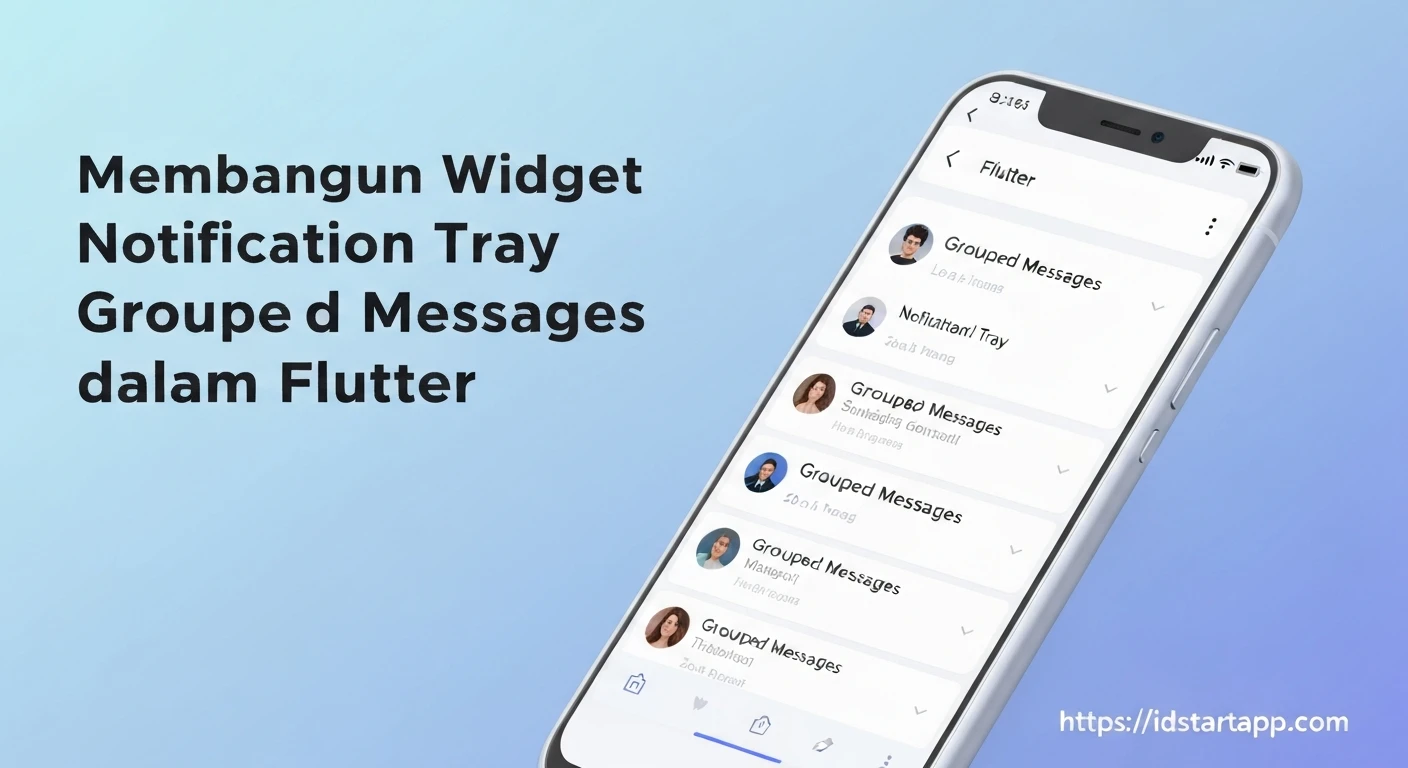
_buildNotificationGroup(NotificationGroup group): Renders a group of notifications using anExpansionTile.- The title summarizes the group (e.g., "Messages from User Alice").
- The subtitle shows the count of unread/total messages.
- It includes action buttons to mark all notifications in the group as read or to dismiss the entire group.
- When expanded, it reveals all individual notifications within that group, each rendered by
_buildNotificationItem. PageStorageKeyis used to maintain the expansion state of each group across rebuilds.
-
Management Methods:
_addNotification,_removeNotification,_markNotificationAsRead,_markGroupAsRead, and_dismissGrouphandle the state changes, triggeringsetStateto update the UI.
Conclusion
By implementing a grouped notification tray, you can significantly enhance the user experience in your Flutter applications. This approach reduces visual clutter, makes important information more discoverable, and provides users with powerful tools to manage their incoming alerts efficiently. The presented architecture, leveraging a clear data model and intelligent grouping logic, offers a solid foundation upon which you can build even more sophisticated notification features, such as advanced filtering, prioritization, and persistent storage mechanisms.