
Building a Robust Audio Player Widget with Playlist and Seekbar in Flutter
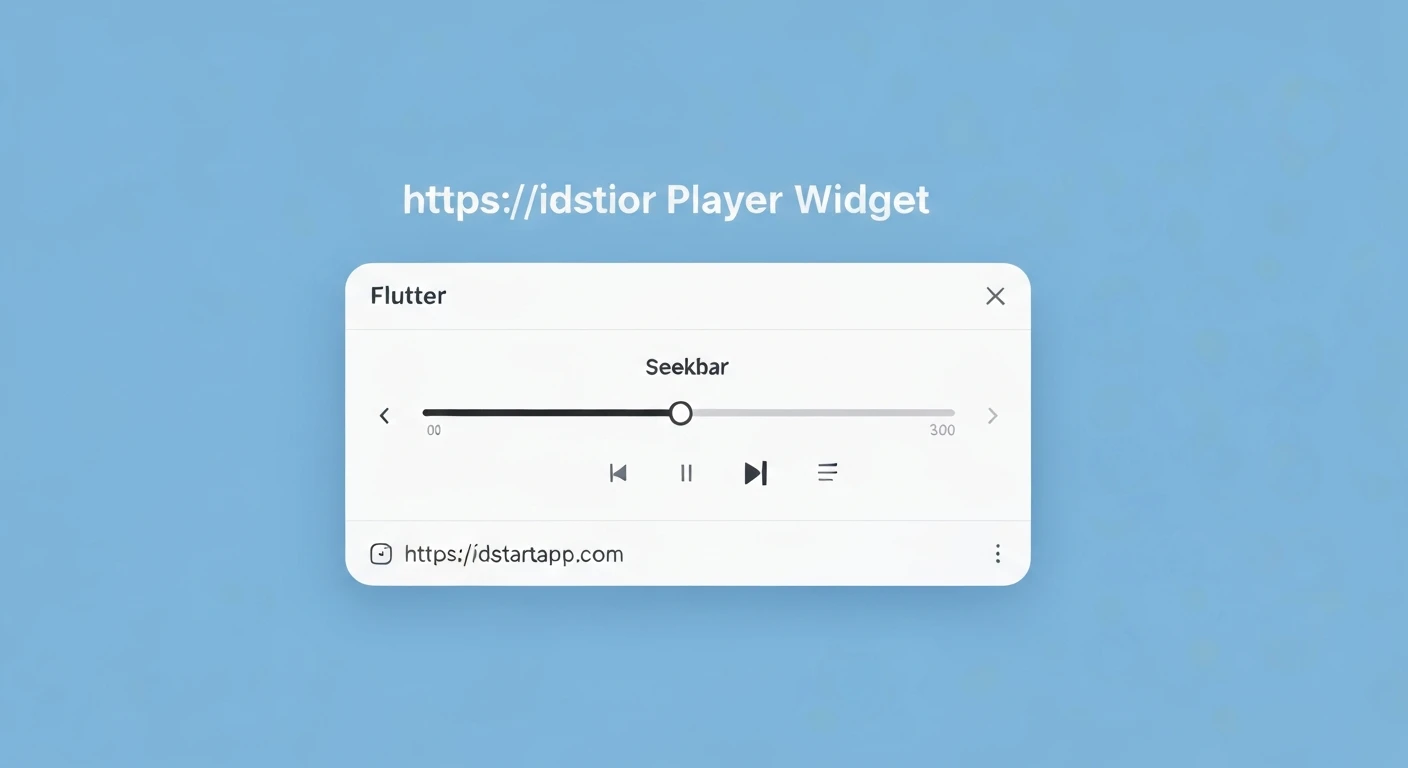
Creating a feature-rich audio player in Flutter involves handling audio playback, managing a playlist, and providing user controls like play/pause, next/previous, and a seekbar. This article guides you through building a professional audio player widget complete with these essential functionalities, leveraging the powerful just_audio package.
Prerequisites
- Basic understanding of Flutter development.
- Familiarity with state management concepts (e.g.,
setState,ChangeNotifier/Provider, orbloc/riverpod). For simplicity, we'll useChangeNotifierandProviderin this guide for state management, but the core logic remains adaptable.
1. Project Setup and Dependencies
First, add the necessary packages to your pubspec.yaml file:
dependencies:
  flutter:
    sdk: flutter
  just_audio: ^0.9.36 # For robust audio playback
  rxdart: ^0.27.7 # Useful for combining streams, especially for position/duration
  provider: ^6.0.5 # For state management
Then, run flutter pub get.
2. Defining Audio Track Model
Create a simple data model for your audio tracks:
// lib/models/audio_track.dart
class AudioTrack {
  final String id;
  final String title;
  final String artist;
  final String url;
  final String? artworkUrl; // Optional

  AudioTrack({
    required this.id,
    required this.title,
    required this.artist,
    required this.url,
    this.artworkUrl,
  });
}
3. Audio Player Service (State Management)
Encapsulate the audio player logic within a dedicated service. This class will manage the AudioPlayer instance, handle playlist operations, and expose current player state using ChangeNotifier.
// lib/services/audio_player_service.dart
import 'package:flutter/material.dart';
import 'package:just_audio/just_audio.dart';
import 'package:rxdart/rxdart.dart';
import '../models/audio_track.dart';

class AudioPlayerService extends ChangeNotifier {
  final AudioPlayer _audioPlayer = AudioPlayer();
  final ConcatenatingAudioSource _playlist = ConcatenatingAudioSource(children: []);

  List<AudioTrack> _tracks = [];
  int? _currentIndex;

  AudioPlayerService() {
    _audioPlayer.setAudioSource(_playlist);
    _listenToPlaybackState();
    _listenToCurrentIndex();
  }

  void _listenToPlaybackState() {
    _audioPlayer.playerStateStream.listen((playerState) {
      // You can add more complex state handling here if needed
      if (playerState.processingState == ProcessingState.completed) {
        // Automatically advance to the next track if available
        if (_audioPlayer.hasNext) {
          _audioPlayer.seekToNext();
        } else {
          // If at the end of the playlist, stop or loop
          _audioPlayer.stop();
          _audioPlayer.seek(Duration.zero, index: 0); // Optionally rewind to start
        }
      }
      notifyListeners();
    });
  }

  void _listenToCurrentIndex() {
    _audioPlayer.currentIndexStream.listen((index) {
      if (index != null && index != _currentIndex) {
        _currentIndex = index;
        notifyListeners();
      }
    });
  }

  Future<void> loadPlaylist(List<AudioTrack> newTracks) async {
    _tracks = newTracks;
    final audioSources = newTracks.map((track) => AudioSource.uri(
      Uri.parse(track.url),
      tag: track, // Attach the track object for easy retrieval
    )).toList();

    _playlist.clear();
    await _playlist.addAll(audioSources);
    _currentIndex = _audioPlayer.currentIndex;
    notifyListeners();
    // Start playing the first track or keep it paused
    // await _audioPlayer.play();
  }

  AudioTrack? get currentTrack {
    if (_currentIndex != null && _currentIndex! < _tracks.length) {
      return _tracks[_currentIndex!];
    }
    return null;
  }

  Stream<Duration> get positionStream => _audioPlayer.positionStream;
  Stream<Duration> get durationStream => _audioPlayer.durationStream.distinct(); // Only emit when duration changes
  Stream<bool> get isPlayingStream => _audioPlayer.playingStream;
  Stream<bool> get hasPreviousStream => _audioPlayer.hasPreviousStream;
  Stream<bool> get hasNextStream => _audioPlayer.hasNextStream;

  // Combined stream for position, buffered position, and duration
  Stream<PositionData> get positionDataStream =>
      Rx.combineLatest3<Duration, Duration, Duration?, PositionData>(
        _audioPlayer.positionStream,
        _audioPlayer.bufferedPositionStream,
        _audioPlayer.durationStream,
        (position, bufferedPosition, duration) => PositionData(
          position,
          bufferedPosition,
          duration ?? Duration.zero,
        ),
      );

  bool get isPlaying => _audioPlayer.playing;
  ProcessingState get processingState => _audioPlayer.processingState;
  bool get isLoading => processingState == ProcessingState.loading || processingState == ProcessingState.buffering;

  Future<void> play() => _audioPlayer.play();
  Future<void> pause() => _audioPlayer.pause();
  Future<void> seek(Duration position) => _audioPlayer.seek(position);
  Future<void> seekToNext() => _audioPlayer.seekToNext();
  Future<void> seekToPrevious() => _audioPlayer.seekToPrevious();
  Future<void> seekToIndex(int index) => _audioPlayer.seek(Duration.zero, index: index);

  // Dispose the player when the service is no longer needed
  @override
  void dispose() {
    _audioPlayer.dispose();
    super.dispose();
  }
}

// Helper class for position data
class PositionData {
  final Duration position;
  final Duration bufferedPosition;
  final Duration duration;

  PositionData(this.position, this.bufferedPosition, this.duration);
}
4. Audio Player Widget (UI)
Now, let's create the UI widget that uses our service. We'll use Provider to access AudioPlayerService.
// lib/widgets/audio_player_widget.dart
import 'package:flutter/material.dart';
import 'package:provider/provider.dart';
import '../services/audio_player_service.dart';
import '../models/audio_track.dart';

class AudioPlayerWidget extends StatelessWidget {
  @override
  Widget build(BuildContext context) {
    return ChangeNotifierProvider(
      create: (_) => AudioPlayerService(),
      child: Consumer<AudioPlayerService>(
        builder: (context, audioPlayerService, child) {
          return Card(
            margin: EdgeInsets.all(16.0),
            elevation: 8,
            shape: RoundedRectangleBorder(borderRadius: BorderRadius.circular(12)),
            child: Padding(
              padding: const EdgeInsets.all(16.0),
              child: Column(
                mainAxisSize: MainAxisSize.min,
                children: [
                  _buildCurrentTrackInfo(audioPlayerService),
                  SizedBox(height: 16),
                  _buildSeekBar(audioPlayerService),
                  _buildControls(audioPlayerService),
                  SizedBox(height: 16),
                  _buildPlaylist(audioPlayerService),
                ],
              ),
            ),
          );
        },
      ),
    );
  }

  Widget _buildCurrentTrackInfo(AudioPlayerService audioPlayerService) {
    return Selector<AudioPlayerService, AudioTrack?>(
      selector: (_, service) => service.currentTrack,
      builder: (context, currentTrack, child) {
        return Column(
          children: [
            currentTrack?.artworkUrl != null
                ? ClipRRect(
                    borderRadius: BorderRadius.circular(8.0),
                    child: Image.network(
                      currentTrack!.artworkUrl!,
                      width: 150,
                      height: 150,
                      fit: BoxFit.cover,
                      errorBuilder: (context, error, stackTrace) =>
                          Container(
                            width: 150,
                            height: 150,
                            color: Colors.grey[300],
                            child: Icon(Icons.music_note, size: 50, color: Colors.grey[600]),
                          ),
                    ),
                  )
                : Container(
                    width: 150,
                    height: 150,
                    color: Colors.grey[300],
                    child: Icon(Icons.music_note, size: 50, color: Colors.grey[600]),
                  ),
            SizedBox(height: 16),
            Text(
              currentTrack?.title ?? 'No track loaded',
              style: TextStyle(fontSize: 20, fontWeight: FontWeight.bold),
              textAlign: TextAlign.center,
            ),
            Text(
              currentTrack?.artist ?? '',
              style: TextStyle(fontSize: 16, color: Colors.grey[700]),
              textAlign: TextAlign.center,
            ),
          ],
        );
      },
    );
  }

  Widget _buildSeekBar(AudioPlayerService audioPlayerService) {
    return StreamBuilder<PositionData>(
      stream: audioPlayerService.positionDataStream,
      builder: (context, snapshot) {
        final positionData = snapshot.data;
        final position = positionData?.position ?? Duration.zero;
        final bufferedPosition = positionData?.bufferedPosition ?? Duration.zero;
        final duration = positionData?.duration ?? Duration.zero;

        return Column(
          children: [
            SliderTheme(
              data: SliderTheme.of(context).copyWith(
                trackHeight: 2.0,
                thumbShape: RoundSliderThumbShape(enabledThumbRadius: 6.0),
                overlayShape: RoundSliderOverlayShape(overlayRadius: 12.0),
                activeTrackColor: Theme.of(context).primaryColor,
                inactiveTrackColor: Colors.grey[300],
                thumbColor: Theme.of(context).primaryColor,
                overlayColor: Theme.of(context).primaryColor.withOpacity(0.2),
              ),
              child: Slider(
                min: 0.0,
                max: duration.inMilliseconds.toDouble(),
                value: position.inMilliseconds.toDouble().clamp(0.0, duration.inMilliseconds.toDouble()),
                onChanged: (value) {
                  audioPlayerService.seek(Duration(milliseconds: value.toInt()));
                },
                onChangeEnd: (value) {
                  // You can add debouncing or further logic here if needed
                },
              ),
            ),
            Padding(
              padding: const EdgeInsets.symmetric(horizontal: 8.0),
              child: Row(
                mainAxisAlignment: MainAxisAlignment.spaceBetween,
                children: [
                  Text(_formatDuration(position)),
                  Text(_formatDuration(duration)),
                ],
              ),
            ),
          ],
        );
      },
    );
  }

  String _formatDuration(Duration duration) {
    String twoDigits(int n) => n.toString().padLeft(2, '0');
    final hours = twoDigits(duration.inHours);
    final minutes = twoDigits(duration.inMinutes.remainder(60));
    final seconds = twoDigits(duration.inSeconds.remainder(60));
    if (duration.inHours > 0) {
      return '$hours:$minutes:$seconds';
    }
    return '$minutes:$seconds';
  }

  Widget _buildControls(AudioPlayerService audioPlayerService) {
    return Row(
      mainAxisAlignment: MainAxisAlignment.center,
      children: [
        StreamBuilder<bool>(
          stream: audioPlayerService.hasPreviousStream,
          builder: (context, snapshot) {
            final hasPrevious = snapshot.data ?? false;
            return IconButton(
              icon: Icon(Icons.skip_previous, size: 36),
              onPressed: hasPrevious ? audioPlayerService.seekToPrevious : null,
            );
          },
        ),
        StreamBuilder<bool>(
          stream: audioPlayerService.isPlayingStream,
          builder: (context, snapshot) {
            final isPlaying = snapshot.data ?? false;
            return IconButton(
              icon: Icon(isPlaying ? Icons.pause_circle_filled : Icons.play_circle_filled, size: 64),
              onPressed: () {
                if (audioPlayerService.isLoading) return; // Prevent interaction during loading
                isPlaying ? audioPlayerService.pause() : audioPlayerService.play();
              },
            );
          },
        ),
        StreamBuilder<bool>(
          stream: audioPlayerService.hasNextStream,
          builder: (context, snapshot) {
            final hasNext = snapshot.data ?? false;
            return IconButton(
              icon: Icon(Icons.skip_next, size: 36),
              onPressed: hasNext ? audioPlayerService.seekToNext : null,
            );
          },
        ),
      ],
    );
  }

  Widget _buildPlaylist(AudioPlayerService audioPlayerService) {
    return Selector<AudioPlayerService, List<AudioTrack>>(
      selector: (_, service) => service._tracks, // Accessing private for simplicity; consider a public getter
      builder: (context, tracks, child) {
        return Column(
          crossAxisAlignment: CrossAxisAlignment.start,
          children: [
            Padding(
              padding: const EdgeInsets.symmetric(vertical: 8.0),
              child: Text(
                'Playlist',
                style: TextStyle(fontSize: 18, fontWeight: FontWeight.bold),
              ),
            ),
            tracks.isEmpty
                ? Text('No tracks in playlist.')
                : ListView.builder(
                    shrinkWrap: true,
                    physics: NeverScrollableScrollPhysics(),
                    itemCount: tracks.length,
                    itemBuilder: (context, index) {
                      final track = tracks[index];
                      final isCurrent = audioPlayerService.currentTrack?.id == track.id;
                      return ListTile(
                        leading: isCurrent ? Icon(Icons.volume_up, color: Theme.of(context).primaryColor) : null,
                        title: Text(
                          track.title,
                          style: TextStyle(
                            fontWeight: isCurrent ? FontWeight.bold : FontWeight.normal,
                            color: isCurrent ? Theme.of(context).primaryColor : Colors.black,
                          ),
                        ),
                        subtitle: Text(track.artist),
                        onTap: () {
                          audioPlayerService.seekToIndex(index);
                          audioPlayerService.play();
                        },
                      );
                    },
                  ),
          ],
        );
      },
    );
  }
}
5. Integrating into Your Application
To use the AudioPlayerWidget, simply add it to your main.dart or any other screen. You'll also need to provide it with a list of tracks.
// lib/main.dart
import 'package:flutter/material.dart';
import 'package:provider/provider.dart';
import 'widgets/audio_player_widget.dart';
import 'services/audio_player_service.dart';
import 'models/audio_track.dart';

void main() {
  runApp(MyApp());
}

class MyApp extends StatelessWidget {
  @override
  Widget build(BuildContext context) {
    return MaterialApp(
      title: 'Flutter Audio Player',
      theme: ThemeData(
        primarySwatch: Colors.blue,
        visualDensity: VisualDensity.adaptivePlatformDensity,
      ),
      home: MyHomePage(),
    );
  }
}

class MyHomePage extends StatefulWidget {
  @override
  _MyHomePageState createState() => _MyHomePageState();
}

class _MyHomePageState extends State<MyHomePage> {
  final List<AudioTrack> _samplePlaylist = [
    AudioTrack(
      id: '1',
      title: 'Summer Breeze',
      artist: 'Unknown Artist 1',
      url: 'https://www.soundhelix.com/examples/mp3/SoundHelix-Song-1.mp3',
      artworkUrl: 'https://picsum.photos/id/10/200/200',
    ),
    AudioTrack(
      id: '2',
      title: 'Ocean Waves',
      artist: 'Unknown Artist 2',
      url: 'https://www.soundhelix.com/examples/mp3/SoundHelix-Song-2.mp3',
      artworkUrl: 'https://picsum.photos/id/20/200/200',
    ),
    AudioTrack(
      id: '3',
      title: 'Morning Glory',
      artist: 'Unknown Artist 3',
      url: 'https://www.soundhelix.com/examples/mp3/SoundHelix-Song-3.mp3',
      artworkUrl: 'https://picsum.photos/id/30/200/200',
    ),
  ];

  @override
  Widget build(BuildContext context) {
    return Scaffold(
      appBar: AppBar(
        title: Text('Flutter Audio Player'),
      ),
      body: Center(
        child: SingleChildScrollView(
          child: Column(
            mainAxisAlignment: MainAxisAlignment.center,
            children: <Widget>[
              AudioPlayerWidget(),
              SizedBox(height: 20),
              ElevatedButton(
                onPressed: () {
                  // Access the AudioPlayerService and load the playlist
                  Provider.of<AudioPlayerService>(context, listen: false)
                      .loadPlaylist(_samplePlaylist);
                },
                child: Text('Load Sample Playlist'),
              ),
            ],
          ),
        ),
      ),
    );
  }
}
Note: In _MyHomePageState, the AudioPlayerWidget is wrapped inside a ChangeNotifierProvider in its own scope. To allow the ElevatedButton to access the AudioPlayerService, you need to either place the ChangeNotifierProvider higher up in the widget tree (e.g., at the MyApp level if it's a global player) or access it within the AudioPlayerWidget's context as shown.
For a player that exists across multiple screens, consider placing the ChangeNotifierProvider higher in your widget tree (e.g., in MyApp or above MaterialApp).
// Alternative main.dart for global player service
import 'package:flutter/material.dart';
import 'package:provider/provider.dart';
import 'widgets/audio_player_widget.dart';
import 'services/audio_player_service.dart';
import 'models/audio_track.dart';

void main() {
  runApp(
    ChangeNotifierProvider(
      create: (_) => AudioPlayerService(),
      child: MyApp(),
    ),
  );
}

class MyApp extends StatelessWidget {
  @override
  Widget build(BuildContext context) {
    return MaterialApp(
      title: 'Flutter Audio Player',
      theme: ThemeData(
        primarySwatch: Colors.blue,
        visualDensity: VisualDensity.adaptivePlatformDensity,
      ),
      home: MyHomePage(),
    );
  }
}

class MyHomePage extends StatefulWidget {
  @override
  _MyHomePageState createState() => _MyHomePageState();
}

class _MyHomePageState extends State<MyHomePage> {
  final List<AudioTrack> _samplePlaylist = [
    AudioTrack(
      id: '1',
      title: 'Summer Breeze',
      artist: 'Unknown Artist 1',
      url: 'https://www.soundhelix.com/examples/mp3/SoundHelix-Song-1.mp3',
      artworkUrl: 'https://picsum.photos/id/10/200/200',
    ),
    AudioTrack(
      id: '2',
      title: 'Ocean Waves',
      artist: 'Unknown Artist 2',
      url: 'https://www.soundhelix.com/examples/mp3/SoundHelix-Song-2.mp3',
      artworkUrl: 'https://picsum.photos/id/20/200/200',
    ),
    AudioTrack(
      id: '3',
      title: 'Morning Glory',
      artist: 'Unknown Artist 3',
      url: 'https://www.soundhelix.com/examples/mp3/SoundHelix-Song-3.mp3',
      artworkUrl: 'https://picsum.photos/id/30/200/200',
    ),
  ];

  // Using initState to load the playlist once
  @override
  void initState() {
    super.initState();
    WidgetsBinding.instance.addPostFrameCallback((_) {
      Provider.of<AudioPlayerService>(context, listen: false)
          .loadPlaylist(_samplePlaylist);
    });
  }

  @override
  Widget build(BuildContext context) {
    return Scaffold(
      appBar: AppBar(
        title: Text('Flutter Audio Player'),
      ),
      body: Center(
        child: SingleChildScrollView(
          child: Column(
            mainAxisAlignment: MainAxisAlignment.center,
            children: <Widget>[
              AudioPlayerWidget(), // This widget will now get the service from the ancestor Provider
              SizedBox(height: 20),
              // No need for a button if playlist is loaded on init, but you can have one to reload/change
              // ElevatedButton(
              //   onPressed: () {
              //     Provider.of<AudioPlayerService>(context, listen: false)
              //         .loadPlaylist(_anotherPlaylist); // Example for changing playlist
              //   },
              //   child: Text('Load Another Playlist'),
              // ),
            ],
          ),
        ),
      ),
    );
  }
}
Conclusion
You have successfully built a sophisticated audio player widget in Flutter with playlist management and a functional seekbar. The architecture separates UI concerns from audio playback logic, making the code maintainable and extensible. By utilizing just_audio for robust playback and Provider for state management, this solution provides a solid foundation for any audio-centric Flutter application. You can further enhance this by adding features like shuffle, repeat modes, background playback (with proper platform setup), and more advanced UI.