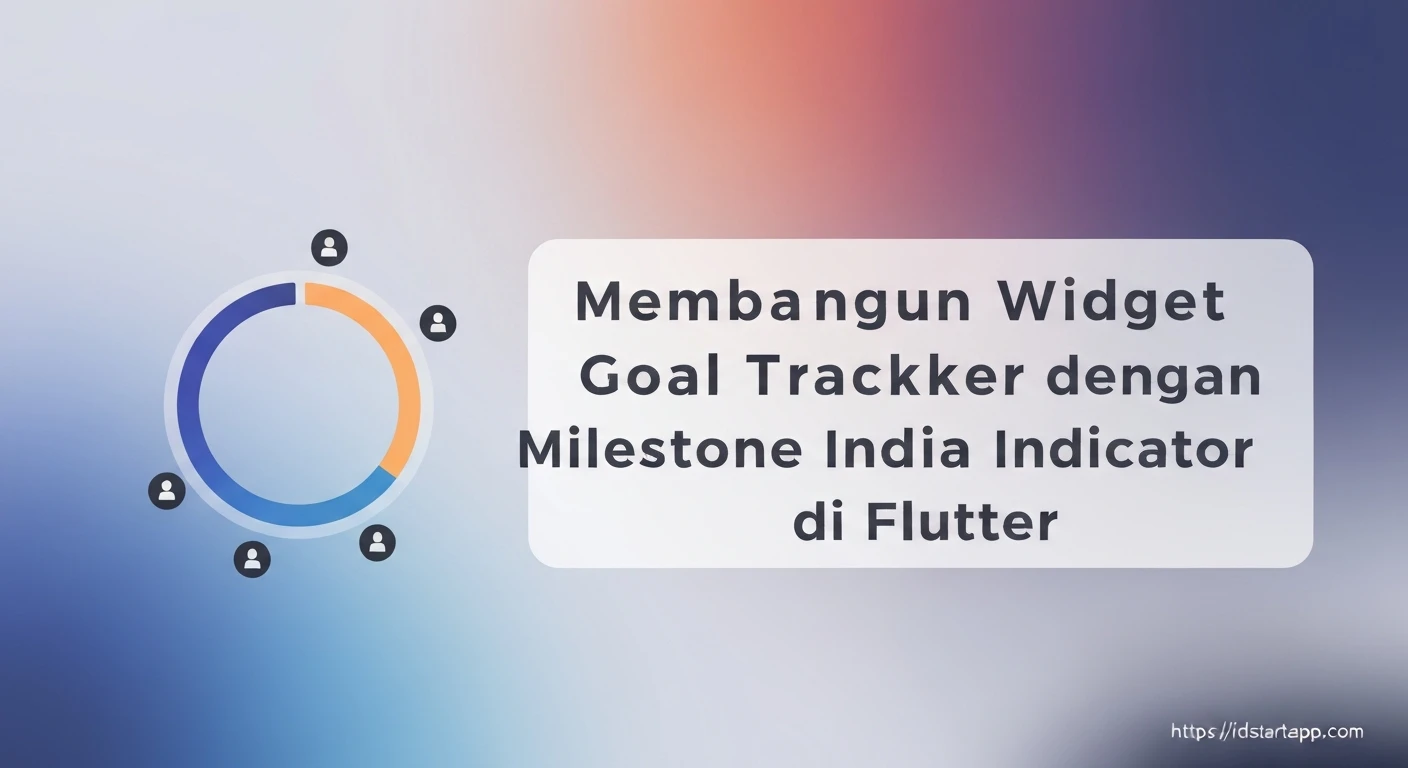

Building a Goal Tracker Widget with Milestone Indicator in Flutter
Tracking progress is a fundamental aspect of achieving goals, whether personal or professional. A visual representation of progress, especially one that highlights key milestones, can significantly boost motivation and provide clarity on the journey ahead. In Flutter, we can create highly customizable and engaging UI components to serve this purpose. This article will guide you through building a "Goal Tracker Widget with Milestone Indicator" in Flutter, leveraging custom painting to craft a unique visual experience.
Understanding the Core Components
Our goal tracker widget will consist of several key parts:
- Goal Data Model: To define a goal, its current progress, and associated milestones.
- Goal Tracker Widget: A stateful or stateless widget that encapsulates the entire UI for a single goal.
- Milestone Indicator: The visual component that displays a timeline with marked milestones and indicates the current progress point. This will be built using Flutter's
CustomPainter.
1. Designing the Data Models
First, let's define the data structures for our goals and milestones. These will be simple Dart classes.
Milestone Model
Each milestone will have a name, a target progress percentage, and a completion status.
class Milestone {
  final String name;
  final double targetProgress; // A value between 0.0 and 1.0
  final bool isCompleted;

  Milestone({required this.name, required this.targetProgress, this.isCompleted = false});
}
Goal Model
The goal will hold its title, the current overall progress, and a list of its milestones.
class Goal {
  final String title;
  final double currentProgress; // A value between 0.0 and 1.0
  final List<Milestone> milestones;

  Goal({required this.title, required this.currentProgress, required this.milestones});
}
2. Building the Milestone Indicator with CustomPainter
The heart of our widget is the milestone indicator, which will draw a timeline, mark milestones, and show current progress. We'll achieve this using CustomPainter, which provides a canvas to draw directly onto.
MilestoneIndicatorPainter Class
This class will extend CustomPainter and implement the drawing logic.
import 'package:flutter/material.dart';

class MilestoneIndicatorPainter extends CustomPainter {
  final List<Milestone> milestones;
  final double currentProgress; // 0.0 to 1.0
  final Color progressColor;
  final Color milestoneColor;
  final Color lineColor;
  final double lineWidth;
  final double milestoneRadius;

  MilestoneIndicatorPainter({
    required this.milestones,
    required this.currentProgress,
    this.progressColor = Colors.blue,
    this.milestoneColor = Colors.grey,
    this.lineColor = Colors.grey,
    this.lineWidth = 4.0,
    this.milestoneRadius = 8.0,
  });

  @override
  void paint(Canvas canvas, Size size) {
    final double timelineWidth = size.width;
    final double timelineHeight = size.height / 2; // Roughly center the line vertically

    // 1. Draw the main timeline background line
    final Paint backgroundLinePaint = Paint()
      ..color = lineColor.withOpacity(0.5)
      ..strokeWidth = lineWidth
      ..strokeCap = StrokeCap.round
      ..style = PaintingStyle.stroke;

    canvas.drawLine(
      Offset(0, timelineHeight),
      Offset(timelineWidth, timelineHeight),
      backgroundLinePaint,
    );

    // 2. Draw the progress line
    final Paint progressLinePaint = Paint()
      ..color = progressColor
      ..strokeWidth = lineWidth
      ..strokeCap = StrokeCap.round
      ..style = PaintingStyle.stroke;

    final double currentProgressX = timelineWidth * currentProgress;
    canvas.drawLine(
      Offset(0, timelineHeight),
      Offset(currentProgressX, timelineHeight),
      progressLinePaint,
    );

    // 3. Draw milestones and labels
    for (Milestone milestone in milestones) {
      final double milestoneX = timelineWidth * milestone.targetProgress;

      // Draw milestone circle
      final Paint milestoneCirclePaint = Paint()
        ..color = milestone.isCompleted ? progressColor : milestoneColor
        ..style = PaintingStyle.fill;

      canvas.drawCircle(Offset(milestoneX, timelineHeight), milestoneRadius, milestoneCirclePaint);

      // Draw milestone border if not completed
      if (!milestone.isCompleted) {
        final Paint borderPaint = Paint()
          ..color = milestoneColor.withOpacity(0.8)
          ..strokeWidth = 2.0
          ..style = PaintingStyle.stroke;
        canvas.drawCircle(Offset(milestoneX, timelineHeight), milestoneRadius, borderPaint);
      }

      // Draw milestone label
      final TextPainter textPainter = TextPainter(
        text: TextSpan(
          text: milestone.name,
          style: TextStyle(
            color: milestone.isCompleted ? progressColor.darken(0.2) : Colors.black87,
            fontSize: 12,
            fontWeight: FontWeight.bold,
          ),
        ),
        textDirection: TextDirection.ltr,
      );
      textPainter.layout(minWidth: 0, maxWidth: 100); // Adjust maxWidth as needed

      // Position text above the milestone
      textPainter.paint(
        canvas,
        Offset(milestoneX - textPainter.width / 2, timelineHeight - milestoneRadius - textPainter.height - 5),
      );
    }

    // 4. Draw current progress indicator (a larger circle or a custom shape)
    final Paint currentProgressIndicatorPaint = Paint()
      ..color = progressColor
      ..style = PaintingStyle.fill;
    canvas.drawCircle(Offset(currentProgressX, timelineHeight), milestoneRadius + 4, currentProgressIndicatorPaint);

    final Paint currentProgressIndicatorBorderPaint = Paint()
      ..color = Colors.white // A white border to make it pop
      ..strokeWidth = 2.0
      ..style = PaintingStyle.stroke;
    canvas.drawCircle(Offset(currentProgressX, timelineHeight), milestoneRadius + 4, currentProgressIndicatorBorderPaint);
  }

  @override
  bool shouldRepaint(covariant MilestoneIndicatorPainter oldDelegate) {
    // Only repaint if the progress or milestones have changed
    return oldDelegate.currentProgress != currentProgress ||
        oldDelegate.milestones.length != milestones.length ||
        !listEquals(oldDelegate.milestones, milestones);
  }

  bool listEquals(List<Milestone> a, List<Milestone> b) {
    if (a.length != b.length) return false;
    for (int i = 0; i < a.length; i++) {
      if (a[i].name != b[i].name || a[i].targetProgress != b[i].targetProgress || a[i].isCompleted != b[i].isCompleted) {
        return false;
      }
    }
    return true;
  }
}

// Helper extension for color manipulation (optional)
extension ColorExtension on Color {
  Color darken([double amount = .1]) {
    assert(amount >= 0 && amount <= 1);
    final hsl = HSLColor.fromColor(this);
    final hslDark = hsl.withLightness((hsl.lightness - amount).clamp(0.0, 1.0));
    return hslDark.toColor();
  }
}
A few notes on the painter:
- We draw a background line first, then an overlaying progress line up to
currentProgress. - Milestones are drawn as circles. Their color changes if they are completed.
- Text labels for milestones are drawn above the circles.
- A larger circle indicates the current progress point.
- The
shouldRepaintmethod is optimized to only repaint when necessary, improving performance.
3. Creating the Goal Tracker Widget
Now, let's assemble the full GoalTrackerWidget that integrates our MilestoneIndicatorPainter.
GoalTrackerWidget Class
import 'package:flutter/material.dart';
// Assuming Milestone and Goal classes are in models.dart or similar
// import 'package:your_app/models.dart';
// Assuming MilestoneIndicatorPainter is in milestone_indicator_painter.dart or similar
// import 'package:your_app/milestone_indicator_painter.dart';

// Re-define for standalone example:
class Milestone {
  final String name;
  final double targetProgress;
  final bool isCompleted;
  Milestone({required this.name, required this.targetProgress, this.isCompleted = false});
}

class Goal {
  final String title;
  final double currentProgress;
  final List<Milestone> milestones;
  Goal({required this.title, required this.currentProgress, required this.milestones});
}
// End re-define

class GoalTrackerWidget extends StatelessWidget {
  final Goal goal;
  final Color progressColor;
  final Color milestoneColor;
  final Color lineColor;

  GoalTrackerWidget({
    required this.goal,
    this.progressColor = Colors.blue,
    this.milestoneColor = Colors.grey,
    this.lineColor = Colors.grey,
  });

  @override
  Widget build(BuildContext context) {
    return Card(
      margin: EdgeInsets.all(16.0),
      elevation: 4.0,
      shape: RoundedRectangleBorder(borderRadius: BorderRadius.circular(12.0)),
      child: Padding(
        padding: const EdgeInsets.all(20.0),
        child: Column(
          crossAxisAlignment: CrossAxisAlignment.start,
          mainAxisSize: MainAxisSize.min,
          children: [
            Text(
              goal.title,
              style: TextStyle(
                fontSize: 22,
                fontWeight: FontWeight.bold,
                color: Colors.black87,
              ),
            ),
            SizedBox(height: 10),
            Text(
              'Progress: ${(goal.currentProgress * 100).toStringAsFixed(0)}%',
              style: TextStyle(
                fontSize: 16,
                color: Colors.black54,
              ),
            ),
            SizedBox(height: 25),
            // CustomPaint widget to render our milestone indicator
            Container(
              height: 120, // Give it enough height for the line, milestones, and text
              width: double.infinity,
              child: CustomPaint(
                painter: MilestoneIndicatorPainter(
                  milestones: goal.milestones,
                  currentProgress: goal.currentProgress,
                  progressColor: progressColor,
                  milestoneColor: milestoneColor,
                  lineColor: lineColor,
                ),
              ),
            ),
          ],
        ),
      ),
    );
  }
}
4. Integrating into a Flutter Application
To see our widget in action, let's create a simple Flutter app and provide some sample goal data.
main.dart
import 'package:flutter/material.dart';
// Assuming your GoalTrackerWidget is in goal_tracker_widget.dart
// import 'package:your_app/goal_tracker_widget.dart';
// And your MilestoneIndicatorPainter is in milestone_indicator_painter.dart
// import 'package:your_app/milestone_indicator_painter.dart';

// Re-define all necessary classes here for a single file example
// If you've separated them, make sure to import them.
// Start of re-definitions for example
class Milestone {
  final String name;
  final double targetProgress;
  final bool isCompleted;
  Milestone({required this.name, required this.targetProgress, this.isCompleted = false});
}

class Goal {
  final String title;
  final double currentProgress;
  final List<Milestone> milestones;
  Goal({required this.title, required this.currentProgress, required this.milestones});
}

class MilestoneIndicatorPainter extends CustomPainter {
  final List<Milestone> milestones;
  final double currentProgress;
  final Color progressColor;
  final Color milestoneColor;
  final Color lineColor;
  final double lineWidth;
  final double milestoneRadius;

  MilestoneIndicatorPainter({
    required this.milestones,
    required this.currentProgress,
    this.progressColor = Colors.blue,
    this.milestoneColor = Colors.grey,
    this.lineColor = Colors.grey,
    this.lineWidth = 4.0,
    this.milestoneRadius = 8.0,
  });

  @override
  void paint(Canvas canvas, Size size) {
    final double timelineWidth = size.width;
    final double timelineHeight = size.height / 2;

    final Paint backgroundLinePaint = Paint()
      ..color = lineColor.withOpacity(0.5)
      ..strokeWidth = lineWidth
      ..strokeCap = StrokeCap.round
      ..style = PaintingStyle.stroke;

    canvas.drawLine(
      Offset(0, timelineHeight),
      Offset(timelineWidth, timelineHeight),
      backgroundLinePaint,
    );

    final Paint progressLinePaint = Paint()
      ..color = progressColor
      ..strokeWidth = lineWidth
      ..strokeCap = StrokeCap.round
      ..style = PaintingStyle.stroke;

    final double currentProgressX = timelineWidth * currentProgress;
    canvas.drawLine(
      Offset(0, timelineHeight),
      Offset(currentProgressX, timelineHeight),
      progressLinePaint,
    );

    for (Milestone milestone in milestones) {
      final double milestoneX = timelineWidth * milestone.targetProgress;

      final Paint milestoneCirclePaint = Paint()
        ..color = milestone.isCompleted ? progressColor : milestoneColor
        ..style = PaintingStyle.fill;

      canvas.drawCircle(Offset(milestoneX, timelineHeight), milestoneRadius, milestoneCirclePaint);

      if (!milestone.isCompleted) {
        final Paint borderPaint = Paint()
          ..color = milestoneColor.withOpacity(0.8)
          ..strokeWidth = 2.0
          ..style = PaintingStyle.stroke;
        canvas.drawCircle(Offset(milestoneX, timelineHeight), milestoneRadius, borderPaint);
      }

      final TextPainter textPainter = TextPainter(
        text: TextSpan(
          text: milestone.name,
          style: TextStyle(
            color: milestone.isCompleted ? progressColor.darken(0.2) : Colors.black87,
            fontSize: 12,
            fontWeight: FontWeight.bold,
          ),
        ),
        textDirection: TextDirection.ltr,
      );
      textPainter.layout(minWidth: 0, maxWidth: 100);

      textPainter.paint(
        canvas,
        Offset(milestoneX - textPainter.width / 2, timelineHeight - milestoneRadius - textPainter.height - 5),
      );
    }

    final Paint currentProgressIndicatorPaint = Paint()
      ..color = progressColor
      ..style = PaintingStyle.fill;
    canvas.drawCircle(Offset(currentProgressX, timelineHeight), milestoneRadius + 4, currentProgressIndicatorPaint);

    final Paint currentProgressIndicatorBorderPaint = Paint()
      ..color = Colors.white
      ..strokeWidth = 2.0
      ..style = PaintingStyle.stroke;
    canvas.drawCircle(Offset(currentProgressX, timelineHeight), milestoneRadius + 4, currentProgressIndicatorBorderPaint);
  }

  @override
  bool shouldRepaint(covariant MilestoneIndicatorPainter oldDelegate) {
    return oldDelegate.currentProgress != currentProgress ||
        oldDelegate.milestones.length != milestones.length ||
        !listEquals(oldDelegate.milestones, milestones);
  }

  bool listEquals(List<Milestone> a, List<Milestone> b) {
    if (a.length != b.length) return false;
    for (int i = 0; i < a.length; i++) {
      if (a[i].name != b[i].name || a[i].targetProgress != b[i].targetProgress || a[i].isCompleted != b[i].isCompleted) {
        return false;
      }
    }
    return true;
  }
}

extension ColorExtension on Color {
  Color darken([double amount = .1]) {
    assert(amount >= 0 && amount <= 1);
    final hsl = HSLColor.fromColor(this);
    final hslDark = hsl.withLightness((hsl.lightness - amount).clamp(0.0, 1.0));
    return hslDark.toColor();
  }
}


class GoalTrackerWidget extends StatelessWidget {
  final Goal goal;
  final Color progressColor;
  final Color milestoneColor;
  final Color lineColor;

  GoalTrackerWidget({
    required this.goal,
    this.progressColor = Colors.blue,
    this.milestoneColor = Colors.grey,
    this.lineColor = Colors.grey,
  });

  @override
  Widget build(BuildContext context) {
    return Card(
      margin: EdgeInsets.all(16.0),
      elevation: 4.0,
      shape: RoundedRectangleBorder(borderRadius: BorderRadius.circular(12.0)),
      child: Padding(
        padding: const EdgeInsets.all(20.0),
        child: Column(
          crossAxisAlignment: CrossAxisAlignment.start,
          mainAxisSize: MainAxisSize.min,
          children: [
            Text(
              goal.title,
              style: TextStyle(
                fontSize: 22,
                fontWeight: FontWeight.bold,
                color: Colors.black87,
              ),
            ),
            SizedBox(height: 10),
            Text(
              'Progress: ${(goal.currentProgress * 100).toStringAsFixed(0)}%',
              style: TextStyle(
                fontSize: 16,
                color: Colors.black54,
              ),
            ),
            SizedBox(height: 25),
            Container(
              height: 120,
              width: double.infinity,
              child: CustomPaint(
                painter: MilestoneIndicatorPainter(
                  milestones: goal.milestones,
                  currentProgress: goal.currentProgress,
                  progressColor: progressColor,
                  milestoneColor: milestoneColor,
                  lineColor: lineColor,
                ),
              ),
            ),
          ],
        ),
      ),
    );
  }
}
// End of re-definitions for example

void main() {
  runApp(MyApp());
}

class MyApp extends StatelessWidget {
  @override
  Widget build(BuildContext context) {
    return MaterialApp(
      title: 'Goal Tracker Demo',
      debugShowCheckedModeBanner: false,
      theme: ThemeData(
        primarySwatch: Colors.teal,
        visualDensity: VisualDensity.adaptivePlatformDensity,
      ),
      home: GoalListPage(),
    );
  }
}

class GoalListPage extends StatefulWidget {
  @override
  _GoalListPageState createState() => _GoalListPageState();
}

class _GoalListPageState extends State<GoalListPage> {
  List<Goal> _goals = [
    Goal(
      title: 'Finish Flutter Project',
      currentProgress: 0.65,
      milestones: [
        Milestone(name: 'Setup', targetProgress: 0.1, isCompleted: true),
        Milestone(name: 'UI Design', targetProgress: 0.3, isCompleted: true),
        Milestone(name: 'API Int.', targetProgress: 0.5, isCompleted: true),
        Milestone(name: 'Logic', targetProgress: 0.7, isCompleted: false),
        Milestone(name: 'Testing', targetProgress: 0.9, isCompleted: false),
        Milestone(name: 'Deploy', targetProgress: 1.0, isCompleted: false),
      ],
    ),
    Goal(
      title: 'Learn New Language',
      currentProgress: 0.30,
      milestones: [
        Milestone(name: 'Basics', targetProgress: 0.2, isCompleted: true),
        Milestone(name: 'Grammar', targetProgress: 0.4, isCompleted: false),
        Milestone(name: 'Conv.', targetProgress: 0.7, isCompleted: false),
        Milestone(name: 'Fluency', targetProgress: 1.0, isCompleted: false),
      ],
    ),
    Goal(
      title: 'Workout Challenge',
      currentProgress: 0.90,
      milestones: [
        Milestone(name: 'Week 1', targetProgress: 0.25, isCompleted: true),
        Milestone(name: 'Week 2', targetProgress: 0.5, isCompleted: true),
        Milestone(name: 'Week 3', targetProgress: 0.75, isCompleted: true),
        Milestone(name: 'Week 4', targetProgress: 1.0, isCompleted: false),
      ],
    ),
  ];

  @override
  Widget build(BuildContext context) {
    return Scaffold(
      appBar: AppBar(
        title: Text('My Goals'),
      ),
      body: ListView.builder(
        itemCount: _goals.length,
        itemBuilder: (context, index) {
          return GoalTrackerWidget(goal: _goals[index]);
        },
      ),
    );
  }
}
Conclusion
By combining Flutter's powerful widget tree with the flexibility of CustomPainter, we've successfully built a sophisticated Goal Tracker Widget with a dynamic Milestone Indicator. This approach allows for highly customized visuals that can adapt to various design requirements and provide a clear, engaging overview of progress towards any objective. You can further enhance this widget by adding interactive elements, animations for progress updates, or different visual styles for milestones.