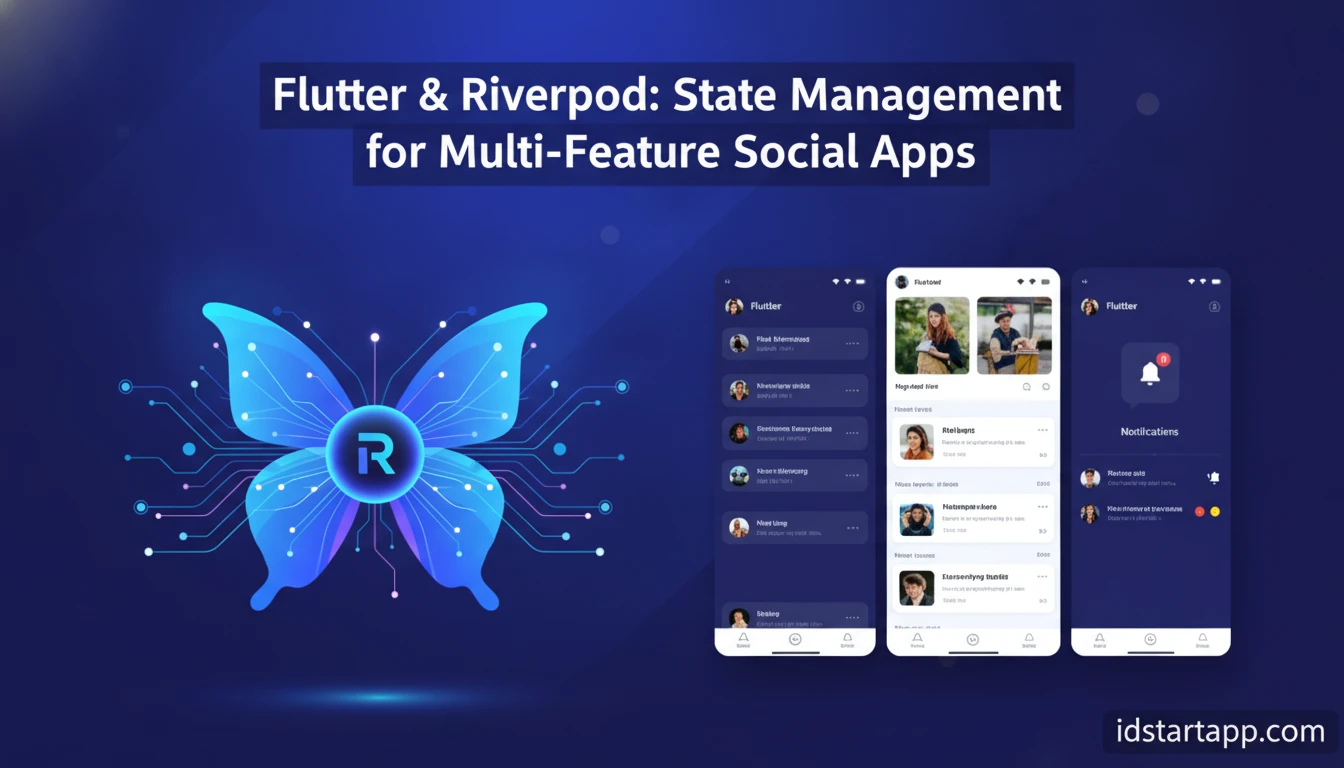

Flutter & Riverpod: State Management for Multi-Feature Social Apps
Building a multi-feature social media application presents unique challenges, especially when it comes to managing state across diverse and interactive components. From real-time feeds and user profiles to chat functionalities and notifications, ensuring data consistency and a smooth user experience requires a robust state management solution. This article explores how Flutter, combined with the powerful Riverpod framework, offers an elegant and scalable approach to state management for complex social applications. You'll learn the core concepts, practical implementation strategies, and best practices to build high-performance, maintainable social media apps.
Why Riverpod for Social Media Apps?
Riverpod is a reactive caching and data-binding framework for Flutter, designed to be compile-time safe and testable. It addresses many of the common pitfalls found in other state management solutions, making it particularly well-suited for the intricate demands of social media applications:
- Compile-Time Safety: Riverpod catches many errors during development, preventing runtime crashes related to provider access or disposal. This is invaluable in complex apps where many features interact.
- Testability: Every provider can be easily overridden, making unit testing individual components or entire feature flows straightforward without complex setup.
- Performance: Riverpod's intelligent caching and dependency tracking ensure that only the necessary widgets rebuild when state changes, optimizing performance for dynamic content like social feeds.
- Flexibility with Provider Types: It offers various provider types (
Provider,StateProvider,StateNotifierProvider,FutureProvider,StreamProvider) to handle different state scenarios, from simple values to complex asynchronous data streams. - Dependency Injection: Riverpod simplifies dependency injection, allowing you to easily access and manage services, repositories, and other dependencies throughout your application without boilerplate.
For social media apps, features like real-time updates (chat, notifications), user authentication, and dynamic content feeds heavily rely on efficient data flow and state synchronization. Riverpod's design principles directly support these requirements, leading to more stable and performant applications.
Core Concepts of Riverpod for Scalability
To effectively use Riverpod in a large-scale application, understanding its fundamental building blocks is crucial:
ProviderScope: The root widget that holds the state of all providers. It must be placed high up in your widget tree, typically at the root of yourMaterialApporCupertinoApp.- Providers: These are the core units that hold and expose state. Common types include:
Provider<T>: For read-only state or objects that don't change.StateProvider<T>: For simple mutable state (e.g., a boolean, an integer).StateNotifierProvider<Notifier, State>: For complex mutable state, allowing you to define methods to modify the state in a controlled manner. This is ideal for business logic.FutureProvider<T>: For asynchronous operations that return a single value (e.g., fetching user data from an API).StreamProvider<T>: For asynchronous operations that emit multiple values over time (e.g., real-time chat messages).
ConsumerWidget/ConsumerStatefulWidget/Consumer: Widgets that can listen to providers. They provide aWidgetRef(orref) object to interact with providers.ref.watch(),ref.read(),ref.listen():ref.watch(provider): Listens to a provider and rebuilds the widget when its state changes. Use this for UI updates.ref.read(provider): Reads a provider's state once without listening. Use this for one-off actions like triggering an event or accessing a service.ref.listen(provider, callback): Executes a callback function when a provider's state changes, without rebuilding the widget. Useful for showing snackbars, navigating, or performing side effects.
Designing State for Multi-Feature Social Apps
A multi-feature social app typically involves distinct domains like authentication, user profiles, content feeds, messaging, and notifications. Effective state design involves:
- Modularization: Create separate provider files or directories for each major feature. For example,
auth_providers.dart,feed_providers.dart,chat_providers.dart. - Data Models: Define clear and immutable data models (e.g.,
User,Post,Message) using packages likefreezedorjson_serializablefor robustness. - Granularity: Avoid monolithic providers. Break down complex state into smaller, focused providers that manage specific pieces of data or logic. This improves performance and maintainability.
Implementing Features with Riverpod: Practical Examples
User Authentication and Profile Management
Authentication state often includes the current user's details and their authentication status. A StateNotifierProvider is perfect for this.
// models/user.dartimport 'package:freezed_annotation/freezed_annotation.dart';part 'user.freezed.dart';@freezedabstract class User with _$User { const factory User({ required String id, required String username, required String email, }) = _User;}// providers/auth_provider.dartimport 'package:flutter_riverpod/flutter_riverpod.dart';import '../models/user.dart';class AuthNotifier extends StateNotifier<User?> { AuthNotifier() : super(null); // Initial state: no user Future<void> signIn(String email, String password) async { // Simulate API call await Future.delayed(const Duration(seconds: 1)); state = User(id: 'user123', username: 'john_doe', email: email); } void signOut() { state = null; }}final authProvider = StateNotifierProvider<AuthNotifier, User?>((ref) { return AuthNotifier();});You can then watch authProvider in your UI to show different screens based on whether a user is logged in.
Dynamic Feed with Posts and Interactions
A social feed requires fetching a list of posts and potentially handling real-time updates or pagination. A FutureProvider (for initial load) or StreamProvider (for real-time updates) combined with a StateNotifierProvider for actions is effective.
// models/post.dartimport 'package:freezed_annotation/freezed_annotation.dart';part 'post.freezed.dart';@freezedabstract class Post with _$Post { const factory Post({ required String id, required String userId, required String username, required String content, required int likes, required DateTime timestamp, }) = _Post;}// providers/feed_provider.dartimport 'package:flutter_riverpod/flutter_riverpod.dart';import '../models/post.dart';// Simulate a post serviceclass PostService { Future<List<Post>> fetchPosts() async { await Future.delayed(const Duration(seconds: 1)); return [ Post(id: 'p1', userId: 'u1', username: 'Alice', content: 'Enjoying Flutter!', likes: 10, timestamp: DateTime.now().subtract(const Duration(hours: 1))), Post(id: 'p2', userId: 'u2', username: 'Bob', content: 'Riverpod is great!', likes: 25, timestamp: DateTime.now().subtract(const Duration(minutes: 30))), ]; }}final postService = Provider((ref) => PostService());final feedProvider = FutureProvider<List<Post>>((ref) async { return ref.watch(postService).fetchPosts();});class FeedNotifier extends StateNotifier<List<Post>> { FeedNotifier(List<Post> initialPosts) : super(initialPosts); void likePost(String postId) { state = [ for (final post in state) if (post.id == postId) post.copyWith(likes: post.likes + 1) else post, ]; }}final feedNotifierProvider = StateNotifierProvider<FeedNotifier, List<Post>>((ref) { final postsAsyncValue = ref.watch(feedProvider); return FeedNotifier(postsAsyncValue.value ?? []); // Provide initial data});The UI can watch feedProvider for the initial post list and feedNotifierProvider for interactive updates like liking a post.
Real-time Chat Functionality
Real-time features are where StreamProvider shines. For sending messages, a StateNotifierProvider can manage the sending logic.
// models/message.dartimport 'package:freezed_annotation/freezed_annotation.dart';part 'message.freezed.dart';@freezedabstract class Message with _$Message { const factory Message({ required String id, required String senderId, required String senderUsername, required String content, required DateTime timestamp, }) = _Message;}// providers/chat_provider.dartimport 'package:flutter_riverpod/flutter_riverpod.dart';import '../models/message.dart';// Simulate a chat serviceclass ChatService { Stream<List<Message>> getMessages(String chatId) async* { yield [ Message(id: 'm1', senderId: 'u1', senderUsername: 'Alice', content: 'Hey!', timestamp: DateTime.now().subtract(const Duration(minutes: 5))), Message(id: 'm2', senderId: 'u2', senderUsername: 'Bob', content: 'Hello Alice!', timestamp: DateTime.now().subtract(const Duration(minutes: 4))), ]; await Future.delayed(const Duration(seconds: 5)); yield [ Message(id: 'm1', senderId: 'u1', senderUsername: 'Alice', content: 'Hey!', timestamp: DateTime.now().subtract(const Duration(minutes: 5))), Message(id: 'm2', senderId: 'u2', senderUsername: 'Bob', content: 'Hello Alice!', timestamp: DateTime.now().subtract(const Duration(minutes: 4))), Message(id: 'm3', senderId: 'u1', senderUsername: 'Alice', content: 'How are you?', timestamp: DateTime.now().subtract(const Duration(seconds: 10))), ]; } Future<void> sendMessage(String chatId, Message message) async { // Simulate sending message to backend await Future.delayed(const Duration(milliseconds: 500)); print('Message sent: ${message.content}'); }}final chatService = Provider((ref) => ChatService());final messagesProvider = StreamProvider.family<List<Message>, String>((ref, chatId) { return ref.watch(chatService).getMessages(chatId);});Using StreamProvider.family allows you to create a unique stream for each chat ID, ensuring messages are isolated per conversation.
Common Mistakes and Best Practices
Common Mistakes
- Over-watching: Watching providers unnecessarily in widgets that don't need to rebuild can lead to performance issues. Use
ref.read()for one-off actions. - Modifying state directly: For
StateNotifierProvider, always modify state through methods defined in theStateNotifier, never directly from the UI. - Forgetting
ProviderScope: The app will not run without it. - Not disposing resources: While Riverpod handles many disposals, ensure any manual stream subscriptions or external resources are properly closed in
disposemethods of your notifiers.
Best Practices
- Immutable State: Always use immutable data structures for your state objects (e.g., with
freezed). When state changes, create a new instance rather than modifying the existing one. - Separate Business Logic: Keep your business logic (e.g., API calls, data manipulation) within your
StateNotifierclasses or dedicated service classes, not directly in widgets. - Use
.familyfor Dynamic Providers: When a provider depends on an argument (like achatIdoruserId), use.familyto create unique instances for each argument. - Error Handling: Utilize Riverpod's
AsyncValue(fromFutureProvider/StreamProvider) to gracefully handle loading, data, and error states in your UI. - Testing: Leverage Riverpod's testability by overriding providers in your tests to mock dependencies.
Conclusion
Flutter and Riverpod together provide a powerful, type-safe, and performant foundation for building complex, multi-feature social media applications. By understanding Riverpod's core concepts, adopting best practices for state design, and applying the right provider types for each scenario, you can create highly scalable and maintainable applications that deliver an excellent user experience. Start by modularizing your features, defining clear data models, and embracing immutable state to harness the full potential of this robust combination.
FAQ
What is the main advantage of Riverpod over other Flutter state management solutions?
Riverpod's main advantages include compile-time safety, which catches errors early, and its robust dependency injection system, which makes testing and managing complex application logic significantly easier and more reliable.
Can Riverpod handle real-time data updates for features like chat?
Yes, Riverpod's StreamProvider is specifically designed for handling real-time data streams, making it ideal for features like live chat, notifications, and dynamic content updates.
Is Riverpod suitable for small projects, or is it overkill?
While Riverpod excels in large, complex applications, its simplicity and developer-friendly features make it a great choice even for smaller projects. It provides a solid foundation that can scale as your application grows.
How do I manage user authentication state with Riverpod?
Typically, user authentication state is managed using a StateNotifierProvider. This provider holds the current user object (or null if logged out) and exposes methods for signing in, signing out, and updating user profiles.